Fabric API Needed by durabilityview-fabric-1.0.1+1.21.7.jar
requiredMatching file found Matched file: [1.21.7] Fabric API 0.129.0+1.21.7

CurseForge · Minecraft mod
Color-coded durability buckets on visible players’ diamond and netherite armor, using server-reported equipment data.
Quick answer
durabilityview-fabric-1.0.1+1.21.7.jar targets 1.21.7 with Fabric. The project page does not say whether this file belongs on the client, dedicated server, or both. All 1 required mods have matching files.
Where it goes
The project page does not say whether this file belongs on the client, dedicated server, or both.
The source does not explicitly classify this release as client-only or server-only.
durabilityview-fabric-1.0.1+1.21.7.jar. Change the file and its required mods may change too.
Install Fabric API first. We found matching files for this game-version and loader setup.
We only count dependency files that match this setup. A file for another loader does not fill the gap.
Before you install it
Built for durabilityview-fabric-1.0.1+1.21.7.jar. Pick another file and the loader, install side or required mods may change.
Use durabilityview-fabric-1.0.1+1.21.7.jar. It targets 1.21.7 with Fabric; another release may have different loader, side or dependency requirements.
Install Fabric API first. We found matching files for this game-version and loader setup.
The project page does not say whether this file belongs on the client, dedicated server, or both.
Use the “Get this file” button beside durabilityview-fabric-1.0.1+1.21.7.jar. It opens that exact file at the source.
About this project
Color-coded durability numbers on visible players’ diamond and netherite armor. Separate client-only Fabric and NeoForge files for Minecraft Java 1.21.8, 1.21.9, 1.21.10, 1.21.11, 26.1, 26.1.1, 26.1.2, 26.2 and 26.3.
Labels follow the front/back armor surfaces of other visible players standing or crouching within 16 blocks by default. They are depth-tested and require line of sight. Invisible players, spectators, your own player, mobs, unsupported armor assets and sleeping/swimming/crawling/flying poses are excluded. Capes, shields and other geometry may cover labels naturally. This is a rendered overlay rather than a shared texture replacement.
F7 toggles labels, F8 cycles size, and F9 cycles the green/yellow/red and blue/yellow/orange palettes. Rebind under Options → Controls → Key Binds → DurabilityView. F1 hides labels with the HUD. Settings stay in config/durabilityview-client.properties; colors, range (2–32 blocks) and scale (0.65–1.5) can be edited with Minecraft closed.
Use Java 21 for Minecraft 1.21.x or Java 25 for 26.x. Place one JAR for your exact Minecraft version and loader in your client’s mods folder. Each file’s changelog lists its matching loader and Fabric API requirements.
NeoForge needs no extra configuration library. Do not install both loader variants. No server installation is needed.
Servers can hide or substitute equipment data, which a client cannot recover or authenticate. DurabilityView does not infer hidden values, bypass obfuscation, reveal invisible players, alter equipment or send custom network requests. Follow your server’s rules.
MIT licensed. An independent community mod, unrelated to other similarly named projects and not affiliated with Mojang or Microsoft.
Project description from CurseForge.
Pick your setup
Choose the version and loader you play, then open the matching release.
Showing the newest 12 of 34 game versions. Older files are in the list below.
Check the dependencies, then try the file in a copied instance before changing a world you care about.
Recent files
16 Oct 2026
16 Oct 2026
16 Oct 2026
16 Oct 2026
16 Oct 2026
16 Oct 2026
16 Oct 2026
16 Oct 2026
16 Oct 2026
16 Oct 2026
16 Oct 2026
16 Oct 2026
Looking for an older file? The official CurseForge project page is in Resources.
 mod
A Fabric Minecraft mod for viewing container slot index's at the click of a button! Useful for development/configuration!
 mod
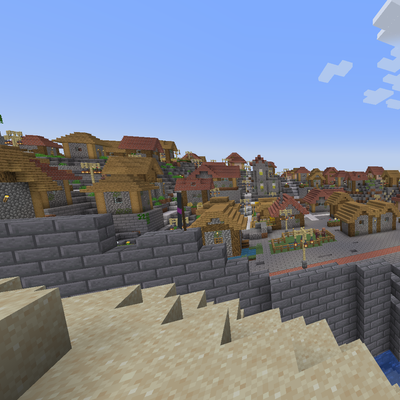
Transforms vanilla villages into fortified cities.
 mod
villagers speak arabic now with 7k+ new sounds