Create Curios Needed by Create: Raido Create-Radio-1.20.1-1.0.1.jar
requiredNo matching file
CurseForge · Minecraft mod
Create: Build stations, radio packs, and radios with a unique tube burn out system and new unique Tubes!
Quick answer
Create: Raido Create-Radio-1.20.1-1.0.1.jar targets 1.20.1 with Forge. The project page does not say whether this file belongs on the client, dedicated server, or both. 1 required mod needs a matching file.
Where it goes
The project page does not say whether this file belongs on the client, dedicated server, or both.
The source does not explicitly classify this release as client-only or server-only.
Create-Radio-1.20.1-1.0.1.jar on 1.20.1 Forge. Every mod below is checked against that same setup.
Install Create Curios first, but 1 required mod has no matching file for this setup. Do not mix loader builds to force a match.
We only count dependency files that match this setup. A file for another loader does not fill the gap.
Before you install it
Built for Create: Raido Create-Radio-1.20.1-1.0.1.jar on 1.20.1 Forge. Pick another file and the loader, install side or required mods may change.
Use Create-Radio-1.20.1-1.0.1.jar. It targets 1.20.1 with Forge; another release may have different loader, side or dependency requirements.
Install Create Curios first, but 1 required mod has no matching file for this setup. Do not mix loader builds to force a match.
The project page does not say whether this file belongs on the client, dedicated server, or both.
Use the “Get this file” button beside Create-Radio-1.20.1-1.0.1.jar. It opens that exact file at the source.
About this project
Build a station. Broadcast your music. Speak across the world.
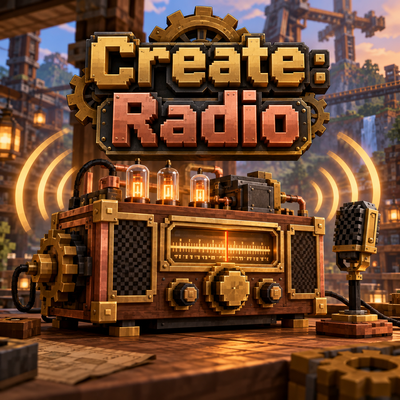
Bring the golden age of radio into Minecraft with Create: Radio, a fully functional vacuum-tube broadcasting and communications system designed around the engineering spirit of Create!
Construct elaborate radio stations, connect microphones and transceivers using Create Crafts & Additions wiring, power your vacuum-tube amplifiers, and transmit music or live voice to players across your world.
From a small tabletop radio in your workshop to an enormous broadcasting tower overlooking your factory, Create: Radio turns your Minecraft world into a living communications network.
Design and construct a fully operational radio station using interconnected components.
Desktop Transceiver — Name your station, configure its operation, and manage transmissions through an interactive GUI.
Desk Microphone — Broadcast your voice live to distant listeners.
Broadcast Playback Deck — Play music discs and transmit their audio across your radio network.
Vacuum Tube Amplifiers — Expand your station's broadcast coverage using electrical power and replaceable vacuum tubes.
Radio Hubs and Antenna Interfaces — Connect your equipment into a functioning transmission network.
Tabletop Radios — Tune into stations and listen from the comfort of your home or factory.
Use Create Crafts & Additions cables to connect your broadcasting equipment, complete with integrated wire attachment points.
MIC — Live Broadcasting
Speak directly into your station's microphone and communicate with players listening through their radios. Powered by Simple Voice Chat.
DECK — Music Broadcasting
Transmit vanilla Minecraft music discs across your station's coverage. With the optional Etched mod installed, broadcast custom records and linked music as well!
RELAY — Communications Repeater
Turn your station into a radio repeater, receiving transmissions from nearby portable radios and rebroadcasting them across your station's much larger coverage area.
Stay connected wherever your adventures take you!
Equip a portable radio backpack through Curios to receive broadcasts, tune into named stations, and communicate directly with other radio operators.
Numpad + — Open the station tuner.
Numpad − — Hold to transmit your voice.
Numpad * — Turn your backpack radio on or off.
All controls are configurable.
A backpack's vacuum tubes determine its outgoing transmission range, while reception from established stations depends on the broadcasting station's coverage.
Radio equipment depends on functional vacuum tubes, which gradually wear with use.
Upgrade your amplifiers with advanced tubes to extend their coverage and improve performance.
For truly extraordinary communication, create paired quantum vacuum tubes capable of establishing links across enormous distances — even between dimensions!
Quantum tubes must be properly paired, and failure of a paired tube affects its partner.
Etched integration is completely optional.
With Etched installed, Create: Radio can broadcast custom records and supported linked audio through its existing broadcasting system.
No separate server-hosted MP3 library is required.
Without Etched, vanilla music broadcasting and the rest of Create: Radio remain available.
Minecraft: Java Edition 1.20.1
Mod Loader: Forge 47.4.10
Required Mods:
Create 6.0.8
Create Crafts & Additions 1.3.3
Curios 5.14.1
Simple Voice Chat 2.6.22
Optional Mods:
Create: Radio must be installed on both the client and server.
If your modpack already supplies Create Crafts & Additions through a properly loaded dependency, avoid installing a duplicate copy.
Server administrators are responsible for establishing and enforcing rules governing broadcast content, external audio URLs, and copyright compliance. Players must have appropriate rights to transmit their chosen recordings.
Linked Etched audio may be retrieved directly from third-party hosts by listening clients.
Please review the included license and server audio policy.
Create: Radio 1.0.1
Build your network. Find your frequency. Let the whole world hear you.
Project description from CurseForge.
Pick your setup
Choose the version and loader you play, then open the matching release.
Check the dependencies, then try the file in a copied instance before changing a world you care about.
Recent files
20 Oct 2026
Looking for an older file? The official CurseForge project page is in Resources.