Minecraft version
Back to mods 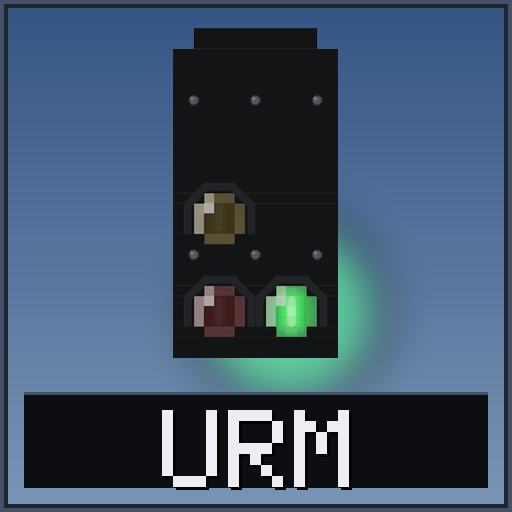
CurseForge · Minecraft mod
Ultimate Railway
Signals, semaphores, speed limits, level crossings, an overhead line and a driver's cab for Create trains, in the style of the German railway. Everything works with Create's own track, signals and trains.
Choose a version Pick your version below, then grab the matching file.
Quick answer
Which Ultimate Railway release should I use?
Latest stable file URM V0.1.0
Game version 1.20.1
Loader Forge
Ultimate Railway URM V0.1.0 targets 1.20.1 with Forge. The project page does not say whether this file belongs on the client, dedicated server, or both. No extra mods listed for this file.
Where it goes
Is Ultimate Railway required on the client, server, or both?
The project page does not say whether this file belongs on the client, dedicated server, or both.
Client Source doesn’t say
Dedicated server Source doesn’t say
Loader for this release Forge
Required install it here Optional supported, not mandatory Not supported do not install here Source doesn’t say do not assume
The source does not explicitly classify this release as client-only or server-only.
What else does Ultimate Railway URM V0.1.0 need?
URM V0.1.0. Change the file and its required mods may change too.
This file does not list any required mods. Do not add a library just because a different file uses it.
This file does not list any required or optional mods.
Before you install it
Add Ultimate Railway without breaking your instance.
Built for Ultimate Railway URM V0.1.0. Pick another file and the loader, install side or required mods may change.
- 01
Stick to this file
Use URM V0.1.0. It targets 1.20.1 with Forge; another release may have different loader, side or dependency requirements.
- 02
Bring the mods it needs
This file does not list any required mods. Do not add a library just because a different file uses it.
- 03
Put it on the correct side
The project page does not say whether this file belongs on the client, dedicated server, or both.
- 04
Pick the file you checked
Use the “Get this file” button beside URM V0.1.0. It opens that exact file at the source.
About this project
What does Ultimate Railway add?
Ultimative Railway Mod adds the equipment of a real railway to Create: signal heads and semaphores, speed limits, level crossings, an overhead line with pantographs, and a driver's cab with a key, a display and a control panel. It is made in the style of the German railway and works with Create's own track, signals and trains.
Signals
Create's Train Signal decides who goes and who waits, but its own light is small. A signal head from this mod shows the same state in a way a driver can read from far away.
- Signal Lamp: red, yellow and green. It gives off light.
- Two-Light Signal Lamp: red and green. Yellow shows as flashing green.
- Dwarf Signal: a small ground signal with a number plate.
- Distant Signal: tells the driver what the next main signal will show.
- Semaphores: arm signals with a second arm and a distant signal, for the old look.
- Speed Indicator: a number under a head, read from the track speed.
Put a head next to a Create Train Signal and it follows it. Or use the Signal Linker to link a head to any signal in the same dimension, however far away. Without a Create signal, a head follows redstone, which also makes it easy to test.
There are also masts, a climbing mast, a side-mount mast, gantries, a signal box, and signs for speed, distant markers, the whistle and level crossings.
Speed limits
The Speed Limit Point is a board on a post that you put beside the track. Place it looking along the track, then right-click it and write the limit in km/h. Create's trains hold to it, and so does a train with a driver.
Level crossings
Gates, flashing lights, a bell and track detectors, all run by one Crossing Controller. Link the parts to the controller with the Crossing Linker. The controller starts the crossing when a Create Train Observer, a redstone signal or one of its detectors sees a train. The gates come down, the lights flash, the bell rings, and everything goes back when the train has passed.
Overhead line
Build masts and cantilevers, then draw the wire between them with the Catenary Wire. The wire follows the Create track under it, round curves and over switches. A pantograph on the train rises to the wire. By default a train with a pantograph needs the wire: when it loses it, a red lamp blinks and after a few seconds the train loses its power. This can be switched off in the config.
The driver's cab
Cab units for the cab of a Create train: the Driver's Display, the Control Panel, a Driver's Desk, an L-shaped console corner, cab and train lights, and a Train Key. A train with a display is locked until you put its key in. The units add an emergency brake for red signals (with an override), a speed limit controller, door and light keys, and the S, L and A lamps. You still drive with Create's own Train Controls.
Project description from CurseForge.
Pick your setup
Ultimate Railway by Minecraft version and loader
Choose the version and loader you play, then open the matching release.
Check the dependencies, then try the file in a copied instance before changing a world you care about.
Recent files
Ultimate Railway versions and loaders
URM V0.1.0
urm-0.1.0.jar
11 Oct 2026
Client Source doesn’t say Server Source doesn’t say Dependencies No extras listed Listed on Release listing
Check the 1.20.1 · Forge setup 1.20.1Forge release
Looking for an older file? The official CurseForge project page is in Resources.