Xaero's World Map Optional for Map Sync Table xaerokartdeling-1.0.0.jar
optionalMatching file found Matched file: xaeroworldmap-neoforge-1.21.10-1.47.0.jar
CurseForge · Minecraft mod
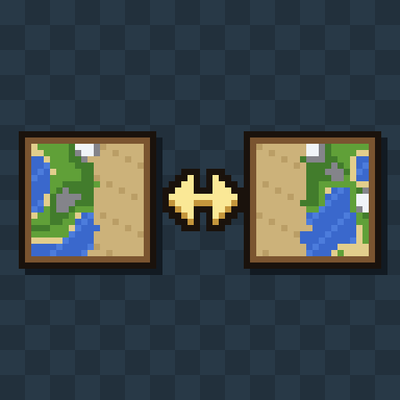
Share explored map areas with everyone on your server.
Quick answer
Map Sync Table xaerokartdeling-1.0.0.jar targets 1.21.10 with NeoForge. The project page does not say whether this file belongs on the client, dedicated server, or both. No extra mods listed for this file.
Where it goes
The project page does not say whether this file belongs on the client, dedicated server, or both.
The source does not explicitly classify this release as client-only or server-only.
xaerokartdeling-1.0.0.jar. Change the file and its required mods may change too.
This file does not list any required mods. Do not add a library just because a different file uses it.
2 extra mods were pulled in by other dependencies. Indented rows show who needs each one. We only count dependency files that match this setup. A file for another loader does not fill the gap.
Before you install it
Built for Map Sync Table xaerokartdeling-1.0.0.jar. Pick another file and the loader, install side or required mods may change.
Use xaerokartdeling-1.0.0.jar. It targets 1.21.10 with NeoForge; another release may have different loader, side or dependency requirements.
This file does not list any required mods. Do not add a library just because a different file uses it.
The project page does not say whether this file belongs on the client, dedicated server, or both.
Use the “Get this file” button beside xaerokartdeling-1.0.0.jar. It opens that exact file at the source.
About this project
Share explored map areas with everyone on your server, using Xaero's World Map.
Build a Map Sync Table and right-click it. Your explored areas are uploaded to the server, and you get back everything the other players have explored. They get yours the next time they use a table.
This mod is independent and not affiliated with Xaero. It requires Xaero's World Map on every client that wants to share.
M) so the new areas are drawn.| Paper | Compass | Paper |
| Copper Ingot | Copper Ingot | Copper Ingot |
| Planks | Planks | Planks |
The shared bank lives in <world>/xaerokartdeling/maps/ on the server.
region.xaero files, and asks Xaero's World Map to reload by calling into its internal classes. It does not include any of Xaero's code. If a future Xaero update changes those internals, the reload step may stop working until this mod is updated. Until then, reopening the map is the fallback.MIT. Source code is not public yet.
Project description from CurseForge.
Pick your setup
Choose the version and loader you play, then open the matching release.
Check the dependencies, then try the file in a copied instance before changing a world you care about.
Recent files
11 Oct 2026
Looking for an older file? The official CurseForge project page is in Resources.
 mod
replaces the default weather with particle effects
 mod
Adventure time inspired dungeon crawler on a train. Procedurally generated carriages on a infinite sable physics train. Rich narrative, with custom made mods for a completely unique experience.