Minecraft version
Back to mods 
CurseForge · Minecraft mod
Neatfold
Inventory sorting on a key you choose plus a small button: merges stacks and tidies your inventory or the open chest.
Choose a version Pick your version below, then grab the matching file.
Quick answer
Which Neatfold release should I use?
Latest stable file Neatfold 1.9.0 (NeoForge 1.21.5)
Game version 1.21.5
Loader NeoForge
Neatfold 1.9.0 (NeoForge 1.21.5) targets 1.21.5 with NeoForge. The project page does not say whether this file belongs on the client, dedicated server, or both. No extra mods listed for this file.
Where it goes
Is Neatfold required on the client, server, or both?
The project page does not say whether this file belongs on the client, dedicated server, or both.
Client Source doesn’t say
Dedicated server Source doesn’t say
Loader for this release NeoForge
Required install it here Optional supported, not mandatory Not supported do not install here Source doesn’t say do not assume
The source does not explicitly classify this release as client-only or server-only.
What else does Neatfold 1.9.0 (NeoForge 1.21.5) need?
Neatfold 1.9.0 (NeoForge 1.21.5). Change the file and its required mods may change too.
This file does not list any required mods. Do not add a library just because a different file uses it.
This file does not list any required or optional mods.
Before you install it
Add Neatfold without breaking your instance.
Built for Neatfold 1.9.0 (NeoForge 1.21.5). Pick another file and the loader, install side or required mods may change.
- 01
Stick to this file
Use Neatfold 1.9.0 (NeoForge 1.21.5). It targets 1.21.5 with NeoForge; another release may have different loader, side or dependency requirements.
- 02
Bring the mods it needs
This file does not list any required mods. Do not add a library just because a different file uses it.
- 03
Put it on the correct side
The project page does not say whether this file belongs on the client, dedicated server, or both.
- 04
Pick the file you checked
Use the “Get this file” button beside Neatfold 1.9.0 (NeoForge 1.21.5). It opens that exact file at the source.
About this project
What does Neatfold add?
Neatfold
Inventory sorting on a key you choose plus a small button: merges stacks and tidies your inventory or the open chest.
What it does
- Press the sort key (middle mouse button by default) over your inventory or over an open chest: stacks merge and everything lines up in order.
- A small button on the top-right of every sortable screen does the same.
- Your hotbar is never touched. Furnaces, crafting grids and other workstations are left alone.
- Works on chests, barrels, shulker boxes and Haversack packs. The key is in Controls > Inventory.
- Ctrl sorts A-Z: hold Ctrl when you press the key or the button to sort by name instead of by item type.
- Hotbar refill: use up the last block, pearl or torch in your hand, or break a tool, and the next stack of the same item moves in from your inventory.
- Shift stores: hold Shift when you press the sort key (or the button) over an open chest, and every item in your inventory the chest already holds goes into it. The hotbar stays.
- Off-hand refill: use up the last of something in your off hand and the next stack of it moves in.
- Ctrl + Shift takes: Ctrl + Shift + sort over an open chest brings you every item you already carry, topping up your stacks first.
- Alt sorts by size: hold Alt when you press the sort key or the button and the fullest stacks come first, whatever they are.
- Hotbar refill reaches the hotbar: when the last one in your hand is used, the next stack comes from the inventory first, then from the rest of the hotbar.
- /sort, /sort name and /sort fullest sort your inventory from chat.
Needs
- Minecraft 26.3, 1.21.11 or 1.21.1 with Fabric Loader + Fabric API, or with NeoForge. Pick the file for your version and loader on the Files tab.
- Installed on both the client and the server (the server does the sorting, the client has the key and the button)
Made for Emberwild Journey
Neatfold is one of the original mods written for the Emberwild Journey modpack: waystones, backpacks, runes, networked storage, villager trading, vein mining and sorting, made to fit together. It also works on its own.
MIT licensed. Found a bug? Include logs/latest.log.
Support
These mods are free and always will be. If one saved you time, a coffee keeps updates coming.

Bug or idea? Leave a comment below. We read every one.
Project description from CurseForge.
Pick your setup
Neatfold by Minecraft version and loader
Choose the version and loader you play, then open the matching release.
Minecraft version
26.2
2 loader buildsMinecraft version
26.1.2
2 loader buildsMinecraft version
26.1
2 loader buildsMinecraft version
1.21.11
2 loader buildsMinecraft version
1.21.10
2 loader buildsMinecraft version
1.21.8
2 loader buildsMinecraft version
1.21.5
2 loader buildsMinecraft version
1.21.4
2 loader buildsMinecraft version
1.21.1
2 loader buildsMinecraft version
1.20.1
2 loader buildsMinecraft version
1.19.2
2 loader buildsCheck the dependencies, then try the file in a copied instance before changing a world you care about.
Recent files
Neatfold versions and loaders
Neatfold 1.9.0 (NeoForge 1.21.5)
neatfold-neoforge-1.21.5-1.9.0.jar
5 Nov 2026
Client Source doesn’t say Server Source doesn’t say Dependencies No extras listed Listed on Release listing
Check the 1.21.5 · NeoForge setup 1.21.5NeoForge release
Neatfold 1.9.0 (NeoForge 1.21.4)
neatfold-neoforge-1.21.4-1.9.0.jar
5 Nov 2026
Client Source doesn’t say Server Source doesn’t say Dependencies No extras listed Listed on Release listing
Check the 1.21.4 · NeoForge setup 1.21.4NeoForge release
Neatfold 1.9.0 (Forge 1.19.2)
neatfold-forge-1.19.2-1.9.0.jar
5 Nov 2026
Client Source doesn’t say Server Source doesn’t say Dependencies No extras listed Listed on Release listing
Check the 1.19.2 · Forge setup Forge1.19.2 release
Neatfold 1.9.0 (Fabric 1.21.5)
neatfold-fabric-1.21.5-1.9.0.jar
5 Nov 2026
Client Source doesn’t say Server Source doesn’t say Dependencies 1 required · 1 unchecked Listed on Release listing
Check the 1.21.5 · Fabric setup Fabric1.21.5 release
Neatfold 1.9.0 (Fabric 1.21.4)
neatfold-fabric-1.21.4-1.9.0.jar
5 Nov 2026
Client Source doesn’t say Server Source doesn’t say Dependencies 1 required · 1 unchecked Listed on Release listing
Check the 1.21.4 · Fabric setup Fabric1.21.4 release
Neatfold 1.9.0 (Fabric 1.19.2)
neatfold-fabric-1.19.2-1.9.0.jar
5 Nov 2026
Client Source doesn’t say Server Source doesn’t say Dependencies 1 required · 1 unchecked Listed on Release listing
Check the 1.19.2 · Fabric setup Fabric1.19.2 release
Neatfold 1.9.0 (NeoForge 26.3)
neatfold-neoforge-26.3-1.9.0.jar
5 Nov 2026
Client Source doesn’t say Server Source doesn’t say Dependencies No extras listed Listed on Release listing
Check the 26.3 · NeoForge setup NeoForge26.3 release
Neatfold 1.9.0 (NeoForge 26.2)
neatfold-neoforge-26.2-1.9.0.jar
5 Nov 2026
Client Source doesn’t say Server Source doesn’t say Dependencies No extras listed Listed on Release listing
Check the 26.2 · NeoForge setup NeoForge26.2 release
Neatfold 1.9.0 (NeoForge 26.1)
neatfold-neoforge-26.1-1.9.0.jar
5 Nov 2026
Client Source doesn’t say Server Source doesn’t say Dependencies No extras listed Listed on Release listing
Check the 26.1.2 · NeoForge setup NeoForge26.126.1.2 release
Neatfold 1.9.0 (NeoForge 1.21.8)
neatfold-neoforge-1.21.8-1.9.0.jar
5 Nov 2026
Client Source doesn’t say Server Source doesn’t say Dependencies No extras listed Listed on Release listing
Check the 1.21.8 · NeoForge setup 1.21.8NeoForge release
Neatfold 1.9.0 (NeoForge 1.21.11)
neatfold-neoforge-1.21.11-1.9.0.jar
5 Nov 2026
Client Source doesn’t say Server Source doesn’t say Dependencies No extras listed Listed on Release listing
Check the 1.21.11 · NeoForge setup NeoForge1.21.11 release
Neatfold 1.9.0 (NeoForge 1.21.10)
neatfold-neoforge-1.21.10-1.9.0.jar
5 Nov 2026
Client Source doesn’t say Server Source doesn’t say Dependencies No extras listed Listed on Release listing
Check the 1.21.10 · NeoForge setup NeoForge1.21.10 release
Looking for an older file? The official CurseForge project page is in Resources.
 mod
CurseForge · Minecraft
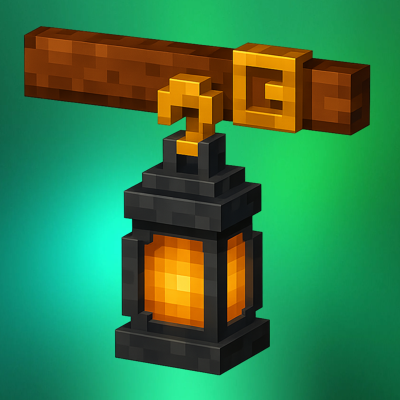
Beltborne Lanterns
Beltborne Lanterns — free hands, bright path. Press B while holding a lantern — it snaps onto your belt. Walk, jump, fight — the lantern sways with physics and casts light near you. Need it back in your hands? Press B again. 💡
 mod
CurseForge · Minecraft
Omni Wheel
Client-side radial quick-action menu with configurable wheels, profiles, shortcuts, and multiplayer-safe command and keybind access.
 mod
CurseForge · Minecraft
Biome brush
A tool that lets you change biomes on the fly!