Cloth Config API (Fabric/Forge/NeoForge) Optional for Portable Terminal 1.3.1-fix (NeoForge)
optionalNo matching file
CurseForge · Minecraft mod
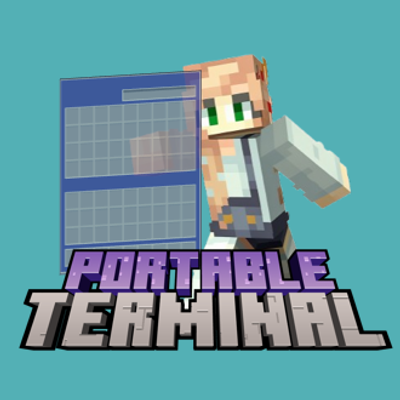
A lightweight portable terminal that lets you browse, search and move items across every container near you, without opening them one by one. What it does
Quick answer
Portable Terminal 1.3.1-fix (NeoForge) targets 26.3 with NeoForge. The project page does not say whether this file belongs on the client, dedicated server, or both. No extra mods listed for this file.
Where it goes
The project page does not say whether this file belongs on the client, dedicated server, or both.
The source does not explicitly classify this release as client-only or server-only.
Portable Terminal 1.3.1-fix (NeoForge). Change the file and its required mods may change too.
This file does not list any required mods. Do not add a library just because a different file uses it.
We only count dependency files that match this setup. A file for another loader does not fill the gap.
Before you install it
Built for Portable Terminal 1.3.1-fix (NeoForge). Pick another file and the loader, install side or required mods may change.
Use Portable Terminal 1.3.1-fix (NeoForge). It targets 26.3 with NeoForge; another release may have different loader, side or dependency requirements.
This file does not list any required mods. Do not add a library just because a different file uses it.
The project page does not say whether this file belongs on the client, dedicated server, or both.
Use the “Get this file” button beside Portable Terminal 1.3.1-fix (NeoForge). It opens that exact file at the source.
About this project
A lightweight portable terminal that lets you browse, search and move items across every container near you, without opening them one by one.
#minecraft:logs.` (grave accent) to open the terminal. You can rebind it under Options → Controls → Key Binds → Portable Terminal.Server administrators can control the mod with block tags. When one of the tags below exists and contains at least one block, the matching rule becomes active:
| Tag | Effect |
|---|---|
portableterminal:portable_terminal_disable |
Disables the whole mod |
portableterminal:portable_terminal_limit_range |
Caps the scan radius on the server side |
portableterminal:portable_terminal_disable_deposit |
Blocks depositing items |
portableterminal:portable_terminal_disable_extract |
Blocks taking items out |
portableterminal:portable_terminal_only_singleplayer |
Makes the terminal singleplayer-only |
The client keeps its settings in config/portable_terminal_client.json:
| Key | Meaning |
|---|---|
scanRadius |
How far the terminal looks for containers, from 0 to 16 |
masterSwitch |
Turns the terminal off completely when false |
blacklistBlockIds |
Block IDs that the terminal ignores, for example minecraft:furnace |
sortConfig |
The sort order last chosen in the terminal |
Released under the GNU Affero General Public License v3.0 (AGPL-3.0); see LICENSE.
Parts of the terminal item aggregation, container scanning and GUI layout are based on Tom's Simple Storage by tom5454, distributed under the MIT License. See LICENSE for the full notice.
一个轻量的随身终端:不用逐个打开箱子,就能浏览、搜索并搬运你附近所有容器里的物品。
#minecraft:logs 这样的标签搜索;`(反引号)打开终端;可在 选项 → 控制 → 按键绑定 → 随身终端 中改键;服务器管理员可以用方块标签控制本模组。当下列某个标签存在且至少包含一个方块时,对应规则生效:
| 标签 | 作用 |
|---|---|
portableterminal:portable_terminal_disable |
完全禁用本模组 |
portableterminal:portable_terminal_limit_range |
在服务端限制扫描半径 |
portableterminal:portable_terminal_disable_deposit |
禁止存入物品 |
portableterminal:portable_terminal_disable_extract |
禁止取出物品 |
portableterminal:portable_terminal_only_singleplayer |
仅在单人游戏可用 |
客户端配置保存在 config/portable_terminal_client.json:
| 键 | 含义 |
|---|---|
scanRadius |
终端搜索容器的范围,取值 0 到 16 |
masterSwitch |
为 false 时完全关闭终端 |
blacklistBlockIds |
终端忽略的方块 ID,例如 minecraft:furnace |
sortConfig |
上次在终端中选择的排序方式 |
本项目以 GNU Affero 通用公共许可证第 3 版(AGPL-3.0)发布,详见 LICENSE。
终端的物品聚合、容器扫描与界面布局部分参考了 tom5454 的 Tom's Simple Storage, 该项目以 MIT 许可证发布,完整声明见 LICENSE。
Project description from CurseForge.
Pick your setup
Choose the version and loader you play, then open the matching release.
Showing the newest 12 of 24 game versions. Older files are in the list below.
Check the dependencies, then try the file in a copied instance before changing a world you care about.
Recent files
portableterminal-1.3.1-fix-neoforge-26.3.jar
15 Oct 2026
portableterminal-1.3.1-fix-fabric-26.3.jar
15 Oct 2026
portableterminal-1.3.1-neoforge-26.3.jar
15 Oct 2026
portableterminal-1.3.1-fabric-26.3.jar
15 Oct 2026
portableterminal-1.3.1-neoforge-26.1-26.2.jar
15 Oct 2026
portableterminal-1.3.1-fabric-26.1-26.2.jar
15 Oct 2026
portableterminal-1.3.0-neoforge-1.21.9-1.21.11.jar
15 Oct 2026
portableterminal-1.3.0-fabric-1.21.9-1.21.11.jar
15 Oct 2026
portableterminal-1.3.0-neoforge-1.21.6-1.21.8.jar
15 Oct 2026
portableterminal-1.3.0-fabric-1.21.6-1.21.8.jar
15 Oct 2026
portableterminal-1.3.0-neoforge-1.21.2-1.21.5.jar
15 Oct 2026
portableterminal-1.3.0-fabric-1.21.2-1.21.5.jar
15 Oct 2026
Looking for an older file? The official CurseForge project page is in Resources.
 mod
modAdd some types of tanks, which can be combined vertically. Tanks can hold Fluids and Potions.
 mod
modAllows you to change gamerule in game with menu.
 mod
modAdds FE generators for AE2. Also adds FE Storage and some functional blocks.