Fabric Language Kotlin Needed by Polydium 1.4.2
requiredMatching file found Matched file: Fabric Language Kotlin 1.14.2+kotlin.2.4.21

CurseForge · Minecraft mod
Miscellaneous client-side optimization mod
Quick answer
Polydium 1.4.2 targets 26.1, 26.1.1, 26.1.2 with Fabric. The project page does not say whether this file belongs on the client, dedicated server, or both. All 4 required mods have matching files.
Where it goes
The project page does not say whether this file belongs on the client, dedicated server, or both.
The source does not explicitly classify this release as client-only or server-only.
1.4.2 on 26.1.1. Every mod below is checked against that same setup.
Install Fabric Language Kotlin, Fabric API, OneConfig, Compose Multiplatform first. We found matching files for this game-version and loader setup. 1 comes through another mod in the chain.
1 extra mod was pulled in by another dependency. Indented rows show who needs each one. We only count dependency files that match this setup. A file for another loader does not fill the gap.
Before you install it
Built for Polydium 1.4.2 on 26.1.1. Pick another file and the loader, install side or required mods may change.
Use 1.4.2. It targets 26.1, 26.1.1, 26.1.2 with Fabric; another release may have different loader, side or dependency requirements.
Install Fabric Language Kotlin, Fabric API, OneConfig, Compose Multiplatform first. We found matching files for this game-version and loader setup. 1 comes through another mod in the chain.
The project page does not say whether this file belongs on the client, dedicated server, or both.
Use the “Get this file” button beside 1.4.2. It opens that exact file at the source.
About this project

Miscellaneous client-side optimization mod built by Polyfrost. On average, adding Polydium alongside the OneClient modpack improves average FPS by 40%.
The magic of this mod is how it works with other mods. Polydium works the best alongside Sodium, using its infrastructure to improve performance in mods such as 3D Skin Layers.
This mod brings Vulkan to 1.21.11-26.1.2 by backporting Mojang's Vulkan implementation to these older versions. Any mod which supports Vulkan on MC 26.2+ supports Polydium's Vulkan backend (including Sodium).
By pairing this alongside Polydium's own Vulkan optimizations, you can expect better FPS than VulkanMod whilst maintaining compatibility with every mod in your mods folder.
Project description from CurseForge.
Pick your setup
Choose the version and loader you play, then open the matching release.
Check the dependencies, then try the file in a copied instance before changing a world you care about.
Recent files
polydium-1.4.2-26.1.jar
10 Nov 2026
polydium-1.4.1-26.1.jar
10 Nov 2026
polydium-1.4.0-26.1.jar
10 Nov 2026
polydium-1.3.2-26.1.jar
8 Nov 2026
polydium-1.3.1-26.1.jar
6 Nov 2026
polydium-1.3.0-26.1.jar
6 Nov 2026
Looking for an older file? The official CurseForge project page is in Resources.
 mod
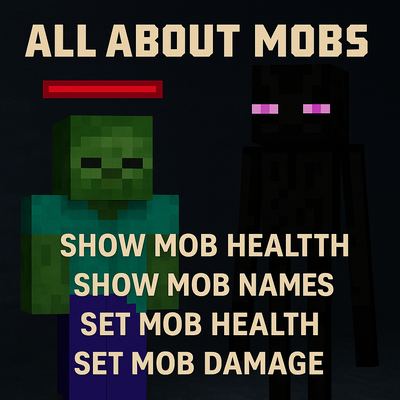
Show mob health and names, and customize mob health and damage in Minecraft.
 mod
Simple Tracking Compass is a Minecraft mod that adds a Compass to the top-left corner of your screen which lets you track other players.
 mod
Fast, precise, and fully customizable client-side inventory controls
