Fabric API Needed by Sowback 1.2.0
requiredMatching file found Matched file: [26.3] Fabric API 0.163.0+26.3

CurseForge · Minecraft mod
Right-click a ripe crop to harvest it: it drops its harvest, keeps one seed and is already replanted.
Quick answer
Sowback 1.2.0 targets 26.3 with Fabric. The project page does not say whether this file belongs on the client, dedicated server, or both. All 1 required mods have matching files.
Where it goes
The project page does not say whether this file belongs on the client, dedicated server, or both.
The source does not explicitly classify this release as client-only or server-only.
Sowback 1.2.0. Change the file and its required mods may change too.
Install Fabric API first. We found matching files for this game-version and loader setup.
We only count dependency files that match this setup. A file for another loader does not fill the gap.
Before you install it
Built for Sowback 1.2.0. Pick another file and the loader, install side or required mods may change.
Use Sowback 1.2.0. It targets 26.3 with Fabric; another release may have different loader, side or dependency requirements.
Install Fabric API first. We found matching files for this game-version and loader setup.
The project page does not say whether this file belongs on the client, dedicated server, or both.
Use the “Get this file” button beside Sowback 1.2.0. It opens that exact file at the source.
About this project
Right-click a ripe crop to harvest it: it drops its harvest, keeps one seed and is already replanted.
Sowback is one of the original mods written for the Emberwild Journey modpack: waystones, backpacks, runes, networked storage, villager trading, vein mining, sorting and travel, made to fit together. It also works on its own.
MIT licensed. Found a bug? Include logs/latest.log.
Project description from CurseForge.
Pick your setup
Choose the version and loader you play, then open the matching release.
Check the dependencies, then try the file in a copied instance before changing a world you care about.
Recent files
sowback-fabric-26.3-1.2.0.jar
15 Oct 2026
sowback-fabric-26.3-1.1.0.jar
14 Oct 2026
sowback-fabric-26.3-1.0.2.jar
12 Oct 2026
sowback-fabric-26.3-1.0.1.jar
12 Oct 2026
sowback-fabric-26.3-1.0.0.jar
12 Oct 2026
Looking for an older file? The official CurseForge project page is in Resources.
 mod
modThis mod lets you edit custom set effects through a visual GUI with intuitive operations.
 mod
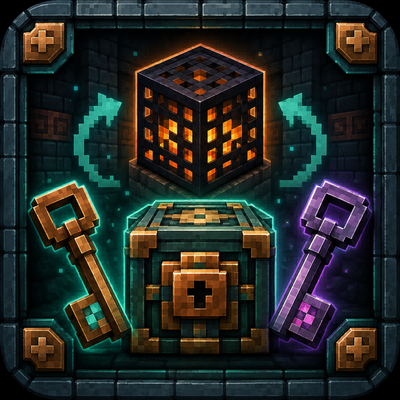
modCustomize Trial Spawners and Vaults with configurable rewards, recharge times, keys, and repeatable openings. Fabric requires the Fabric API to work.
 mod
modShulkerception introduces the Super Shulker, a new Shulker Box variant that can store vanilla Shulker Boxes inside itself. Expand your portable storage while keeping the vanilla Minecraft experience intact.