Fabric API Needed by Simple Kids Buttons simplekidsbuttons-2.1.0.jar
requiredMatching file found Matched file: [26.3] Fabric API 0.163.0+26.3
CurseForge · Minecraft mod
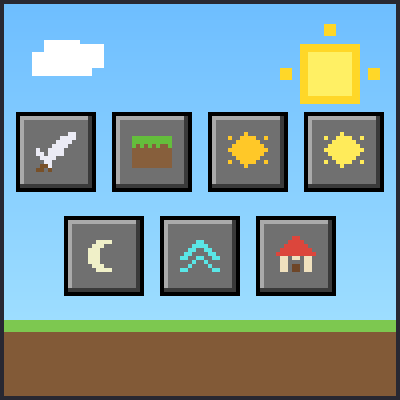
One-click buttons for kids in the inventory screen: game mode, weather, time, LAN, HOME and a player teleport list.
Quick answer
Simple Kids Buttons simplekidsbuttons-2.1.0.jar targets 26.1.2, 26.2, 26.3 with Fabric. The project page does not say whether this file belongs on the client, dedicated server, or both. All 1 required mods have matching files.
Where it goes
The project page does not say whether this file belongs on the client, dedicated server, or both.
The source does not explicitly classify this release as client-only or server-only.
simplekidsbuttons-2.1.0.jar. Change the file and its required mods may change too.
Install Fabric API first. We found matching files for this game-version and loader setup.
We only count dependency files that match this setup. A file for another loader does not fill the gap.
Before you install it
Built for Simple Kids Buttons simplekidsbuttons-2.1.0.jar. Pick another file and the loader, install side or required mods may change.
Use simplekidsbuttons-2.1.0.jar. It targets 26.1.2, 26.2, 26.3 with Fabric; another release may have different loader, side or dependency requirements.
Install Fabric API first. We found matching files for this game-version and loader setup.
The project page does not say whether this file belongs on the client, dedicated server, or both.
Use the “Get this file” button beside simplekidsbuttons-2.1.0.jar. It opens that exact file at the source.
About this project
Simple Kids Buttons puts the most useful actions on the inventory screen, so young players can do them with one click instead of typing commands.
Buttons appear in both the normal and the creative inventory:
Game mode, weather, time and player teleport buttons send the normal game commands (/gamemode, /weather, /time, /tp), so they work only where you are allowed to use those commands: an operator on a server, or a single-player world with cheats enabled.
LAN and HOME do not need operator rights:
Install the same jar on the host and on the guests. The mod is optional for guests, but with it they get HOME without operator rights.
Released under the MIT License.
Project description from CurseForge.
Pick your setup
Choose the version and loader you play, then open the matching release.
Check the dependencies, then try the file in a copied instance before changing a world you care about.
Recent files
17 Oct 2026
12 Oct 2026
Looking for an older file? The official CurseForge project page is in Resources.
 mod
modFixes confirmed bugs that have stayed open for years: campfires and comparators, golem poppies, burning skeleton arrows, wind charges and items.
 mod
modCobblemon JEI & JourneyMap Integration is a high-performance client-side mod for Minecraft Java (NeoForge & Fabric 1.21.1), designed to seamlessly bridge the Cobblemon ecosystem with Just Enough Items (JEI) and JourneyMap.
 mod
modStops fast TNT and other fast-moving entities from lagging the server with collision checks (MC-260743). Movement stays identical to vanilla.