Minecraft version
Back to mods 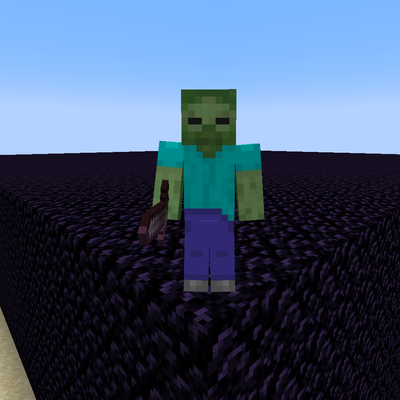
CurseForge · Minecraft mod
Streams Events
If you're a content creator, you can now link your Twitch or TikTok account, or both! This allows your viewers to interact with the game
Choose a version Pick your version below, then grab the matching file.
Quick answer
Which Streams Events release should I use?
Latest stable file streamevents-neoforge-1.21.1-1.0.1.jar
Game version 1.21.1
Loader NeoForge
Streams Events streamevents-neoforge-1.21.1-1.0.1.jar targets 1.21.1 with NeoForge. The project page does not say whether this file belongs on the client, dedicated server, or both. No extra mods listed for this file.
Where it goes
Is Streams Events required on the client, server, or both?
The project page does not say whether this file belongs on the client, dedicated server, or both.
Client Source doesn’t say
Dedicated server Source doesn’t say
Loader for this release NeoForge
Required install it here Optional supported, not mandatory Not supported do not install here Source doesn’t say do not assume
The source does not explicitly classify this release as client-only or server-only.
What else does Streams Events streamevents-neoforge-1.21.1-1.0.1.jar need?
streamevents-neoforge-1.21.1-1.0.1.jar. Change the file and its required mods may change too.
This file does not list any required mods. Do not add a library just because a different file uses it.
This file does not list any required or optional mods.
Before you install it
Add Streams Events without breaking your instance.
Built for Streams Events streamevents-neoforge-1.21.1-1.0.1.jar. Pick another file and the loader, install side or required mods may change.
- 01
Stick to this file
Use streamevents-neoforge-1.21.1-1.0.1.jar. It targets 1.21.1 with NeoForge; another release may have different loader, side or dependency requirements.
- 02
Bring the mods it needs
This file does not list any required mods. Do not add a library just because a different file uses it.
- 03
Put it on the correct side
The project page does not say whether this file belongs on the client, dedicated server, or both.
- 04
Pick the file you checked
Use the “Get this file” button beside streamevents-neoforge-1.21.1-1.0.1.jar. It opens that exact file at the source.
About this project
What does Streams Events add?
If you are a content creator, you can now link your Twitch or TikTok account—or both! This allows your viewers to interact with the game world through channel rewards or gifts sent during your live streams.
You can trigger in-game events based on actions such as new followers (on either or both platforms), Bits, subscriptions, or channel reward redemptions on Twitch. If you prefer to link your TikTok account, you can trigger events based on follows, gifts, specific coin amounts, subscriptions, or like goals. Best of all, these events are fully configurable and customizable; the mod generates help files in the config\streamevents\events folder, available in both Spanish and English.
To set it up with Twitch, launch the game, create a world, and use the command /stream link twitch. This will display a message containing a link to connect your account.
To set it up with TikTok, use the command /stream link tiktok @username. This will provide a code that you can copy to your clipboard by clicking on it. Start a live stream using the account you specified, and then enter that code in the chat. For security reasons, the mod automatically verifies that the account entering the code is the same one you specified when running the /stream link tiktok @username command.
Once one or both accounts are linked, you can locate your events file in config\streamevents\events and configure each and every event you would like to trigger.
That’s right: if someone sends you 100 roses, 100 Bits, or a subscription, they could cause you to face zombies in-game or trigger a shower of TNT over your character! They could even trap you behind walls made of sand, glass, stone, or obsidian! Don't forget to read the AYUDA.txt files to learn about the variables, and the REGALOS-TIKTOK.txt file to see the names of all the available gifts. If the file hasn't been created yet, you can use the command "/stream gifts" within any world to generate it; it will contain the names and prices for each gift.
Example of the Follow event:
WHEN follow
SPAWN zombie NAME {user}
SAY &a{user} followed you!
Example of the 'follow' event in Spanish:
CUANDO follow
INVOCAR zombie NOMBRE {user}
DECIR &a{user} te siguió!
Supports both languages.
Project description from CurseForge.
Pick your setup
Streams Events by Minecraft version and loader
Choose the version and loader you play, then open the matching release.
Check the dependencies, then try the file in a copied instance before changing a world you care about.
Recent files
Streams Events versions and loaders
streamevents-neoforge-1.21.1-1.0.1.jar
25 Oct 2026
Client Source doesn’t say Server Source doesn’t say Dependencies No extras listed Listed on Release listing
Check the 1.21.1 · NeoForge setup 1.21.1NeoForge release
streamevents-neoforge-1.21.1-1.0.0.jar
24 Oct 2026
Client Source doesn’t say Server Source doesn’t say Dependencies No extras listed Listed on Release listing
Check the 1.21.1 · NeoForge setup 1.21.1NeoForge release
streamevents-neoforge-1.21.1-0.9.0.jar
22 Oct 2026
Client Source doesn’t say Server Source doesn’t say Dependencies No extras listed Listed on Release listing
Check the 1.21.1 · NeoForge setup 1.21.1NeoForge release
streamevents-neoforge-1.21.1-0.8.0.jar
14 Oct 2026
Client Source doesn’t say Server Source doesn’t say Dependencies No extras listed Listed on Release listing
Check the 1.21.1 · NeoForge setup 1.21.1NeoForge release
streamevents-neoforge-1.21.1-0.6.0.jar
13 Oct 2026
Client Source doesn’t say Server Source doesn’t say Dependencies No extras listed Listed on Release listing
Check the 1.21.1 · NeoForge setup 1.21.1NeoForge alpha
Looking for an older file? The official CurseForge project page is in Resources.
 mod
mod CurseForge + Modrinth · Minecraft
Crow Bar
Adds skins and nametags to the player locator bar
 mod
mod CurseForge + Modrinth · Minecraft
TACZ Turrets
Simple automated turrets for TACZ guns!
 mod
mod CurseForge · Minecraft
VoltRide 2.0 – Advanced E-Scooters
VoltRide adds realistic, customizable electric scooters to Minecraft. Craft parts, upgrade motors and batteries, use lights and indicators, perform wheelies and drifts, and experience advanced physics, damage, and repairs.