Fabric API Needed by psychology-1.3.3.jar
requiredMatching file found Matched file: [1.21] Fabric API 0.102.0+1.21
CurseForge · Minecraft mod
Your character is not a bio-robot. Cramped tunnels and darkness build stress: tunnel vision, shaky aim, phantom footsteps and nightmares. Relax with hot food, campfires, music and a cozy home.
Quick answer
psychology-1.3.3.jar targets 1.21 with Fabric. The project page does not say whether this file belongs on the client, dedicated server, or both. All 1 required mods have matching files.
Where it goes
The project page does not say whether this file belongs on the client, dedicated server, or both.
The source does not explicitly classify this release as client-only or server-only.
psychology-1.3.3.jar. Change the file and its required mods may change too.
Install Fabric API first. We found matching files for this game-version and loader setup.
We only count dependency files that match this setup. A file for another loader does not fill the gap.
Before you install it
Built for psychology-1.3.3.jar. Pick another file and the loader, install side or required mods may change.
Use psychology-1.3.3.jar. It targets 1.21 with Fabric; another release may have different loader, side or dependency requirements.
Install Fabric API first. We found matching files for this game-version and loader setup.
The project page does not say whether this file belongs on the client, dedicated server, or both.
Use the “Get this file” button beside psychology-1.3.3.jar. It opens that exact file at the source.
About this project
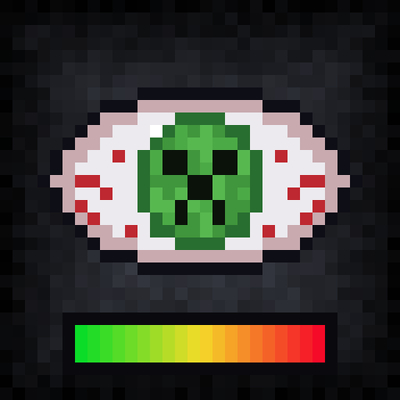
**Your character is not an immortal bio-robot.** Psychology adds a mental state system to Minecraft: loneliness, cramped tunnels, and dark nights build up stress, and you have to take care of your own mind to survive.
Every player has a **stress level from 0 to 100**. It rises in bad conditions and drops when you rest and feel safe. The higher your stress, the harsher the consequences. A stress bar in the top-right corner of the screen shows your current state and shifts from green to red.
Below **Y = -30**, narrow tunnels (1x1, 1x2, 2x1, 2x2) wear on your nerves, and darkness makes it worse. As stress builds, you experience:
At high stress levels, you start hearing things that aren't there:
Only the affected player can hear these sounds.
Sleeping in an unsafe place (in the dark or near hostile mobs) can end in a nightmare. You wake up with nausea, darkness, weakness, and slowness, and your stress goes up. Sleeping in a safe, well-lit place, on the other hand, helps you recover.
Don't dig alone through narrow, unlit mines. Widen your tunnels, place torches and lanterns, and before going to bed make sure the room is lit and free of mobs. Set up a cozy corner near your mine entrance with a campfire and a music disc, so you have somewhere to catch your breath.
psychology-1.0.0.jar into your mods folder.**Requirements:** Minecraft 1.21, Java 21.
**Multiplayer:** the mod must be installed on both the server and every client. Without the client side, players will not see the stress bar or the on-screen effects.
The mod does not change world generation, so you can add it to existing worlds. Stress levels are saved together with the world.
Project description from CurseForge.
Pick your setup
Choose the version and loader you play, then open the matching release.
Check the dependencies, then try the file in a copied instance before changing a world you care about.
Recent files
15 Oct 2026
13 Oct 2026
Looking for an older file? The official CurseForge project page is in Resources.
 mod
modA handheld VHS camcorder that records lightweight frames and plays them back on a tape.
 mod
modPoppy Playtime comes to Minecraft with creepy characters, blocks, decorations, items, and more from the Playtime Co.
 mod
modA Cosmic Horror Story with Bosses, Dimensions, Magic, and more!