Minecraft version
Back to mods 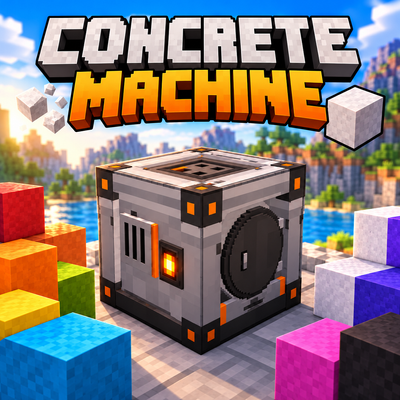
CurseForge · Minecraft mod
Concrete Machine
Automate your concrete production with a compact industrial concrete mixer! Convert all 16 colors of concrete powder into solid concrete blocks ready for building. Speed up production with 4 upgrades: Iron, Gold, Diamond, and Netherite.
Choose a version Pick your version below, then grab the matching file.
Quick answer
Which Concrete Machine release should I use?
Latest stable file concretemachine-1.0.0-neoforge-26.1.2.jar
Game version 26.1.2
Loader NeoForge
Concrete Machine concretemachine-1.0.0-neoforge-26.1.2.jar targets 26.1.2 with NeoForge. The project page does not say whether this file belongs on the client, dedicated server, or both. No extra mods listed for this file.
Where it goes
Is Concrete Machine required on the client, server, or both?
The project page does not say whether this file belongs on the client, dedicated server, or both.
Client Source doesn’t say
Dedicated server Source doesn’t say
Loader for this release NeoForge
Required install it here Optional supported, not mandatory Not supported do not install here Source doesn’t say do not assume
The source does not explicitly classify this release as client-only or server-only.
What else does Concrete Machine concretemachine-1.0.0-neoforge-26.1.2.jar need?
concretemachine-1.0.0-neoforge-26.1.2.jar. Change the file and its required mods may change too.
This file does not list any required mods. Do not add a library just because a different file uses it.
This file does not list any required or optional mods.
Before you install it
Add Concrete Machine without breaking your instance.
Built for Concrete Machine concretemachine-1.0.0-neoforge-26.1.2.jar. Pick another file and the loader, install side or required mods may change.
- 01
Stick to this file
Use concretemachine-1.0.0-neoforge-26.1.2.jar. It targets 26.1.2 with NeoForge; another release may have different loader, side or dependency requirements.
- 02
Bring the mods it needs
This file does not list any required mods. Do not add a library just because a different file uses it.
- 03
Put it on the correct side
The project page does not say whether this file belongs on the client, dedicated server, or both.
- 04
Pick the file you checked
Use the “Get this file” button beside concretemachine-1.0.0-neoforge-26.1.2.jar. It opens that exact file at the source.
About this project
What does Concrete Machine add?
Concrete Machine — Automatic Concrete Mixer
Automate your concrete production and build faster!
Tired of placing concrete powder in water, one block at a time?
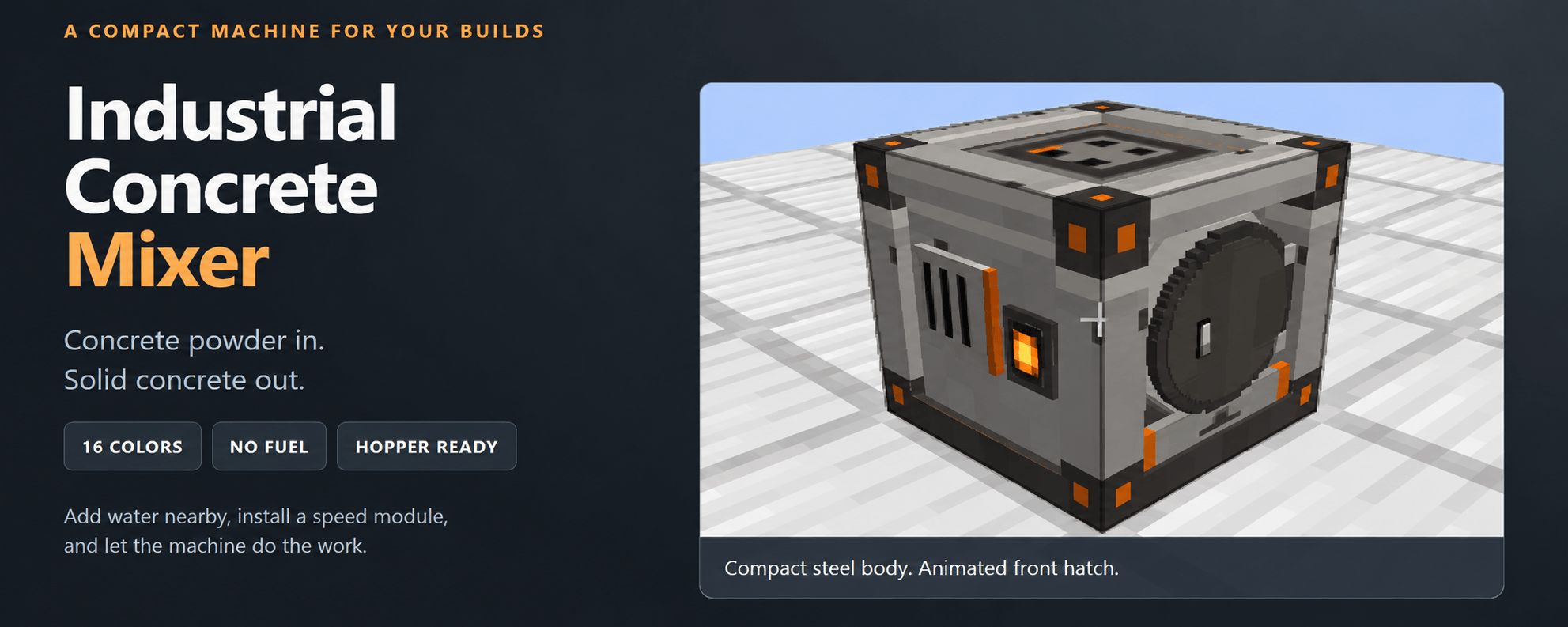
Concrete Machine adds a compact industrial concrete mixer that automatically converts concrete powder into solid concrete.
Designed for Survival gameplay and automated factories, this mod makes producing large quantities of concrete much easier.
Features
- Automatic Concrete Production: Convert all 16 Minecraft concrete powder colors into solid concrete blocks of the corresponding color.
- Dedicated GUI: An interface featuring input, output, and upgrade slots, along with a progress bar and Start/Stop controls.
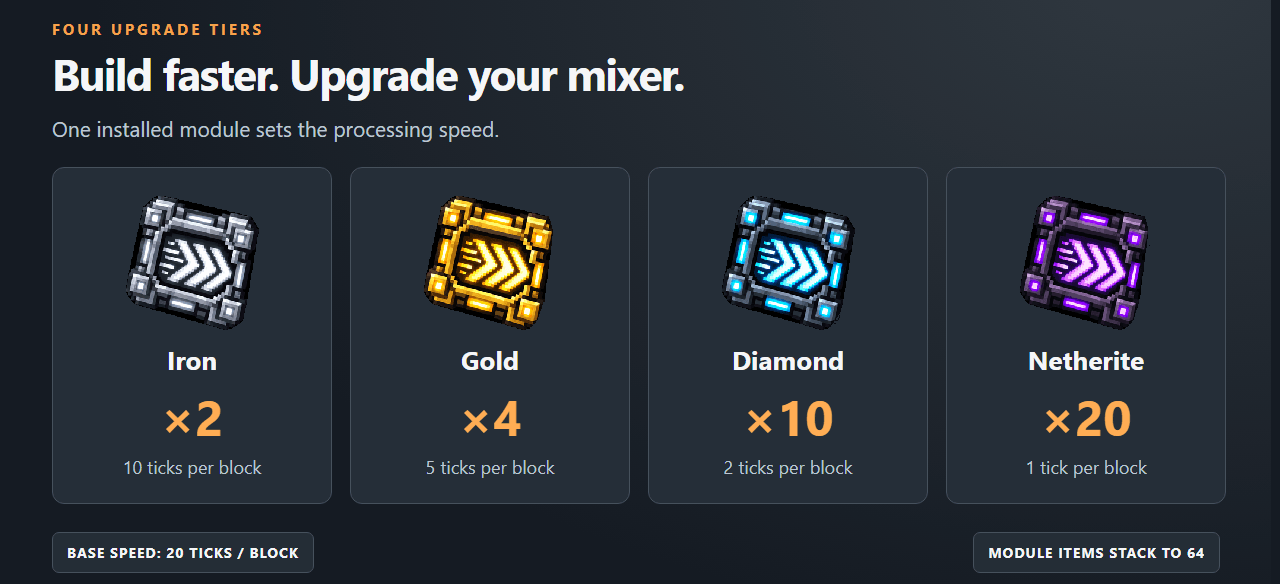
- 4 Speed Upgrades: Increase production speed with Iron, Gold, Diamond, and Netherite upgrades.
- Hopper Automation: Automatically insert concrete powder and collect finished concrete using hoppers.
- NeoForge Automation: Supports item transfers for integration with compatible transport systems.
- No Fuel or Energy Required: The machine operates without electricity or fuel.
Speed Upgrade Modules
Progressively increase your concrete mixer's speed with four upgrade tiers!
How to Use the Concrete Mixer
Craft and place the Industrial Concrete Mixer.
Place a water source next to or directly underneath the machine.
Insert concrete powder into the input slot.
Optionally install a Speed Upgrade Module.
Start the machine and collect your solid concrete!
The water source is not consumed during processing.
To automate production, connect hoppers or compatible item transport systems to supply the machine with concrete powder and automatically collect the finished blocks.
Spend less time making concrete and more time building!
Project description from CurseForge.
Pick your setup
Concrete Machine by Minecraft version and loader
Choose the version and loader you play, then open the matching release.
Check the dependencies, then try the file in a copied instance before changing a world you care about.
Recent files
Concrete Machine versions and loaders
concretemachine-1.0.0-neoforge-26.1.2.jar
13 Oct 2026
Client Source doesn’t say Server Source doesn’t say Dependencies No extras listed Listed on Release listing
Check the 26.1.2 · NeoForge setup NeoForge26.1.2 release
Looking for an older file? The official CurseForge project page is in Resources.
 mod
mod CurseForge + Modrinth · Minecraft
Cobblemon Rustling Spots
Rustling Spots adds dynamic, world-driven “rustling spots” across the Overworld.
 mod
mod CurseForge + Modrinth · Minecraft
Enchant With Mob
add Enchanter and Mob enchant From Minecraft Dungeons
 mod
mod CurseForge · Minecraft
Portal Gun Totality 1.21-26.3 [Fabric & NeoForge]
There were lots of Portal Gun mods on 1.7.10 and 1.12.2, but hardly any for new versions. This one brings see-through portals, no loading screen, 7 guns, turrets and Long Fall Boots to Fabric & NeoForge 1.21–26.3.