Fabric API Needed by Cinematic Interactions 0.18.3 — Fabric 1.21.11
requiredMatching file found Matched file: [1.21.11] Fabric API 0.141.6+1.21.11
CurseForge · Minecraft mod
Craft, forge, enchant and read through animated first-person interactions with Minecraft's workstations.
Quick answer
Cinematic Interactions 0.18.3 — Fabric 1.21.11 targets 1.21.11 with Fabric. The project page does not say whether this file belongs on the client, dedicated server, or both. All 1 required mods have matching files.
Where it goes
The project page does not say whether this file belongs on the client, dedicated server, or both.
The source does not explicitly classify this release as client-only or server-only.
Cinematic Interactions 0.18.3 — Fabric 1.21.11. Change the file and its required mods may change too.
Install Fabric API first. We found matching files for this game-version and loader setup.
We only count dependency files that match this setup. A file for another loader does not fill the gap.
Before you install it
Built for Cinematic Interactions 0.18.3 — Fabric 1.21.11. Pick another file and the loader, install side or required mods may change.
Use Cinematic Interactions 0.18.3 — Fabric 1.21.11. It targets 1.21.11 with Fabric; another release may have different loader, side or dependency requirements.
Install Fabric API first. We found matching files for this game-version and loader setup.
The project page does not say whether this file belongs on the client, dedicated server, or both.
Use the “Get this file” button beside Cinematic Interactions 0.18.3 — Fabric 1.21.11. It opens that exact file at the source.
About this project




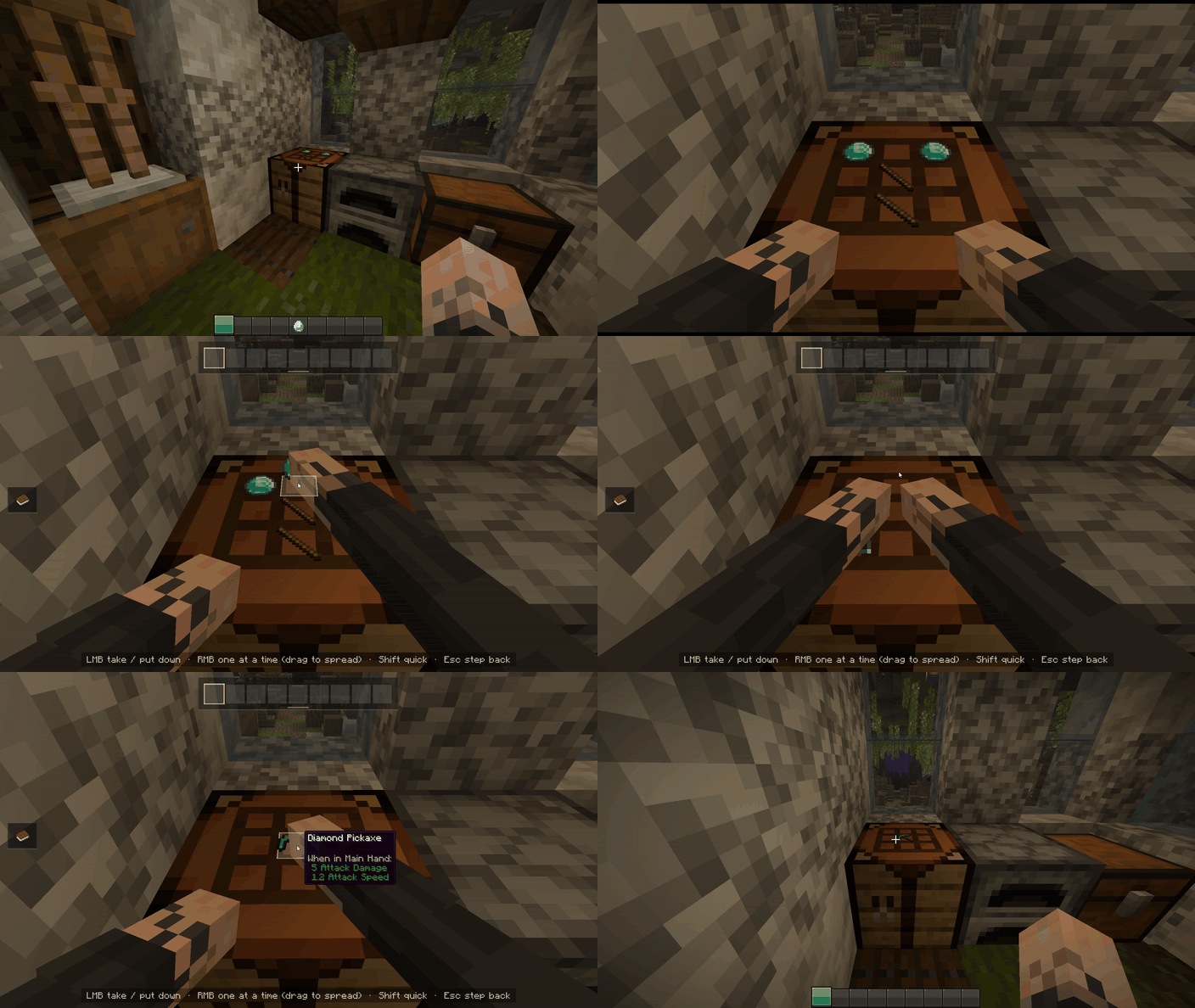
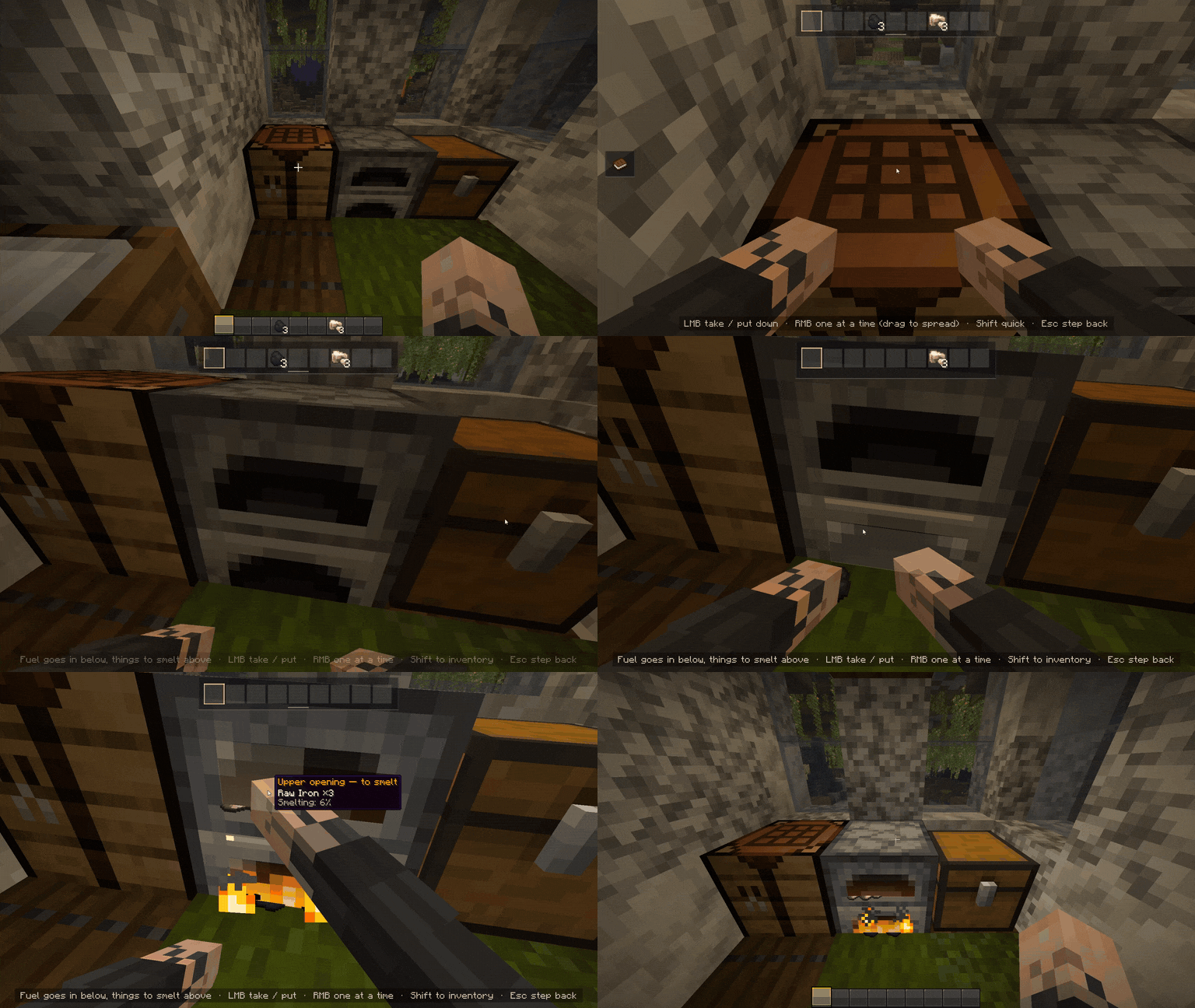
Cinematic Interactions turns supported Minecraft workstations into animated first-person scenes. Step up to a crafting table, place ingredients on its surface, load a furnace by hand, or forge an item at the anvil. Your character's arms use your own skin, while camera movements bring the work into view.
The crafting table becomes a visible 3×3 workspace. Its recipe guide lets you search recipes, check which materials you have, and preview ingredients directly on the tabletop. Missing materials are highlighted, and Lay out makes your hands place available ingredients from your inventory.
Placed ingredients stay on the crafting table when you leave and are visible to other players.

Forge with a hammer, grind a blade against the wheel, weave a banner, or watch ingredients dissolve into your potions. Read a book on a lectern with animated page turns, insert a music disc into a jukebox, or sit beside a campfire to cook.
| Activity | Supported blocks |
|---|---|
| Crafting and smelting | Crafting table, furnace, smoker, blast furnace, crafter |
| Tools and equipment | Anvil, grindstone, smithing table, stonecutter |
| Enchanting and brewing | Enchanting table, brewing stand |
| Banners and maps | Loom, cartography table |
| Reading and music | Lectern, chiseled bookshelf, jukebox |
| Campfires and beacons | Campfire, soul campfire, beacon |
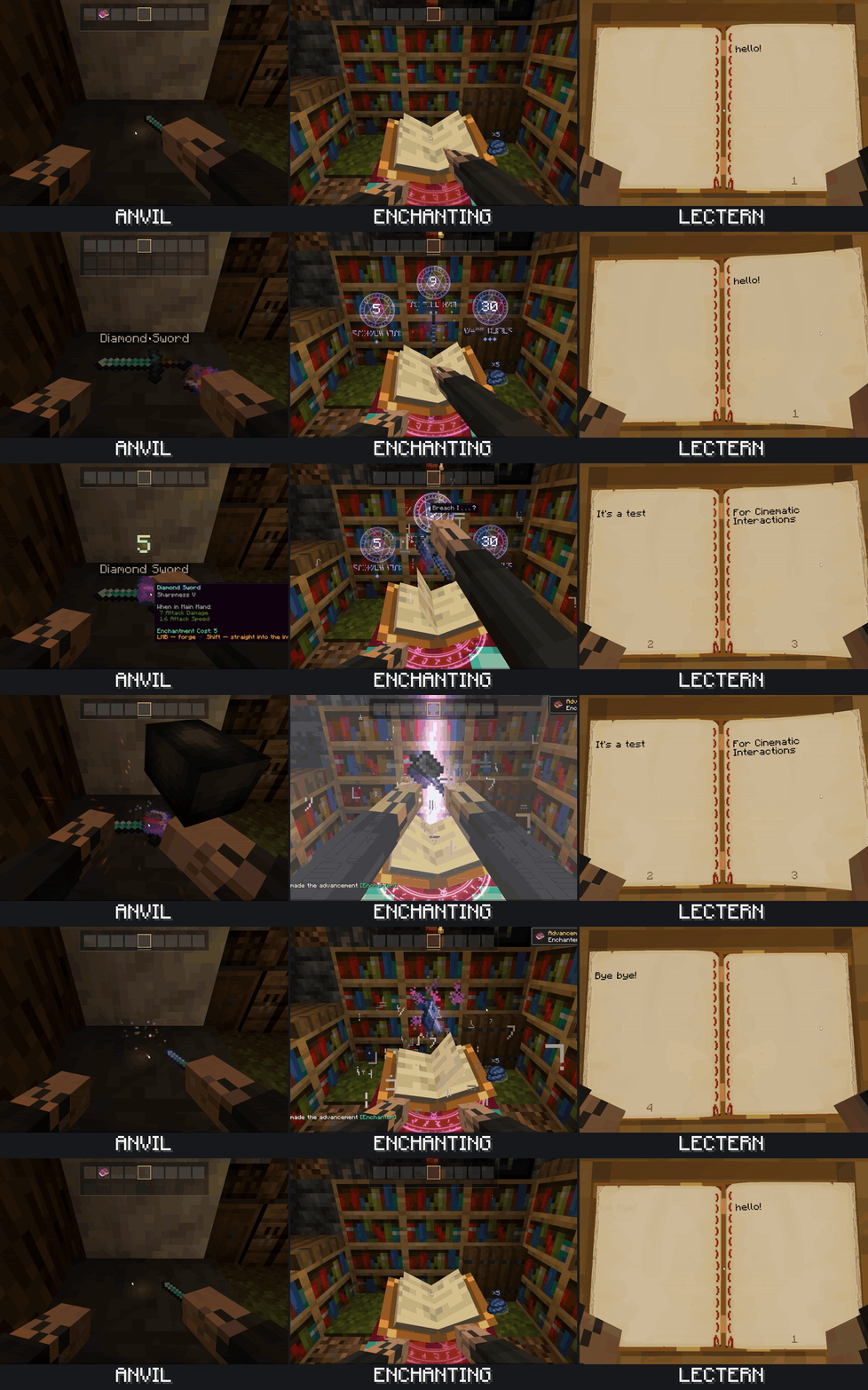
Move directly between nearby supported stations with a smooth camera and hand transition. Returning to the same station shortly after leaving gives you a quicker entrance.
An inventory panel keeps your items within reach. Hold Left Alt to view your character at the station from third person, then release it to return to work.
Choose which blocks use scenes and adjust camera lean, zoom, entrance and exit speed, and quick return. Control hints, cinematic bars, camera motion, shake and screen flashes can be toggled individually.
On NeoForge, open Mods → Cinematic Interactions → Config. On Fabric, Mod Menu provides access to settings. Cloth Config provides an optional settings interface.
The campfire and third-person view keys can be rebound in Minecraft's controls.
Chests, barrels and shulker boxes keep their usual interfaces. If a station cannot be reached or its workspace is obstructed, the default settings fall back to its usual interface where available.
Cinematic Interactions is a solo project. If you enjoy the mod and would like to support its development, you can join my Patreon. The page is still being set up; I’ll add posts and more details there later. Thank you for playing and helping me improve the mod.
Created and maintained by Southware. Original project code is licensed under MIT. The adapted Just a Hammer model by RDiamonds is licensed under CC BY 4.0. See credits and development disclosures.
Not an official Minecraft product. Not approved by or associated with Mojang or Microsoft.
Project description from CurseForge.
Pick your setup
Choose the version and loader you play, then open the matching release.
Check the dependencies, then try the file in a copied instance before changing a world you care about.
Recent files
Cinematic Interaction-Fabric-26.3-0.18.30.jar
27 Oct 2026
Cinematic Interaction-Fabric-26.2-0.18.30.jar
27 Oct 2026
Cinematic Interaction-Fabric-26.1.2-0.18.30.jar
27 Oct 2026
Cinematic Interaction-Fabric-26.1.1-0.18.30.jar
27 Oct 2026
Cinematic Interaction-Fabric-1.21.11-0.18.30.jar
27 Oct 2026
Cinematic Interaction-Fabric-1.21.1-0.18.30.jar
27 Oct 2026
Cinematic Interaction-NeoForge-1.21.1-0.18.30.jar
27 Oct 2026
Cinematic Interaction-Forge-1.20.1-0.18.30.jar
27 Oct 2026
Cinematic Interaction-Fabric-1.20.1-0.18.30-beta.jar
27 Oct 2026
Cinematic Interaction-Fabric-26.1.1-0.18.28.jar
25 Oct 2026
Cinematic Interaction-Fabric-26.1.2-0.18.28.jar
25 Oct 2026
Cinematic Interaction-Fabric-26.3-0.18.28.jar
25 Oct 2026
Looking for an older file? The official CurseForge project page is in Resources.
 mod
A mod for managing and syncing Minecraft world saves with the Choculaterie cloud storage
 mod
Over 100 small mod ideas packed into one highly configurable mod. New features, balance changes, new gameplay mechanics, etc.
 mod
Fishing loot expansion for Minecraft 26.3 NeoForge with common fish, random enchanted books, weapons, armor, Netherite, and a 1% Totem of Undying chance.