Fabric API Needed by Traveler's Chest 2.0.0
requiredMatching file found Matched file: [26.3] Fabric API 0.165.0+26.3
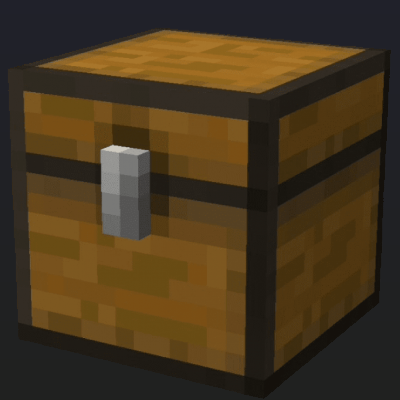
CurseForge · Minecraft mod
Part of the Traveler's Series: a chest that refills one cooldown after a player first takes from it, on Minecraft 1.20 to 26.3, with chest menus for operators on every version.
Quick answer
Traveler's Chest 2.0.0 targets 1.21, 1.20.2, 1.21.8 with Fabric. The project page does not say whether this file belongs on the client, dedicated server, or both. All 1 required mods have matching files.
Where it goes
The project page does not say whether this file belongs on the client, dedicated server, or both.
The source does not explicitly classify this release as client-only or server-only.
Traveler's Chest 2.0.0. Change the file and its required mods may change too.
Install Fabric API first. We found matching files for this game-version and loader setup.
We only count dependency files that match this setup. A file for another loader does not fill the gap.
Before you install it
Built for Traveler's Chest 2.0.0. Pick another file and the loader, install side or required mods may change.
Use Traveler's Chest 2.0.0. It targets 1.21, 1.20.2, 1.21.8 with Fabric; another release may have different loader, side or dependency requirements.
Install Fabric API first. We found matching files for this game-version and loader setup.
The project page does not say whether this file belongs on the client, dedicated server, or both.
Use the “Get this file” button beside Traveler's Chest 2.0.0. It opens that exact file at the source.
About this project
Part of the Traveler's Series. Traveler's Chest makes a chest that refills itself after players take from it. Stock loot spots and adventure points for everyone: players take what they need, and one cooldown after the first take the chest refills with the same items in the same slots.
/chestsOne jar runs on Minecraft 1.20 to 1.20.4, 1.21 to 1.21.11 and 26.1 to 26.3. Fabric loads the build that matches your server, so a server that moves to another supported version keeps the same jar. It needs Fabric Loader 0.16.10 or newer and Fabric API. Minecraft 1.20.5 and 1.20.6 are not supported.
Upgrading from 1.2.x keeps every Traveler's Chest and its items.
.jar file in your server's mods folder.config/travelers-chest/travelers_chest_config.txt
debug_logging=false
config/travelers-chest/chests.json
chests.json.bak.config/travelers-chest/travelers_chests.json
/travelers_chest create, or run /chests and click Add the chest I'm facing.Operators (permission level 4) use these while looking at a chest, up to 20 blocks away:
/chests: opens the chest menus. Facing a Traveler's Chest, it opens that chest's menu; anywhere else, the list of every Traveler's Chest./travelers_chest create [time]: makes it a Traveler's Chest that refills with the items in it now, with a cooldown in seconds (default: 1800, half an hour)./travelers_chest edit <time>: changes its cooldown. If the chest holds anything, what is in it now becomes what it refills with./travelers_chest destroy: turns it back into a plain chest. Its items stay in it./chests opens menus built from the game's own chest screens, so they work on every supported version:
Each button checks the operator level again before it acts, so only operators can change anything.
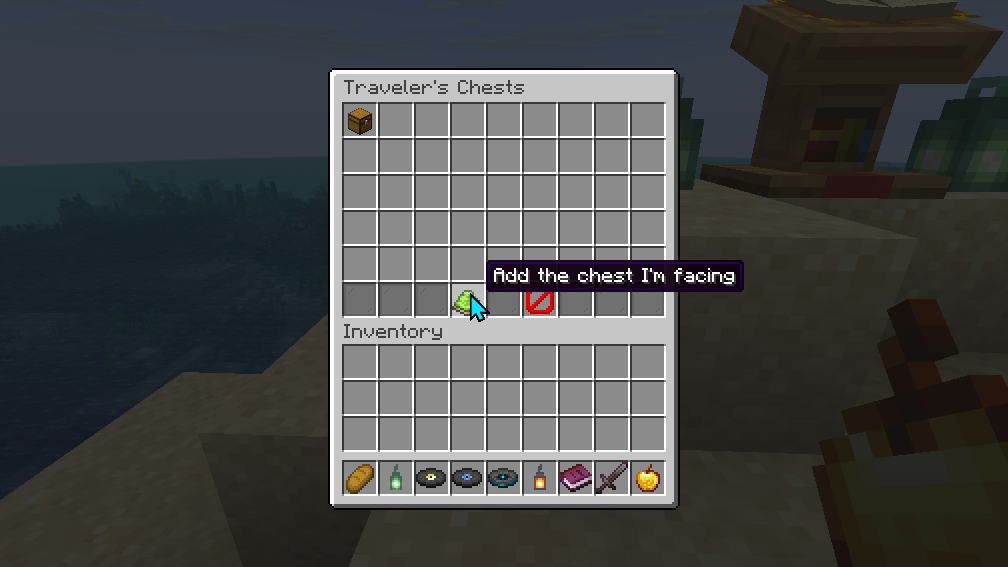
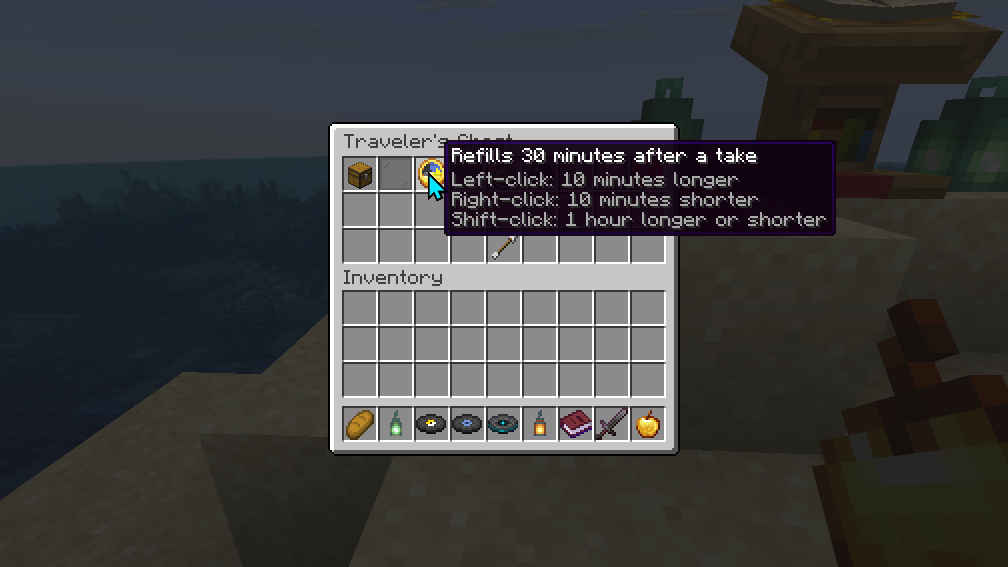
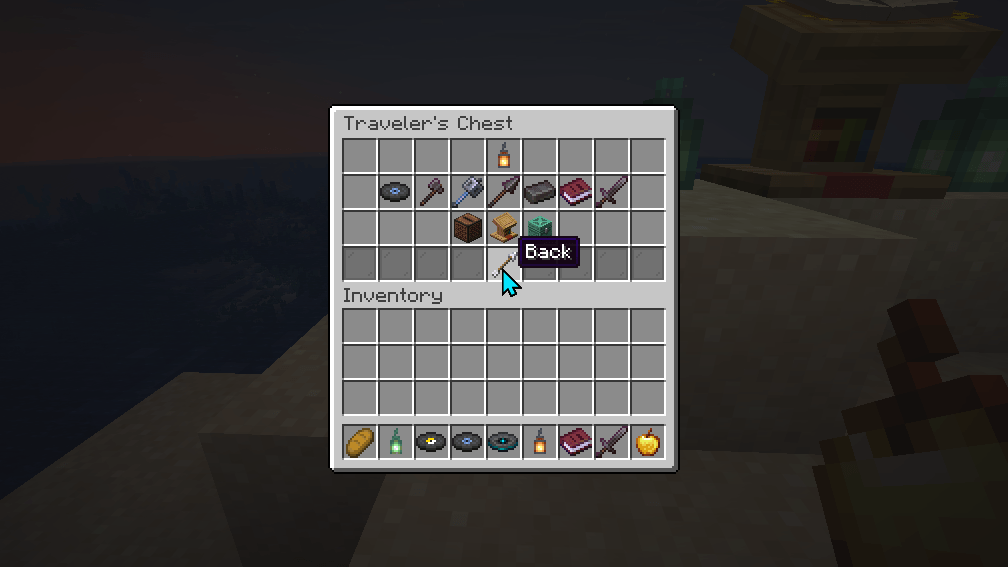
Enable debug logging in config/travelers-chest/travelers_chest_config.txt for detailed logs of mod operations, such as chest refills and new Traveler's Chests:
debug_logging=true
Logs are output to the server console. Releases before 2.0.0 looked for this file in a folder that never exists, so they could not turn debug logging on.
Chests are stored in chests.json (format 2) with the following schema, one entry per chest:
Each stack is brought up to date by Minecraft's own item upgrades when it is read, so a world that moves to a newer Minecraft keeps its chests. Two flags can appear on a chest: unchecked, on an imported chest not yet loaded, and gone, when its block is missing.
Example:
{
  "format": 2,
  "chests": [
    {
      "dimension": "minecraft:overworld",
      "pos": [-4, -60, -12],
      "double": true,
      "name": "Supply Cache",
      "wait": 1800,
      "takenAt": 291,
      "items": [
        {"slot": 0, "dataVersion": 3955, "item": "{id:\"minecraft:torch\",count:8}"},
        {"slot": 30, "dataVersion": 3955, "item": "{id:\"minecraft:bread\",count:16}"}
      ]
    }
  ]
}
travelers_chests.json, the 1.2.x file, is imported once and left as it was. If an older release runs in between and changes it, 2.0.0 imports it again.
To support the development of Traveler's Chest, please join the GBTI Network for access to:
This project is licensed under the GNU General Public License v3.0. See the LICENSE file for details.
Project description from CurseForge.
Pick your setup
Choose the version and loader you play, then open the matching release.
Showing the newest 12 of 22 game versions. Older files are in the list below.
Check the dependencies, then try the file in a copied instance before changing a world you care about.
Recent files
travelers-chest-2.0.0.jar
25 Oct 2026
travelers-chest-1.2.9.jar
14 Oct 2026
Looking for an older file? The official CurseForge project page is in Resources.
 mod
modPet mobs and have them become protective companions that follow you, offering support and assistance during your adventures.
 mod
modA psychological horror mod that randomly sends unsettling chat whispers and atmospheric ambient sounds.
 mod
modTraits, powers and modifiers for hostile mobs like a RPG. They make you feel like you're the challenger here