Minecraft version
Back to mods 
CurseForge · Minecraft mod
AirSwap
Client-side Fabric mod that swaps your sword for a mace mid-air when attacking players, applying mace attributes to the hit. Features configurable delays, swap-back, target filters, fall distance, cooldowns, Mod Menu GUI, JSON config, and keybinds.
Choose a version Pick your version below, then grab the matching file.
Quick answer
Which AirSwap release should I use?
Latest stable file airswap-1.4.3.jar
Game version 1.21.11
Loader Fabric
airswap-1.4.3.jar targets 1.21.11 with Fabric. The project page does not say whether this file belongs on the client, dedicated server, or both. No extra mods listed for this file.
Where it goes
Is AirSwap required on the client, server, or both?
The project page does not say whether this file belongs on the client, dedicated server, or both.
Client Source doesn’t say
Dedicated server Source doesn’t say
Loader for this release Fabric
Required install it here Optional supported, not mandatory Not supported do not install here Source doesn’t say do not assume
The source does not explicitly classify this release as client-only or server-only.
What else does airswap-1.4.3.jar need?
airswap-1.4.3.jar. Change the file and its required mods may change too.
This file does not list any required mods. Do not add a library just because a different file uses it.
This file does not list any required or optional mods.
Before you install it
Add AirSwap without breaking your instance.
Built for airswap-1.4.3.jar. Pick another file and the loader, install side or required mods may change.
- 01
Stick to this file
Use airswap-1.4.3.jar. It targets 1.21.11 with Fabric; another release may have different loader, side or dependency requirements.
- 02
Bring the mods it needs
This file does not list any required mods. Do not add a library just because a different file uses it.
- 03
Put it on the correct side
The project page does not say whether this file belongs on the client, dedicated server, or both.
- 04
Pick the file you checked
Use the “Get this file” button beside airswap-1.4.3.jar. It opens that exact file at the source.
About this project
What does AirSwap add?
Air Swap
Minecraft 1.21.11 | Fabric | Client-side
Air Swap automatically switches your sword or spear to a mace before a qualifying airborne attack. It searches your hotbar for a mace and can optionally switch back to your original weapon afterward.
The mod features customizable combat conditions, live JSON configuration, a toggle keybind, and an optional in-game settings screen powered by YACL and integrated with Mod Menu.
⚠️ Public Server Warning
Air Swap automates combat input and may violate public-server rules. Automatic weapon switching and attribute-swap techniques can result in anti-cheat flags, kicks, temporary suspensions, or permanent bans.
Use it in single-player or on private servers with the owner's explicit permission.
Check server rules and ask staff before connecting with the mod enabled.
The mod does not bypass anti-cheat, hide itself, or guarantee server acceptance.
No claim of being undetectable, ban-safe, or universally compatible with multiplayer servers is made.
✨ Features
Automatic swapping: Switch to a mace before qualifying airborne attacks.
Swap-back: Optionally restore your original weapon after the attack.
Customizable conditions: Configure fall distance, cooldown, target filtering, sneaking restrictions, and Elytra behavior.
Sword and spear support: Recognizes vanilla and properly tagged modded weapons.
Main-inventory mode: Optionally search your main inventory when no hotbar mace is available.
In-game configuration: Adjust settings through Mod Menu and YACL.
Live JSON configuration: Edit settings without restarting or rejoining.
Toggle keybind: Enable or disable the mod quickly.
⚔️ How It Works
Air Swap changes the selected hotbar slot inside the same client attack call, before vanilla synchronizes the selected slot and sends the attack packet.
This does not guarantee a mace smash or combined weapon attributes. The server controls damage calculations, attack cooldowns, fall-distance validation, smash eligibility, inventory validation, and packet processing.
An airborne attack while rising or gliding does not automatically qualify as a smash. Lag, server plugins, anti-cheat, and other combat mods can affect the outcome.
Air Swap does not modify damage packets, fabricate fall distance, change weapon statistics, or add server-side combat logic.
📥 Installation
Install Minecraft 1.21.11.
Install Fabric Loader 0.19.2 or newer.
Install Fabric API for Minecraft 1.21.11.
Place the Air Swap JAR in your client's
modsfolder.Launch the game.
For the in-game configuration screen, also install compatible versions of Mod Menu and YACL.
Both are optional. Without them, Air Swap still works through its JSON configuration and toggle keybind. Mod Menu without YACL does not provide the configuration screen.
Do not install Air Swap on a dedicated server.
🎮 Usage
Obtain a sword or spear and a mace.
Place them in your hotbar.
Hold your sword or spear.
While airborne, attack only in a world where you have permission to test the mod.
Air Swap selects the first eligible mace in hotbar slots 1–9 before the attack.
By default, the player must be airborne, not climbing or touching water or lava, and meet the configured activation conditions. Elytra gliding is allowed by default.
If no eligible mace is available or a condition fails, the attack proceeds normally.
Toggle Key
Open Options → Controls → Key Binds → Miscellaneous → Toggle Air Swap and assign a key.
The key is unbound by default. Pressing it toggles the mod, saves the setting, and displays an action-bar message. New configurations start enabled.
Configuration Screen
With Mod Menu and YACL installed, open:
Mods → Air Swap → Config
Changes update the live configuration without restarting. The screen supports tooltips, adjustable sliders, saving, and resetting to defaults.
⚙️ Configuration
The JSON file is located at:
config/airswap.json
Available settings include:
| Setting | Default |
|---|---|
| Enable mod | On |
| Swap back | On |
| Swap-back delay | 0 ticks |
| Players only | On |
| Minimum fall distance | 0.0 blocks |
| Allow spear attacks | On |
| Allow Elytra gliding | On |
| Recognize all tagged swords | On |
| Hotbar-only mace search | On |
| Show swap message | Off |
| Disable while sneaking | Off |
| Swap cooldown | 0 ticks |
Swap-back delay supports 0–10 client ticks, minimum fall distance supports 0.0–10.0 blocks, and swap cooldown supports 0–20 client ticks.
Configuration changes are checked every 20 client ticks. Invalid settings fall back to defaults, while malformed JSON preserves the last valid in-memory configuration and logs a warning.
Edit the JSON file with the settings screen closed to avoid conflicting changes.
🔄 Important Behavior
Manual hotbar changes cancel pending automatic returns.
Opening a screen cancels a pending return to prevent unexpected inventory interactions.
Repeated attacks do not replace an existing pending return.
Inventory exchanges are conditional and may be rejected or corrected by the server.
Joining or disconnecting clears pending returns and the mod's swap cooldown.
Vanilla attack behavior and attack cooldowns are preserved.
🛠️ Technical Information
Minecraft: 1.21.11
Loader: Fabric 0.19.2+
Java: 21
Yarn:
1.21.11+build.5Fabric API:
0.141.4+1.21.11Fabric Loom: 1.14
The project uses client-side mixins to handle attack timing, slot synchronization, and manual selection changes. Mod Menu and YACL are optional compile-time integrations, not bundled inside the Air Swap JAR.
🔧 Compatibility
Air Swap specifically targets Fabric 1.21.11 with Yarn mappings. It is not a Forge/NeoForge mod or a server plugin, and compatibility with other Minecraft versions is not guaranteed.
Mods that alter attacks, hotbar behavior, or inventory synchronization may affect its functionality.
Always test in a permitted private world, and never assume a client-side swap was accepted by the server.
Project description from CurseForge.
Pick your setup
AirSwap by Minecraft version and loader
Choose the version and loader you play, then open the matching release.
Check the dependencies, then try the file in a copied instance before changing a world you care about.
Recent files
AirSwap versions and loaders
airswap-1.4.3.jar
2 Nov 2026
Client Source doesn’t say Server Source doesn’t say Dependencies No extras listed Listed on Release listing
Check the 1.21.11 · Fabric setup Fabric1.21.11 release
airswap-1.4.0.jar
15 Oct 2026
Client Source doesn’t say Server Source doesn’t say Dependencies No extras listed Listed on Release listing
Check the 1.21.11 · Fabric setup Fabric1.21.11 release
AirSwap 1.3.0
airswap-1.3.0.jar
15 Oct 2026
Client Source doesn’t say Server Source doesn’t say Dependencies No extras listed Listed on Release listing
Check the 1.21.11 · Fabric setup Fabric1.21.11 release
AirSwap
airswap-1.2.0.jar
14 Oct 2026
Client Source doesn’t say Server Source doesn’t say Dependencies No extras listed Listed on Release listing
Check the 1.21.11 · Fabric setup Fabric1.21.11 release
AirSwap
airswap-1.0.5.jar
14 Oct 2026
Client Source doesn’t say Server Source doesn’t say Dependencies 4 required · 4 unchecked Listed on Release listing
Check the 1.21.11 · Fabric setup Fabric1.21.11 release
Looking for an older file? The official CurseForge project page is in Resources.
 mod
CurseForge + Modrinth · Minecraft
ItemPeek
A (Neo)Forge mod for Minecraft 1.20.1-26.3 that lets players showcase inventory items directly in chat.
 mod
CurseForge · Minecraft
Enough Folders
Organize JEI recipes you use frequently into folders
 mod
CurseForge · Minecraft
PeterWolf's Groundworks Loader
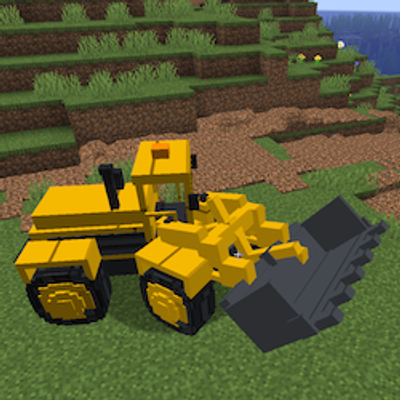
A functional articulated wheel loader for scooping, carrying and loading granular materials.