Applied Energistics 2 Needed by AE2 Modular Energy Units 0.1.2 [NeoForge 1.21.1]
requiredMatching file found Matched file: AE2 19.2.20 [NEOFORGE]
CurseForge · Minecraft mod
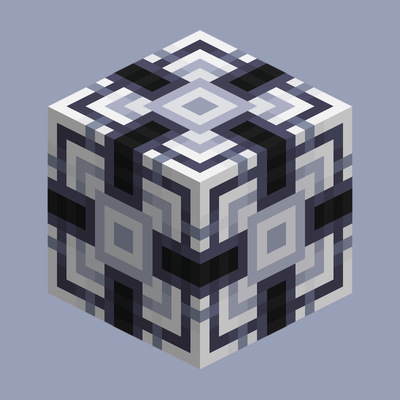
An Applied Energistics 2 add-on for NeoForge 1.21.1: modular energy units that snap together into a single solid-cube energy storage, with per-block component slots feeding one shared energy pool.
Quick answer
AE2 Modular Energy Units 0.1.2 [NeoForge 1.21.1] targets 1.21.1 with NeoForge. The project page does not say whether this file belongs on the client, dedicated server, or both. All 3 required mods have matching files.
Where it goes
The project page does not say whether this file belongs on the client, dedicated server, or both.
The source does not explicitly classify this release as client-only or server-only.
AE2 Modular Energy Units 0.1.2 [NeoForge 1.21.1]. Change the file and its required mods may change too.
Install Applied Energistics 2, GuideME, MezzConfig first. We found matching files for this game-version and loader setup. 10 come through another mod in the chain.
10 extra mods were pulled in by other dependencies. Indented rows show who needs each one. We only count dependency files that match this setup. A file for another loader does not fill the gap.
Before you install it
Built for AE2 Modular Energy Units 0.1.2 [NeoForge 1.21.1]. Pick another file and the loader, install side or required mods may change.
Use AE2 Modular Energy Units 0.1.2 [NeoForge 1.21.1]. It targets 1.21.1 with NeoForge; another release may have different loader, side or dependency requirements.
Install Applied Energistics 2, GuideME, MezzConfig first. We found matching files for this game-version and loader setup. 10 come through another mod in the chain.
The project page does not say whether this file belongs on the client, dedicated server, or both.
Use the “Get this file” button beside AE2 Modular Energy Units 0.1.2 [NeoForge 1.21.1]. It opens that exact file at the source.
About this project
An add-on for Applied Energistics 2 that adds modular energy units: stack them into a solid cube and the whole cube joins the ME network as a single energy storage, from 3×3×3 up to 16×16×16.
Early build. The first public build: blocks, structure detection, the terminal, the monitors, the guide book and the recipes are all in the jar. Balance numbers and textures may still change between versions.
| Mod | Why |
|---|---|
| NeoForge 21.1.241+ (Minecraft 1.21.1) | Platform |
| Applied Energistics 2 19+ | The ME network this mod stores energy for |
| GuideME | Required by AE2; add-on screens link to the guide through it |
| MezzConfig 0.5.0 – 1.0.0 | Hosts this mod's configuration |
Optional: MEGA Cells (the superdense tier takes its energy cell as material), AppFlux and AE2 OMNI Cells (extra storage components you can install into the units).
Installing Jade adds the structure readout described below.
| Module | Storage per block | Component slots | Rate per block | Rate cap per block | Input cap per block |
|---|---|---|---|---|---|
| Modular Basic Energy Unit | 200 kAE | 1 | 1 kAE/t | 16 kAE/t | 8 kAE/t |
| Modular Dense Energy Unit | 1.6 MAE | 2 | 8 kAE/t | 128 kAE/t | 64 kAE/t |
| Modular Superdense Energy Unit | 12.8 MAE | 3 | 64 kAE/t | 1024 kAE/t | 512 kAE/t |
A single module standing on its own still works as a small energy cell.
Every module carries its own component slots, and slots take the storage components you already have:
1k – 256k storage componentscell_component_1m – 256mcore_1k – 256m ME Energy Storage Componentsomni_ / complex_omni_ / quantum_omni_cell_component_ linesComponents are installed from the terminal, or by right-clicking a module with the component in hand. The component slots are also exposed to AE2 export buses, so automation can fill them (the handler is insert-only: import buses find nothing to take).
Right-click a formed cube to open its terminal. It manages the components of every module in the structure at once:
12.3M), scientific (1.23E7) and engineering (12.3E6) number formats on the two bars and the header totals.Two structure blocks that only display:
They take part in the cube (the structure still forms with them in it) but contribute no storage and no rate, and the two convert into each other by crafting. A cube of monitors alone is not a structure — it needs at least one module.
Item tooltips list base storage, base input cap and component slots. With Jade installed, looking at a module shows whether the structure is formed, its side length, and — through AE2's own provider — the stored amount.
Every block is craftable in survival:
The mod ships a guide book, reachable from the AE2 guide: the three tiers, component slots, the terminal, the monitors, and a page deriving the gain formulas with full-build figures. It is available in English and Simplified Chinese.
The coefficients that describe the structure and its input (capacity count bonus b, rate count bonus bv, input ratio f_in) are configurable, as is the component table: which items count as storage components and what each one contributes. That table is the only source of truth for component recognition, so a modpack can add entries or re-tune values without code. Component discounts (k / kv) are part of the components themselves and are not configurable.
ae2modularcells:energy_cell_tier and pair it with a block set. Blocks registered by other mods land in the External creative tab, and both energy access and model replacement pick them up automatically.Licensed under LGPL-3.0. Source, issues and the full license text: github.com/xingluo01/AE2-Modular-Energy-Cells.
Project description from CurseForge.
Pick your setup
Choose the version and loader you play, then open the matching release.
Check the dependencies, then try the file in a copied instance before changing a world you care about.
Recent files
ae2modularcells-0.1.2.jar
18 Oct 2026
ae2modularcells-0.1.1.jar
17 Oct 2026
ae2modularcells-0.1.0.jar
14 Oct 2026
Looking for an older file? The official CurseForge project page is in Resources.
 mod
TF2 Sentry and Dispenser (1.7.10) by pitman-87 on 1.12.2 Cleanroom: upgradeable sentry guns and healing dispensers. Assets load from your copy of the originals.
 mod
Brushing sand/gravel allows players to make their own suspicious blocks!
 mod
An AI-powered crafting table that creates unique custom new items in game.