Minecraft version
Back to mods 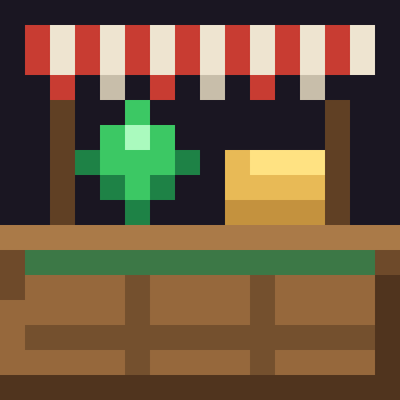
CurseForge · Minecraft mod
Trade Counters
Player-run barter shops: counters linked to chests, multi-item trades, discounts, sales, stock alerts and a sales log. Works with YAWP shop regions.
Choose a version Pick your version below, then grab the matching file.
Quick answer
Which Trade Counters release should I use?
Latest stable file Trade Counters 1.0.3
Game version 1.21.1
Loader NeoForge
Trade Counters 1.0.3 targets 1.21.1 with NeoForge. The project page does not say whether this file belongs on the client, dedicated server, or both. No extra mods listed for this file.
Where it goes
Is Trade Counters required on the client, server, or both?
The project page does not say whether this file belongs on the client, dedicated server, or both.
Client Source doesn’t say
Dedicated server Source doesn’t say
Loader for this release NeoForge
Required install it here Optional supported, not mandatory Not supported do not install here Source doesn’t say do not assume
The source does not explicitly classify this release as client-only or server-only.
What else does Trade Counters 1.0.3 need?
Trade Counters 1.0.3. Change the file and its required mods may change too.
This file does not list any required mods. Do not add a library just because a different file uses it.
This file does not list any required or optional mods.
Before you install it
Add Trade Counters without breaking your instance.
Built for Trade Counters 1.0.3. Pick another file and the loader, install side or required mods may change.
- 01
Stick to this file
Use Trade Counters 1.0.3. It targets 1.21.1 with NeoForge; another release may have different loader, side or dependency requirements.
- 02
Bring the mods it needs
This file does not list any required mods. Do not add a library just because a different file uses it.
- 03
Put it on the correct side
The project page does not say whether this file belongs on the client, dedicated server, or both.
- 04
Pick the file you checked
Use the “Get this file” button beside Trade Counters 1.0.3. It opens that exact file at the source.
About this project
What does Trade Counters add?
Open your own shop
Trade Counters adds the Trading Counter, a block that turns any chest into a shop. Place it, link it to a few chests, set up your offers, and other players can trade with you even while you're offline.
Everything is barter: items for items. There's no currency to install, so you can price things in diamonds, emeralds, food or anything from other mods.
Above each counter, its products spin one by one like a shop window, and the counter's name floats when you walk up to it.
For customers
- Clear shop screen: every offer shows what you give and what you get.
- Search bar to find an item by name.
- What you have is shown in green or red next to each price.
- Sale prices are shown with the old price crossed out.
- Stock left and your daily limit for each offer.
- Trade ×1, ×5 or Max in one click.
- Safe trades: a trade happens completely or not at all. If your inventory is full, the extra items drop at your feet.
For merchants
Right-click your own counter to open the merchant screen, with 6 tabs.
Offers
- Up to 3 items asked for up to 3 items given, with amounts up to 999 (configurable).
- Click a slot, then click any item in your inventory. The item isn't taken: it's used as a template, enchantments and components included.
- Scroll to change amounts (Shift ×10, Ctrl ×64).
- Discount per offer, daily limit per player, and a low-stock alert threshold.
- Enable, disable, move, duplicate or delete offers.
Stock
- Link up to 8 chests (vanilla or modded containers) within 16 blocks.
- Give each chest a role:
- Stock: products are taken from it.
- Cash: payments go into it.
- Both.
- See how full the cash chests are, and how many trades each offer still has in stock.
Sales
- A discount on the whole counter for 1 h, 6 h, 24 h, 7 days or no end.
- It stacks with each offer's own discount (total capped at 90%), and there's a live price preview.
Log
- The latest trades: who, when and what.
- Your best-selling offers.
Settings
- Counter name.
- Open or closed.
- Notifications for each sale.
Alerts
- You get a chat message when an offer runs low or out of stock.
- If you were offline, you get a summary of sales and stock-outs when you log in.
Shops and partners
Open My shops from the pause menu or with /echoppe:
- My counters: all your counters, with stock-outs and sales, plus open all / close all.
- Partners: add a player by name and they can manage all your counters.
With YAWP (Yet Another World Protector)
If YAWP is installed on the server, your YAWP regions become shops:
- A non-op player can only place a counter inside a shop they belong to, and can only link chests from that same shop.
- Shop holder: an admin assigns a shop with
/echoppe attribuer <region> <player>. The holder then adds or removes partners (YAWP members) from the menu, without any command. - Partners manage the shop: every member of the shop can manage all of its counters (configurable).
- Admin commands:
/echoppe liberer <region>frees a shop, and/echoppe info <region>shows its holder, members and counters.
Without YAWP, everything else works the same, which also makes the mod usable in singleplayer.
Recipe
| Wooden slab | Wooden slab | Wooden slab |
| Planks | Chest | Planks |
| Planks | Emerald | Planks |
Installation
- Install it on both the server and the clients: the screens and the shop window are client-side.
- Requires NeoForge 21.1.x for Minecraft 1.21.1.
- YAWP is optional.
- English and French included.
Configuration
Server config: serverconfig/comptoirs-server.toml in your world folder.
| Option | Default | Description |
|---|---|---|
exigerEchoppe |
true |
With YAWP: non-ops can only place counters in a shop they belong to. |
associesGerent |
true |
With YAWP: shop members can manage every counter of the shop. |
regionsIgnorees |
["spawn"] |
YAWP regions that are not shops (for example the region that contains them). |
distanceLien |
16 |
Max distance between a counter and a linked chest. |
maxLiens |
8 |
Max linked chests per counter. |
maxOffres |
28 |
Max offers per counter. |
remiseMax |
90 |
Max total discount, in %. |
maxQuantite |
999 |
Max amount of one item in a price or product slot. |
maxEchangesClic |
64 |
Max trades done with one click on "Max". |
tailleJournal |
60 |
Number of trades kept in each counter's log. |
Project description from CurseForge.
Pick your setup
Trade Counters by Minecraft version and loader
Choose the version and loader you play, then open the matching release.
Check the dependencies, then try the file in a copied instance before changing a world you care about.
Recent files
Trade Counters versions and loaders
Trade Counters 1.0.3
comptoirs-1.0.3.jar
14 Oct 2026
Client Source doesn’t say Server Source doesn’t say Dependencies No extras listed Listed on Release listing
Check the 1.21.1 · NeoForge setup 1.21.1NeoForge release
Trade Counters 1.0.2
comptoirs-1.0.2.jar
14 Oct 2026
Client Source doesn’t say Server Source doesn’t say Dependencies No extras listed Listed on Release listing
Check the 1.21.1 · NeoForge setup 1.21.1NeoForge release
Looking for an older file? The official CurseForge project page is in Resources.
 mod
mod CurseForge + Modrinth · Minecraft
Questlog
Adds a quest system designed to make info conveyance in modpacks far more intuitive!
 mod
mod CurseForge + Modrinth · Minecraft
Diorama
A minimap and world map drawn at an angle, like a model of your world on a table. Towers stand up, cliffs have faces and trees cast shadows.
 mod
mod CurseForge · Minecraft
Better Inventory And Backpacks
Complete overhaul of the minecraft inventory