Minecraft version
Back to mods 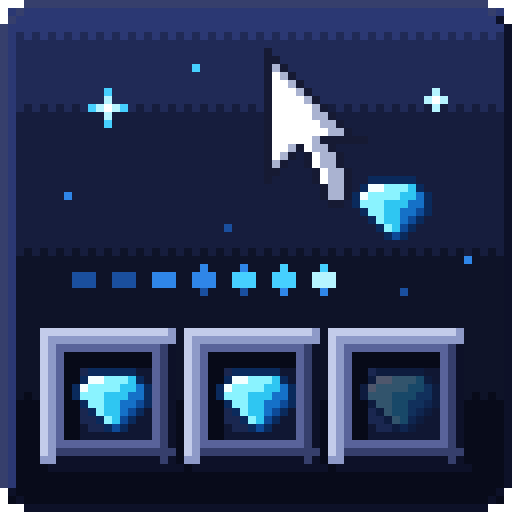
CurseForge · Minecraft mod
Nimblegrip
Drag to place, gather or quick-move without skipping a slot, and move items between your inventory and any container with the mouse wheel. Takes the place of Mouse Tweaks.
Choose a version Pick your version below, then grab the matching file.
Quick answer
Which Nimblegrip release matches 26.1.2?
Best match for your filters Nimblegrip 1.0.1 (NeoForge 26.1)
Game version 26.1, 26.1.2
Loader NeoForge
Nimblegrip 1.0.1 (NeoForge 26.1) targets 26.1, 26.1.2 with NeoForge. The project page does not say whether this file belongs on the client, dedicated server, or both. No extra mods listed for this file.
Where it goes
Is Nimblegrip required on the client, server, or both?
The project page does not say whether this file belongs on the client, dedicated server, or both.
Client Source doesn’t say
Dedicated server Source doesn’t say
Loader for this release NeoForge
Required install it here Optional supported, not mandatory Not supported do not install here Source doesn’t say do not assume
The source does not explicitly classify this release as client-only or server-only.
What else does Nimblegrip 1.0.1 (NeoForge 26.1) need?
Nimblegrip 1.0.1 (NeoForge 26.1) on 26.1.2. Every mod below is checked against that same setup.
This file does not list any required mods. Do not add a library just because a different file uses it.
This file does not list any required or optional mods.
Before you install it
Add Nimblegrip without breaking your instance.
Built for Nimblegrip 1.0.1 (NeoForge 26.1) on 26.1.2. Pick another file and the loader, install side or required mods may change.
- 01
Stick to this file
Use Nimblegrip 1.0.1 (NeoForge 26.1). It targets 26.1, 26.1.2 with NeoForge; another release may have different loader, side or dependency requirements.
- 02
Bring the mods it needs
This file does not list any required mods. Do not add a library just because a different file uses it.
- 03
Put it on the correct side
The project page does not say whether this file belongs on the client, dedicated server, or both.
- 04
Pick the file you checked
Use the “Get this file” button beside Nimblegrip 1.0.1 (NeoForge 26.1). It opens that exact file at the source.
About this project
What does Nimblegrip add?
Drag items across slots, gather them, quick-move them and move them with the mouse wheel, in your inventory and every container. Nimblegrip takes the place of Mouse Tweaks on Minecraft 26.3.
What it does
- Right-drag with an item in hand: puts one item into every slot the mouse passes. Go back over a slot and it gets another one.
- Left-drag with an item in hand: gathers the matching stacks it passes into your hand, when they all fit in one stack.
- Shift + left-drag: quick-moves every slot the mouse passes, as if you had shift-clicked each one.
- Mouse wheel over a slot: wheel down pushes one item to the other side (inventory to container, container to inventory), wheel up pulls one in. Hold Shift to move the whole stack, Ctrl to move every stack of that kind.
- Tint: the slots a drag has touched light up while you drag, so you see what it is about to do.
Why use it
- A fast flick skips nothing. Nimblegrip walks the whole line between where the mouse was and where it is now, and visits every slot on it. In our test, one flick across three slots with Mouse Tweaks 2.31 filled the first and the last and left the middle one empty; Nimblegrip filled all three.
- Every gesture is on its own switch. Don't want the wheel? Turn off just the wheel. Everything lives in
config/nimblegrip.properties:drag,collect,shiftDrag,wheel,invertWheel(swap the wheel directions),reverseSearch(pull from the last slot instead of the first) andhighlight. - Plain clicks, client only. Each move is an ordinary container click, so nothing has to be installed on a server and it never moves anything you could not move by hand.
- Made for Minecraft 26.3, with a small footprint: one jar, Fabric API and nothing else.
Good to know
- Nimblegrip and Mouse Tweaks both handle drags and the wheel, so they refuse to load together. Remove Mouse Tweaks first.
- The wheel does nothing in the creative inventory.
- There is no settings screen: edit the file and restart.
Needs
- Minecraft 26.3, Fabric Loader, Fabric API. Install it on the client only.
MIT licensed. Found a bug? Include logs/latest.log.
Support
These mods are free and always will be. If one saved you time, a coffee keeps updates coming.

Bug or idea? Leave a comment below. We read every one.
Project description from CurseForge.
Pick your setup
Nimblegrip by Minecraft version and loader
Choose the version and loader you play, then open the matching release.
Minecraft version
26.2
2 loader buildsMinecraft version
26.1.2
2 loader buildsMinecraft version
26.1
2 loader buildsMinecraft version
1.21.11
2 loader buildsMinecraft version
1.21.10
2 loader buildsMinecraft version
1.21.9
2 loader buildsMinecraft version
1.21.8
2 loader buildsMinecraft version
1.21.7
2 loader buildsMinecraft version
1.21.6
2 loader buildsMinecraft version
1.21.5
2 loader buildsMinecraft version
1.21.4
2 loader buildsShowing the newest 12 of 18 game versions. Older files are in the list below.
Check the dependencies, then try the file in a copied instance before changing a world you care about.
Recent files
Nimblegrip versions and loaders
Nimblegrip 1.0.1 (NeoForge 26.1)
nimblegrip-neoforge-26.1-1.0.1.jar
6 Nov 2026
Client Source doesn’t say Server Source doesn’t say Dependencies No extras listed Listed on Release listing
Check the 26.1.2 · NeoForge setup NeoForge26.126.1.2 release
Nimblegrip 1.0.1 (Fabric 26.1)
nimblegrip-fabric-26.1-1.0.1.jar
6 Nov 2026
Client Source doesn’t say Server Source doesn’t say Dependencies 1 required · 1 unchecked Listed on Release listing
Check the 26.1.2 · Fabric setup Fabric26.126.1.2 release
Looking for an older file? The official CurseForge project page is in Resources.
 mod
CurseForge + Modrinth · Minecraft
No Item Bounce
This mod disables item drop scatter by centering items on the block grid.
 mod
CurseForge · Minecraft
Build-A-Golem: Custom Modular Golems
Build your own golem from 34 blocks: mix heads, torsos, arms and legs, combine 24 abilities, give it orders and level it up to Legend.
 mod
CurseForge · Minecraft
Realistic Walkie-Talkie
Tango-Oscar-November-India; Walkie-talkies for Simple Voice Chat: tune a frequency and talk to everyone on it, with radio sound, beeps, signal bars and a clean HUD.