Fabric API Needed by Harvestweald Lite 1.7.1 — Minecraft 1.20.1 Fabric
requiredMatching file found Matched file: [1.20.1] Fabric API 0.92.12+1.20.1
CurseForge · Minecraft mod
Harvestweald Lite brings more variety to farming in Minecraft with new crops, fruit trees, delicious meals, and useful farm machines. Grow your homestead, fill your pantry, and enjoy the cozy rhythm of farm life!
Quick answer
Harvestweald Lite 1.7.1 — Minecraft 1.20.1 Fabric targets 1.20.1 with Fabric. The project page does not say whether this file belongs on the client, dedicated server, or both. All 1 required mods have matching files.
Where it goes
The project page does not say whether this file belongs on the client, dedicated server, or both.
The source does not explicitly classify this release as client-only or server-only.
Harvestweald Lite 1.7.1 — Minecraft 1.20.1 Fabric. Change the file and its required mods may change too.
Install Fabric API first. We found matching files for this game-version and loader setup. 2 come through another mod in the chain.
2 extra mods were pulled in by other dependencies. Indented rows show who needs each one. We only count dependency files that match this setup. A file for another loader does not fill the gap.
Before you install it
Built for Harvestweald Lite 1.7.1 — Minecraft 1.20.1 Fabric. Pick another file and the loader, install side or required mods may change.
Use Harvestweald Lite 1.7.1 — Minecraft 1.20.1 Fabric. It targets 1.20.1 with Fabric; another release may have different loader, side or dependency requirements.
Install Fabric API first. We found matching files for this game-version and loader setup. 2 come through another mod in the chain.
The project page does not say whether this file belongs on the client, dedicated server, or both.
Use the “Get this file” button beside Harvestweald Lite 1.7.1 — Minecraft 1.20.1 Fabric. It opens that exact file at the source.
About this project
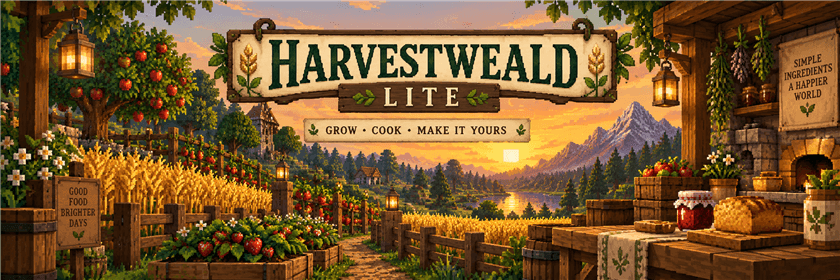
54 FIELD CROPS + 13 FRUIT TREES · 92 FOODS & DRINKS 9 KITCHEN STATIONS · 181 KITCHEN PROCESSES
Minecraft Java 26.3 / 1.20.1 · Fabric · Lite 1.7.1
Grow vegetables, tend an orchard, keep bees near the harvest and turn your produce into flour, preserves, cheese and full meals. Harvestweald Lite connects planting, soil care, useful tools, farm machines and cooking into one farm-to-table loop.
The Lite rules: crops and fruit trees grow in every biome without seasons, a calendar or climate restrictions. Suitable ground, light, water, trellises and space still matter. Irrigation channels are absent; rain barrels supply adjacent sprinklers directly.
A dedicated Java 17 build brings the Lite farming, soil-care, tools, kitchen, handbook, bees and village features to Minecraft 1.20.1. Choose the file matching your Minecraft version. Newer vanilla structure decorations use 1.20.1 equivalents; copper golems are unavailable in that version.
This release brings the 1.7 farming tools and soil-care update to CurseForge, together with the 1.7.1 texture improvements.
Choose from 54 field crops and 13 fruit trees: grains, vegetables, roots, legumes, berries, herbs, mushrooms, orchard fruit and nuts. Grow rye, rice, corn, broccoli, spinach, asparagus, sesame, peanuts, strawberries, apples, citrus and more, each with uses in the kitchen.
Right-click ripe mod crops or ripe fruit leaves to harvest. Crops remain planted and fruit leaves remain on the tree. Bushes and climbing plants restart partway through their cycle; other field crops restart from their first stage. Bone meal advances crops and fruit leaves and grows saplings when their physical requirements and space are satisfied.
Discover wild plants in suitable newly generated areas, buy planting supplies from farmers, or find a Seed Pouch while breaking grass or ferns in survival. Right-click the consumable pouch for four random selections: three seeds for a field crop or one sapling for a tree per selection. This random pouch is separate from the reusable Gardener's Bag.
Use a hoe on already tilled farmland, apply compost to farmland, or craft Farm Soil. Improved soil tracks moisture and fertility from 0 to 7 and remembers the family of the last harvested crop. It stays usable when dry, while better moisture and fertility increase natural crop growth.
Rotate grains, vegetables, roots, legumes, berries, herbs, fruit and fungi. The probe shows the previous family and suggests alternatives, prioritising legumes on poor soil where appropriate.
Grain harvests produce straw; other field crops produce plant scraps. Put straw, plant scraps or oilcake into a vanilla composter to advance its fill. When it is ready, use an empty hand to collect two compost.
Craft 3 straw → 3 mulch and apply one mulch to an improved soil block. Mulch reduces the chance of moisture loss to one quarter of the uncovered chance; it does not create water. Applying more to an already covered block costs nothing. The cover persists through harvesting, composting and saving the world.
Keep live bees close to your crops and orchard. Lite checks for a living bee in the nearby area extending approximately six blocks from the harvested plant or leaf block along each axis. A bee inside a hive is not a nearby flying entity for this check.
One nearby bee is enough; additional bees do not multiply the bonus. Place hives and flowers near your growing area so bees can be present when you gather the harvest. These are harvest-time bonuses: bees are useful beyond honey production.
Plant improved seeds to carry their vigor into the crop. Higher vigor increases its natural growth chance, and plants at vigor 2 or 3 yield one additional produce item. Harvested seeds retain the plant's vigor and can improve through the bee bonus. The Hand Seeder preserves seed quality.
Area tools spend seeds and durability only on successful actions, stop when they break and operate in loaded surroundings. Creative mode preserves their supplies and durability. A tall crop counts as one harvest, including when you target its upper half. Tool harvests drop their produce nearby.
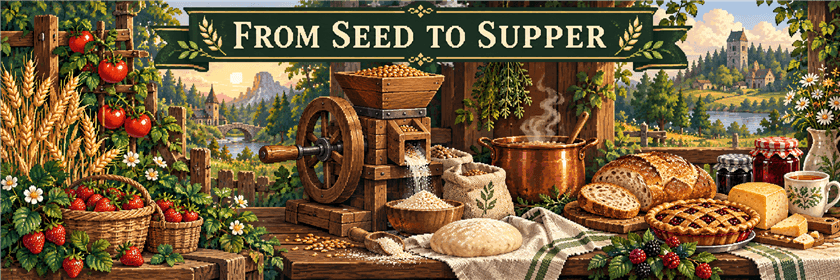
Turn your harvest into 92 foods and drinks, from flour and dough to pies, pizza, soups, cheese, jams and expedition meals. Each station starts a matching recipe automatically when its ingredients, required fuel and output space are available.
Example: mill 2 rye into 2 flour; combine 2 flour and a water bucket at the Cutting Board for 4 dough; bake 2 dough, 3 strawberries and 1 sugar in the Farm Oven for 2 berry pies.
Stations have the needed ingredient slots, fuel where applicable and one output slot. A full or incompatible output pauses work without spending ingredients or fuel. Returned buckets and bottles go into a freed input slot or drop nearby. There are no recipe pages, queues or hidden output buffers.
More elaborate recipes can give short level-I regeneration, speed, resistance or haste. The exact effects and durations appear in the handbook and tooltips: for example, coffee grants Speed I for 30 seconds, and rice with tofu grants Haste I for 30 seconds. All 19 drinks use drinking animations and water-drinking sounds and can be consumed at full hunger.
The Rain Barrel holds 16 buckets, collects rain under an open sky and transfers water to directly adjacent sprinklers. The Sprinkler holds 4 buckets and hydrates farmland in 9×9, checking soil at its own height and one block above or below. Both can be filled manually with water buckets. Sprinklers spend water when they actually hydrate dry farmland. Lite has no channel network.
Supply fuel and leave room in its single produce slot. The harvester checks a 5×5 plot, from one block below to two above the device, collecting mature supported crops and reachable ripe fruit leaves. It preserves mod planting and reserves a replanting item for supported vanilla crops. Main produce goes into the output; seeds and other byproducts drop beside the machine. A blocked output preserves that crop and its fuel cost.
Hold a harvester or sprinkler to preview the placement area; aiming at an installed device shows its area too.
Machines need their chunks to be loaded. Old 27-slot machine inventories migrate into the compact layout; items that cannot fit drop beside the machine once.
Animal Feed: right-click a baby animal to advance its growth, or a breeding-ready adult to put it into love mode. A successful use also restores 4 health points and consumes one feed.
Farmer trading: interacting with farmer villagers adds planting-supply offers and produce buyback offers. A Seed Pouch costs 3 emeralds. Each farmer offers a selection of seeds or saplings and buys 24 of their corresponding produce for an emerald. Offers retain normal limits and restocking.
Explore farmsteads, old mills, apiaries and abandoned orchards. New villages can receive farm plots, orchards and compact greenhouses adapted to plains, desert, savanna, taiga and snowy styles. A greenhouse is one possible village piece; it is not guaranteed in every village. Existing chunks and villages are not rebuilt by an update.
With commands enabled, use /locate structure #livingfarm:farms for farm landmarks, or search individually for livingfarm:farmstead, livingfarm:old_mill, livingfarm:apiary or livingfarm:abandoned_orchard. The special command /locate structure livingfarm:greenhouse searches actual village greenhouse pieces, within a bounded search area. It may report no match if none of the searched villages contains one.
The illustrated handbook is issued automatically on your first join and contains seven chapters, a crop/tree atlas, tool instructions and the kitchen recipes. Russian and English names, interfaces and handbook text follow the Minecraft language setting. The mod has its own creative tab.
Optional JEI integration includes all 181 kitchen processes and growing requirements; the new ordinary tool and mulch crafting recipes are available through the normal crafting-recipe viewer.
Minecraft 26.3: Java 25, Fabric Loader 0.19.5+ and Fabric API 0.162.0+26.3. Optional recipe viewer: JEI 31.12.0.65 with Mezz Config.
Minecraft 1.20.1: Java 17, Fabric Loader 0.19.5+ and Fabric API 0.92.12+1.20.1. Optional recipe viewer: JEI Fabric for 1.20.1 (tested with 15.74.0.228). Use matching Minecraft/mod files on the client and server. Back up worlds before changing mods; this port does not downgrade 26.3 worlds.
Keep only one edition of livingfarm in a mods folder. Lite's farming growth speed can be adjusted through growthMultiplier in config/livingfarm.json; valid values are greater than 0 and no more than 20, with a default of 1. Seasonal settings from older configurations are ignored.
This description covers Lite 1.7.1. Seasons, climate restrictions, irrigation channels, a seed-breeding workbench and a complete village replacement are not features of this release.
Plant something new. Cook something good. Make yourself at home.
The two banner images are promotional illustrations, not in-game screenshots.
Project description from CurseForge.
Pick your setup
Choose the version and loader you play, then open the matching release.
Check the dependencies, then try the file in a copied instance before changing a world you care about.
Recent files
harvestweald-lite-1.7.1-mc1.20.1-fabric.jar
23 Oct 2026
livingfarm-1.7.1-lite.jar
22 Oct 2026
15 Oct 2026
Looking for an older file? The official CurseForge project page is in Resources.
 mod
modA Minecraft mod that brings the complete Tiny Takeover drop to older Minecraft versions!
 mod
modThe mod adds blocks and some items to build ukraine's mazanka
 mod
modThis mod adds loads of cozy features to minecraft. Crops, Decorations and more!