Minecraft version
Back to mods 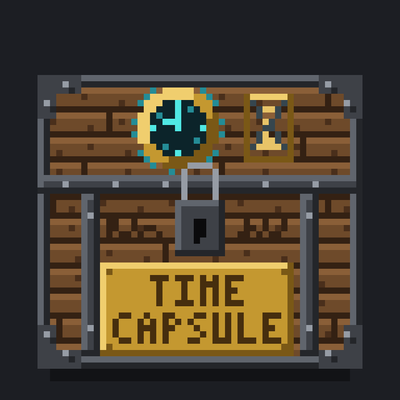
CurseForge · Minecraft mod
Sealed Time Capsule
Seal items and notes in a capsule that won't open until real-world or in-game days have passed. Lightweight and server-friendly, for Fabric, Forge and NeoForge.
Choose a version Pick your version below, then grab the matching file.
Quick answer
Which Sealed Time Capsule release matches 1.21?
Best match for your filters 1.0.0 for Neoforge 1.21.1
Game version 1.21, 1.21.1
Loader NeoForge
Sealed Time Capsule 1.0.0 for Neoforge 1.21.1 targets 1.21, 1.21.1 with NeoForge. The project page does not say whether this file belongs on the client, dedicated server, or both. No extra mods listed for this file.
Where it goes
Is Sealed Time Capsule required on the client, server, or both?
The project page does not say whether this file belongs on the client, dedicated server, or both.
Client Source doesn’t say
Dedicated server Source doesn’t say
Loader for this release NeoForge
Required install it here Optional supported, not mandatory Not supported do not install here Source doesn’t say do not assume
The source does not explicitly classify this release as client-only or server-only.
What else does Sealed Time Capsule 1.0.0 for Neoforge 1.21.1 need?
1.0.0 for Neoforge 1.21.1 on 1.21. Every mod below is checked against that same setup.
This file does not list any required mods. Do not add a library just because a different file uses it.
This file does not list any required or optional mods.
Before you install it
Add Sealed Time Capsule without breaking your instance.
Built for Sealed Time Capsule 1.0.0 for Neoforge 1.21.1 on 1.21. Pick another file and the loader, install side or required mods may change.
- 01
Stick to this file
Use 1.0.0 for Neoforge 1.21.1. It targets 1.21, 1.21.1 with NeoForge; another release may have different loader, side or dependency requirements.
- 02
Bring the mods it needs
This file does not list any required mods. Do not add a library just because a different file uses it.
- 03
Put it on the correct side
The project page does not say whether this file belongs on the client, dedicated server, or both.
- 04
Pick the file you checked
Use the “Get this file” button beside 1.0.0 for Neoforge 1.21.1. It opens that exact file at the source.
About this project
What does Sealed Time Capsule add?
Time Capsule
Leave something for your future self, or for everyone on your server.
How it works
- Craft a Time Capsule and place it.
- Choose how it keeps time: real-world days or in-game days.
- Pick how long it stays sealed, from 1 to 365 days.
- Put in your items and written books, then seal it.
- Until time runs out, the capsule stays shut and can't be broken open. Right-click it to see how long is left.
- When the time is up, open it and find what you left behind.
Great for
- SMP servers: bury capsules at the start of a season and open them together at the end.
- Long survival worlds: write a note to yourself and read it 100 days later.
- Creators: "opening our one-year time capsule" episodes.
Lightweight by design
- Capsules never tick. Time is only checked when someone interacts with one.
- Plain block model, no custom renderers or shaders.
- No extra libraries (Fabric only needs Fabric API).
Real-world or in-game days?
- Real-world days use the real clock, so they keep counting while the game or server is off.
- In-game days count Minecraft days, so they only pass while the world is running.
Configuration
Edit config/timecapsule.properties to set the default time mode, the default and maximum number of days, and whether the whole server is told when a capsule opens.
Supported versions
| Minecraft | Fabric | Forge | NeoForge |
|---|---|---|---|
| 1.20.1 | Yes | Yes | Use the Forge version |
| 1.21.1 | Yes | Yes | Yes |
| 26.1.2 | Yes | Yes | Yes |
| 26.2 | Yes | Yes | Yes |
| 26.3 | Yes | Yes | Yes |
Install it on both the client and the server.
Project description from CurseForge.
Pick your setup
Sealed Time Capsule by Minecraft version and loader
Choose the version and loader you play, then open the matching release.
Minecraft version
26.2
3 loader buildsMinecraft version
26.1.2
3 loader buildsMinecraft version
1.21.1
3 loader buildsMinecraft version
1.21
3 loader buildsMinecraft version
1.20.1
2 loader buildsMinecraft version
1.20
2 loader buildsCheck the dependencies, then try the file in a copied instance before changing a world you care about.
Recent files
Sealed Time Capsule versions and loaders
1.0.0 for Neoforge 1.21.1
timecapsule-neoforge-1.0.0+mc1.21.1.jar
16 Oct 2026
Client Source doesn’t say Server Source doesn’t say Dependencies No extras listed Listed on Release listing
Check the 1.21 · NeoForge setup 1.211.21.1NeoForge release
1.0.0 for Forge 1.21.1
timecapsule-forge-1.0.0+mc1.21.1.jar
16 Oct 2026
Client Source doesn’t say Server Source doesn’t say Dependencies No extras listed Listed on Release listing
Check the 1.21 · Forge setup 1.21Forge1.21.1 release
1.0.0 for Fabric 1.21.1
timecapsule-fabric-1.0.0+mc1.21.1.jar
16 Oct 2026
Client Source doesn’t say Server Source doesn’t say Dependencies 1 required · 1 unchecked Listed on Release listing
Check the 1.21 · Fabric setup 1.21Fabric1.21.1 release
Looking for an older file? The official CurseForge project page is in Resources.
 mod
mod CurseForge + Modrinth · Minecraft
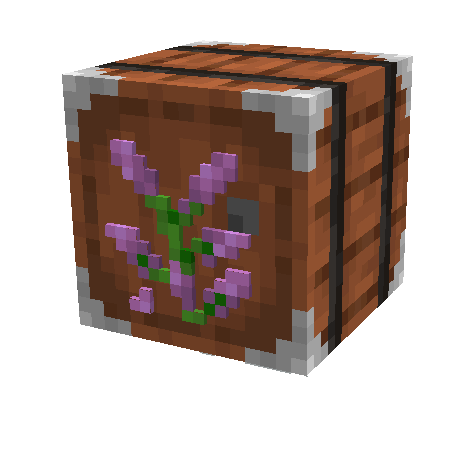
Sophisticated Storage
Storage mod with multiple tiers and functional upgrades
 mod
mod CurseForge + Modrinth · Minecraft
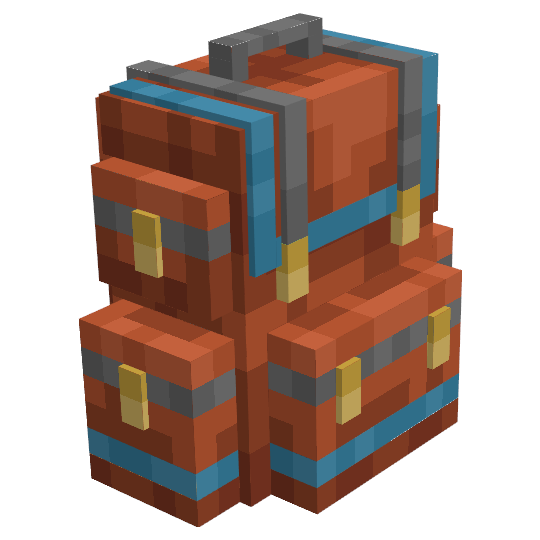
Sophisticated Backpacks
Yet another backpack mod this time with backpack you can place in world, color in different color combinations, upgrade with more inventory and enhance with many functional upgrades
 mod
mod CurseForge + Modrinth · Minecraft
Sophisticated Core
Library mod for Sophisticated mods