Minecraft version
Back to mods 
CurseForge · Minecraft mod
Worms3D
Adds Worms3D game to your minecraft
Choose a version Pick your version below, then grab the matching file.
Quick answer
Which Worms3D release should I use?
Latest stable file Worms3D-1.20.1-1.0.0.jar
Game version 1.20.1
Loader Forge
Worms3D-1.20.1-1.0.0.jar targets 1.20.1 with Forge. The project page does not say whether this file belongs on the client, dedicated server, or both. No extra mods listed for this file.
Where it goes
Is Worms3D required on the client, server, or both?
The project page does not say whether this file belongs on the client, dedicated server, or both.
Client Source doesn’t say
Dedicated server Source doesn’t say
Loader for this release Forge
Required install it here Optional supported, not mandatory Not supported do not install here Source doesn’t say do not assume
The source does not explicitly classify this release as client-only or server-only.
What else does Worms3D-1.20.1-1.0.0.jar need?
Worms3D-1.20.1-1.0.0.jar. Change the file and its required mods may change too.
This file does not list any required mods. Do not add a library just because a different file uses it.
This file does not list any required or optional mods.
Before you install it
Add Worms3D without breaking your instance.
Built for Worms3D-1.20.1-1.0.0.jar. Pick another file and the loader, install side or required mods may change.
- 01
Stick to this file
Use Worms3D-1.20.1-1.0.0.jar. It targets 1.20.1 with Forge; another release may have different loader, side or dependency requirements.
- 02
Bring the mods it needs
This file does not list any required mods. Do not add a library just because a different file uses it.
- 03
Put it on the correct side
The project page does not say whether this file belongs on the client, dedicated server, or both.
- 04
Pick the file you checked
Use the “Get this file” button beside Worms3D-1.20.1-1.0.0.jar. It opens that exact file at the source.
About this project
What does Worms3D add?

FEATURES
Core Gameplay & Mechanics
Destructible Environments: Features fully 3D, destructible island landscapes where terrain can be blasted or mined away.
Camera Perspectives: Offers multiple camera options including third-person, first-person aiming, and a high altitude blimp/overhead view.
Wind and Physics: Retains classic wind direction and power mechanics that affect projectiles and utility items.
Water Hazard: Contact with water results in instant death for the worms.
Modes of Play
- Campaign Mode: Includes 35 story-based missions with specific objectives (such as destroying enemy worms, collecting crates, or detonating hidden landmines) that award gold medals to unlock bonuses.
- Quick Match / QuickStart: Pits custom squads against opponents on randomly selected or generated terrains.
- Multiplayer: Supports Globally, local, and online/LAN multiplayer matches for up to four teams.
- Training and Challenge Modes: Interactive tutorials and shooting ranges (like the golf-themed range) to master 3D trajectory and weapon physics.
- Wormpot: A gameplay randomizer that lets players tweak match rules and conditions.
Customization & Features
- Team Creation: Allows players to customize worm names, team colors, victory fanfares, and voice banks.
- Wormopedia: In-game database providing lore and information about weapons and items.
- Map Editor / Unlockables: Unlocking medals in single-player reveals secret missions, maps, challenges, and weapon details. [1, 2, 3, 4]
Weapons:
- Classic Weapons: Bazooka, Grenade, Banana Bomb, Super Sheep, Air Strike, and the Holy Hand Grenade.
- 3D-Adapted & New Weapons: Concrete Donkey, Mega Mine, Gas Grenade, and Lottery Strike
Project description from CurseForge.
Pick your setup
Worms3D by Minecraft version and loader
Choose the version and loader you play, then open the matching release.
Check the dependencies, then try the file in a copied instance before changing a world you care about.
Recent files
Worms3D versions and loaders
Worms3D-1.20.1-1.0.0.jar
27 Oct 2026
Client Source doesn’t say Server Source doesn’t say Dependencies No extras listed Listed on Release listing
Check the 1.20.1 · Forge setup 1.20.1Forge release
Worms3D-1.20.1-1.0.1.jar
Worms3D-1.20.1-1.01.jar
18 Oct 2026
Client Source doesn’t say Server Source doesn’t say Dependencies No extras listed Listed on Release listing
Check the 1.20.1 · Forge setup 1.20.1Forge release
Worms3D-1.20.1-1.0.0.jar
16 Oct 2026
Client Source doesn’t say Server Source doesn’t say Dependencies No extras listed Listed on Release listing
Check the 1.20.1 · Forge setup 1.20.1Forge release
Looking for an older file? The official CurseForge project page is in Resources.
 mod
mod CurseForge · Minecraft
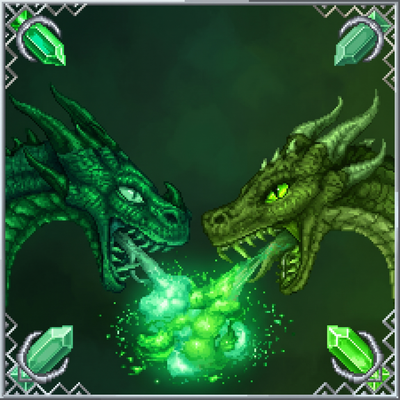
Ice and Fire: Poison Dragons
A Ice and Fire addon adding four unique Poison Dragons, new armor, weapons, Dragonsteel, a Poison Dragonforge, roosts, loot, recipes, and powerful poison-based abilities.
 mod
mod CurseForge + Modrinth · Minecraft
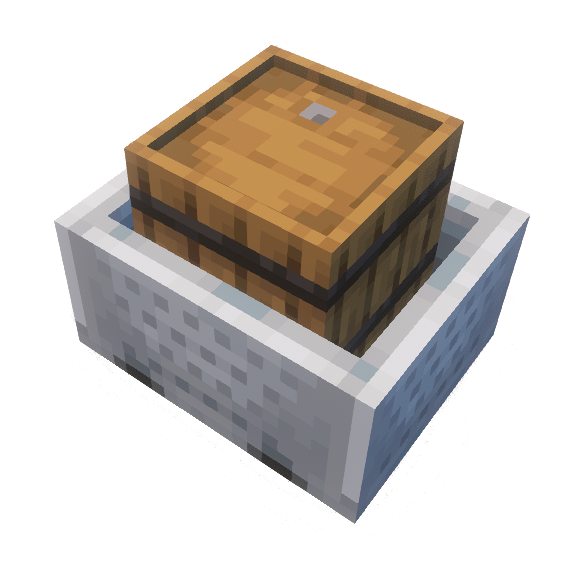
Sophisticated Storage in Motion
A Sophisticated Storage add on which allows using storage blocks with minecarts and in the future with other entities
 mod
mod CurseForge + Modrinth · Minecraft
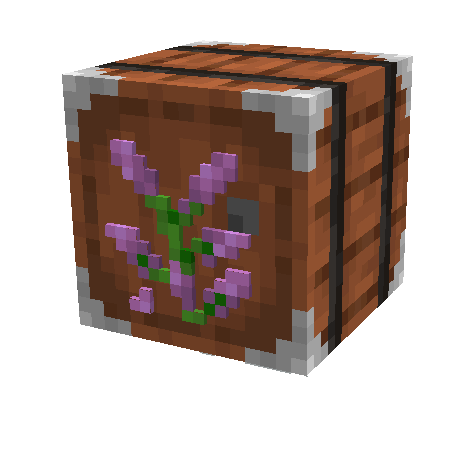
Sophisticated Storage
Storage mod with multiple tiers and functional upgrades