Minecraft version
Back to mods 
CurseForge · Minecraft mod
MineServ
Manage your Minecraft 26.3 server directly from Discord with OP command auditing, scheduled maintenance shutdowns, two-way chat, 6-digit account linking, and player inspection.
Choose a version Pick your version below, then grab the matching file.
Quick answer
Which MineServ release matches 26.3?
Best match for your filters mineserv-1.0.0.jar
Game version 26.3
Loader Fabric
mineserv-1.0.0.jar targets 26.3 with Fabric. The project page does not say whether this file belongs on the client, dedicated server, or both. No extra mods listed for this file.
Where it goes
Is MineServ required on the client, server, or both?
The project page does not say whether this file belongs on the client, dedicated server, or both.
Client Source doesn’t say
Dedicated server Source doesn’t say
Loader for this release Fabric
Required install it here Optional supported, not mandatory Not supported do not install here Source doesn’t say do not assume
The source does not explicitly classify this release as client-only or server-only.
What else does mineserv-1.0.0.jar need?
mineserv-1.0.0.jar on 26.3. Every mod below is checked against that same setup.
This file does not list any required mods. Do not add a library just because a different file uses it.
This file does not list any required or optional mods.
Before you install it
Add MineServ without breaking your instance.
Built for mineserv-1.0.0.jar on 26.3. Pick another file and the loader, install side or required mods may change.
- 01
Stick to this file
Use mineserv-1.0.0.jar. It targets 26.3 with Fabric; another release may have different loader, side or dependency requirements.
- 02
Bring the mods it needs
This file does not list any required mods. Do not add a library just because a different file uses it.
- 03
Put it on the correct side
The project page does not say whether this file belongs on the client, dedicated server, or both.
- 04
Pick the file you checked
Use the “Get this file” button beside mineserv-1.0.0.jar. It opens that exact file at the source.
About this project
What does MineServ add?
MineServ
MineServ is a lightweight, dedicated server-side Fabric mod for Minecraft 26.3 that lets administrators monitor, moderate, and manage their server directly from Discord. Players do not need to install the mod on their clients to join.
Key Features
- Configurable Server & OP Command Logging: Stream all
INFO+console logs to a dedicated Discord channel, or enablelog_only_op_commandsto only record commands executed by operators (OPs) and the server console. Built-in message batching prevents Discord rate limits. - Scheduled Maintenance System: Run
/mineserv startmaintanencefrom Discord to start an automated server shutdown countdown with in-game broadcast warnings at key intervals (10m, 5m, 3m, 1m, 30s, 15s, 10s, and 5-1s). Cancel anytime with/mineserv cancelmaintenance. - Live Server Diagnostics: Check real-time server TPS, MSPT, RAM usage, maintenance status, and online players via
/mineserv status. - Remote Console & Moderation: Execute console commands and view their exact output inside Discord (
/mineserv command), or manage players using/mineserv kick,/mineserv ban, and/mineserv whitelist. - Two-Way Chat Bridge: Relay player chat, join, and leave events between Minecraft and a designated Discord channel with built-in
@everyoneand@heremention sanitization. - 6-Digit Account Linking & Bedrock Role Sync: Players can link their accounts in-game with
/link <discord_id>and confirm in Discord using/verify <code>. MineServ automatically detects Bedrock Edition players (via Geyser/Floodgate UUIDs, API, or username prefixes) and assigns a dedicated Discord role. - Live Player & Inventory Inspection: Inspect an online player's health, hunger, XP, coordinates, equipped armor, main inventory, and Ender Chest remotely with
/mineserv inspect, or remove specific items using/mineserv invremove.
Command Reference
Discord Slash Commands (Admin)
/mineserv status- View live TPS, MSPT, memory usage, and online player list./mineserv startmaintanence <timebeforeserverstopinminutes> [reason]- Schedule a graceful server shutdown./mineserv cancelmaintenance- Cancel an active maintenance countdown./mineserv logmode <op_only>- Switch between logging only OP commands or all console logs./mineserv command <cmd>- Execute any Minecraft server command and return the output to Discord./mineserv inspect <player> [view]- View a player'sall,vitals,inventory, orenderchest./mineserv invremove <player> <container> <item> [count]- Remove matching items from a player'sinventory,enderchest, orarmor./mineserv kick <player> [reason]- Kick an online player./mineserv ban <action> [player] [reason]- Ban, unban, or list banned players./mineserv whitelist <action> [player]- Add, remove, list, enable, or disable the server whitelist./mineserv whois <player>- Check a player's UUID, edition (Java/Bedrock), and linked Discord account./mineserv reload- Reloadconfig/mindserv/main.tomlandconfig/mindserv/links.tomlfrom disk.
Player Commands
/link <discord_id>(In-Game) - Generate a 6-digit verification code to link your Discord account./unlink(In-Game) - Unlink your Minecraft account from Discord./verify <code>(In Discord) - Confirm your 6-digit verification code to complete linking and receive roles.
Quick Setup
- Drop the MineServ JAR and Fabric API into your server's
mods/folder. - Start the server once to generate
config/mindserv/main.toml. - Create a bot in the Discord Developer Portal, enable Message Content Intent, and invite it to your Discord server with
View Channels,Send Messages,Embed Links,Read Message History, andManage Rolespermissions. - Paste your
bot_token,log_channel_id,chat_channel_id, and optionalbedrock_role_idintoconfig/mindserv/main.toml. - Restart the server or run
/mineserv reload.
Requirements
- Minecraft: 26.3
- Mod Loader: Fabric (
>=0.19.5) - Dependencies: Fabric API
- Environment: Server-side only (Client installation not required)
- Java: Java 25
Project description from CurseForge.
Pick your setup
MineServ by Minecraft version and loader
Choose the version and loader you play, then open the matching release.
Check the dependencies, then try the file in a copied instance before changing a world you care about.
Recent files
MineServ versions and loaders
mineserv-1.0.0.jar
15 Oct 2026
Client Source doesn’t say Server Source doesn’t say Dependencies No extras listed Listed on Release listing
Check the 26.3 · Fabric setup Fabric26.3 release
Looking for an older file? The official CurseForge project page is in Resources.
 mod
CurseForge + Modrinth · Minecraft
Shoulder Surfing Reloaded
Shoulder Surfing Reloaded is a highly configurable third person camera mod for Minecraft
 mod
CurseForge · Minecraft
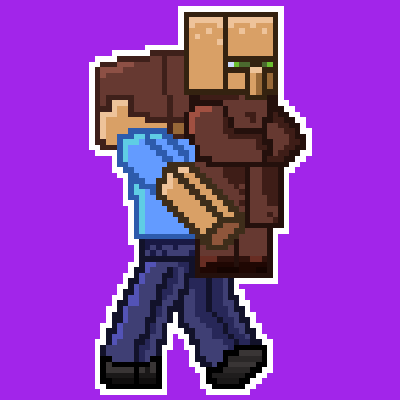
Grab Villager
This mod adds the possibility to grab villager, easy transportation no more boat or minecart.
 mod
CurseForge · Minecraft
ReplayModCinematics: Camera Paths for Replay Mod
Unofficial Replay Mod add-on: smooth camera paths, orbits and entity-follow shots. For Forge, NeoForge and Fabric.