Fabric API Needed by Rift Caster 0.6.2 — Fabric 26.3
requiredMatching file found Matched file: [26.3] Fabric API 0.166.2+26.3
CurseForge · Minecraft mod
Save ten destinations with snapshots, cast animated portals, and upgrade from Overworld travel to any dimension.
Quick answer
Rift Caster 0.6.2 — Fabric 26.3 targets 26.3 with Fabric. The project page does not say whether this file belongs on the client, dedicated server, or both. All 1 required mods have matching files.
Where it goes
The project page does not say whether this file belongs on the client, dedicated server, or both.
The source does not explicitly classify this release as client-only or server-only.
Rift Caster 0.6.2 — Fabric 26.3 on 26.3. Every mod below is checked against that same setup.
Install Fabric API first. We found matching files for this game-version and loader setup.
We only count dependency files that match this setup. A file for another loader does not fill the gap.
Before you install it
Built for Rift Caster 0.6.2 — Fabric 26.3 on 26.3. Pick another file and the loader, install side or required mods may change.
Use Rift Caster 0.6.2 — Fabric 26.3. It targets 26.3 with Fabric; another release may have different loader, side or dependency requirements.
Install Fabric API first. We found matching files for this game-version and loader setup.
The project page does not say whether this file belongs on the client, dedicated server, or both.
Use the “Get this file” button beside Rift Caster 0.6.2 — Fabric 26.3. It opens that exact file at the source.
About this project
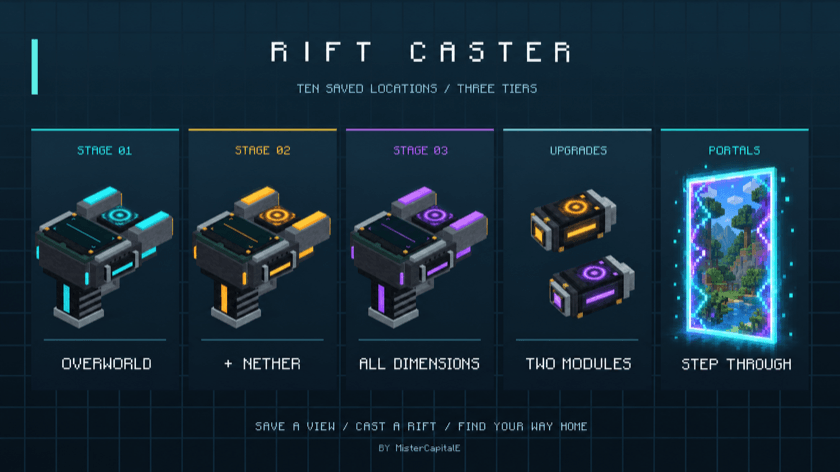
10 saved destinations • 3 travel tiers • 1 device in your hand
Minecraft 26.3 • Fabric • By MisterCapitalE
Rift Caster turns your favorite places into doorways you can carry. Save a destination and a snapshot of the view, choose it on the device's landscape screen, and cast an animated portal in front of you. Step through to arrive, then use the brief return window if you forgot something—or need a quick escape.
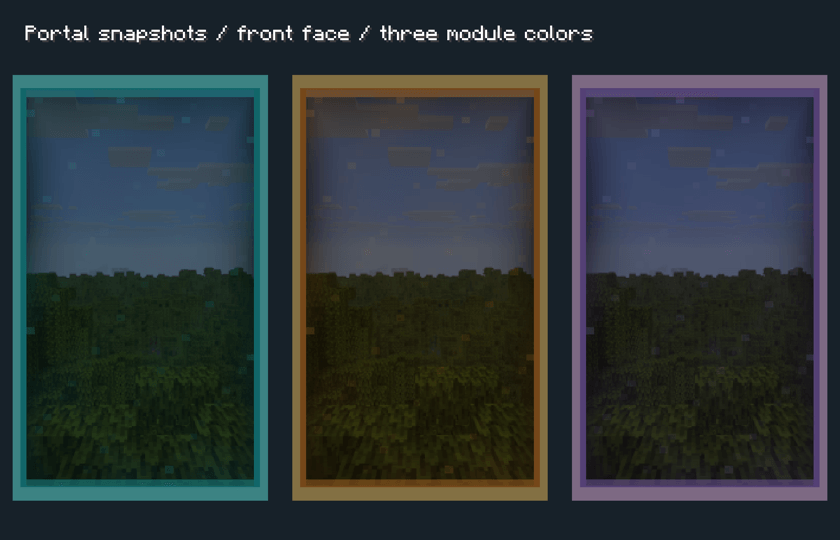 *In-engine portal preview showing the three module colors and snapshot surfaces.*
Two sequential module upgrades expand where you can travel and reduce the cooldown. Each tier changes the device's trim color.
| Device tier | Available dimensions | Cooldown |
|---|---|---|
| Base · Cyan | Overworld | 60 seconds |
| Nether Module · Amber | Overworld + Nether | 30 seconds |
| Universal Module · Violet | Overworld + Nether + End, plus other loaded mod or datapack dimensions | No cooldown |
Install the Nether Module first, then the Universal Module. Use the two upgrade sockets in the GUI, or hold the caster in one hand and the module in the other and Shift + right-click. Upgrades preserve your saved locations and consume the module in Survival. Both the departure and destination dimensions must be unlocked by your installed tier.
The cooldown begins when you open a portal. Returning through that pair adds no extra cooldown, and repeated crossings do not extend the return window. Each player can have one active portal pair at a time, including with the Universal Module. Portals are personal to their owner.
Portals do not break or replace terrain. Arrival checks look for safe footing and room for the player, including supported treetop arrivals. Unsafe destinations are blocked. Dismount before traveling.
Arrange these ingredients in a crafting table:
| Diamond | Compass | Diamond |
|---|---|---|
| Ender Pearl | Redstone Block | Ender Pearl |
| Iron Ingot | Iron Block | Iron Ingot |
Nether Module: Obsidian / Blaze Powder / Obsidian; Blaze Powder / Eye of Ender / Blaze Powder; Obsidian / Blaze Powder / Obsidian.
Universal Module: Diamond / Popped Chorus Fruit / Diamond; Eye of Ender / Nether Star / Eye of Ender; Diamond / Popped Chorus Fruit / Diamond.
Requires Minecraft 26.3, Fabric Loader 0.19.5 or newer, Java 25, and Fabric API for 26.3 (built with Fabric API 0.162.0+26.3). Install Rift Caster and Fabric API on both the client and server for multiplayer.
Custom dimensions must be loaded in the world and require the Universal Module. Include the world's teleportremote/snapshots folder in backups to preserve destination images.
RIFT CASTER
Created by MisterCapitalE
© 2026 Eventide Labs LLC. All Rights Reserved.
Project description from CurseForge.
Pick your setup
Choose the version and loader you play, then open the matching release.
Check the dependencies, then try the file in a copied instance before changing a world you care about.
Recent files
rift-caster-26.3-0.6.2.jar
15 Oct 2026
Looking for an older file? The official CurseForge project page is in Resources.
 mod
StreamCraft Live brings real-time video streaming into Minecraft. NOTICE! Make sure you download your OS-specific version. Now available for Windows, Mac (arm64/intel), Linux and Android.
 mod
A Minecraft Create addon for physics-based flight control
 mod
Craftable stagecoaches in eleven woods: build a road network, discover stops and pay XP to travel between them.