


Minecraft version
Back to mods 
CurseForge · Minecraft mod
Just Replay
Record, Replay, Direct !
Choose a version Pick your version below, then grab the matching file.
Quick answer
Which Just Replay release should I use?
Latest stable file Just Replay 1.0.10 (NeoForge 1.21.1)
Game version 1.21.1
Loader NeoForge
Just Replay 1.0.10 (NeoForge 1.21.1) targets 1.21.1 with NeoForge. The project page does not say whether this file belongs on the client, dedicated server, or both. No extra mods listed for this file.
Where it goes
Is Just Replay required on the client, server, or both?
The project page does not say whether this file belongs on the client, dedicated server, or both.
Client Source doesn’t say
Dedicated server Source doesn’t say
Loader for this release NeoForge
Required install it here Optional supported, not mandatory Not supported do not install here Source doesn’t say do not assume
The source does not explicitly classify this release as client-only or server-only.
What else does Just Replay 1.0.10 (NeoForge 1.21.1) need?
Just Replay 1.0.10 (NeoForge 1.21.1). Change the file and its required mods may change too.
This file does not list any required mods. Do not add a library just because a different file uses it.
This file does not list any required or optional mods.
Before you install it
Add Just Replay without breaking your instance.
Built for Just Replay 1.0.10 (NeoForge 1.21.1). Pick another file and the loader, install side or required mods may change.
- 01
Stick to this file
Use Just Replay 1.0.10 (NeoForge 1.21.1). It targets 1.21.1 with NeoForge; another release may have different loader, side or dependency requirements.
- 02
Bring the mods it needs
This file does not list any required mods. Do not add a library just because a different file uses it.
- 03
Put it on the correct side
The project page does not say whether this file belongs on the client, dedicated server, or both.
- 04
Pick the file you checked
Use the “Get this file” button beside Just Replay 1.0.10 (NeoForge 1.21.1). It opens that exact file at the source.
About this project
What does Just Replay add?


Just Replay records your Minecraft sessions and turns them into films: replay them from any angle, place cameras, add actors and music, and export a real video.
Press F8, play, then make the movie.

 Records everything: modded worlds included:
F8, or keep the last minutes in memory and save with F7.
 Free replay: fly anywhere, speeds from x0.1 to x8, instant seeking, follow any player or mob.
 Full editor: several cameras cut on a timeline, smooth paths, Simple and Advanced modes, undo with
Ctrl+Z.
 Video export: MP4 from 720p to 4K with the mixed sound, shader packs included.

 Actors: any skin or PNG skin, any mob, Blockbench models; seated, walking or following.
 Dances on the beat: ten styles, from bounce to hakken, locked to the tempo of your music.
 Effects: transitions, colour grading, vignette, letterbox, all with keyframes.
 Texts and images: titles and stickers anchored to an entity, a block or a point of the world.
 Works with your mods: Iris, Distant Horizons, Create, Voice Chat, Emotecraft, WaterFrames, Drop the Beam.
1. Put the jar in the mods folder. For videos, install FFmpeg.
2. Play and press F8 to start and stop a recording.
3. Click Replays on the title screen and open your recording.
4. Press G for the editor, place cameras with K, then Export.
A problem or an idea? Ask on Discord or open an issue.

Just Replay enregistre vos parties Minecraft et en fait des films : rejouez-les sous tous les angles, placez des caméras, ajoutez des acteurs et de la musique, et exportez une vraie vidéo.
Appuyez sur F8, jouez, puis faites le film.
Enregistre tout : mondes moddés compris, avec F8, ou gardez les dernières minutes en mémoire et sauvez-les avec F7.
Replay libre : volez partout, vitesses de x0,1 à x8, sauts instantanés, suivez n'importe quel joueur ou mob.
Éditeur complet : plusieurs caméras coupées sur une timeline, trajectoires fluides, modes Simple et Avancé, annuler avec Ctrl+Z.
Export vidéo : MP4 de 720p à 4K avec le son mixé, packs de shaders compris.
Acteurs : tout skin ou fichier PNG, tout mob, modèles Blockbench ; assis, en marche ou en suivi.
Danses en rythme : dix styles, du rebond au hakken, calés sur le tempo de votre musique.
Effets : transitions, étalonnage, vignette, bandes cinéma, le tout avec images clés.
Textes et images : titres et stickers ancrés à une entité, un bloc ou un point du monde.
Avec vos mods : Iris, Distant Horizons, Create, Voice Chat, Emotecraft, WaterFrames, Drop the Beam.
1. Placez le jar dans le dossier mods. Pour les vidéos, installez FFmpeg.
2. Jouez et appuyez sur F8 pour lancer et arrêter un enregistrement.
3. Cliquez sur Replays à l'écran titre et ouvrez votre enregistrement.
4. Appuyez sur G pour l'éditeur, placez des caméras avec K, puis Exporter.
Un problème ou une idée ? Demandez sur Discord ou ouvrez un ticket.
Official Hosting Partner / Partenaire d'Hébergement Officiel
Host your modded Minecraft server with WabbaNode.
Hébergez votre serveur Minecraft moddé chez WabbaNode.


Support the Project / Soutenir le Projet
Your support keeps Just Replay growing.
Votre soutien fait grandir Just Replay.
Author / Auteur: vyrriox | License / Licence: Apache-2.0
Project description from CurseForge.
Pick your setup
Just Replay by Minecraft version and loader
Choose the version and loader you play, then open the matching release.
Check the dependencies, then try the file in a copied instance before changing a world you care about.
Recent files
Just Replay versions and loaders
Just Replay 1.0.10 (NeoForge 1.21.1)
justreplay-1.0.10.jar
4 Nov 2026
Client Source doesn’t say Server Source doesn’t say Dependencies No extras listed Listed on Release listing
Check the 1.21.1 · NeoForge setup 1.21.1NeoForge release
Just Replay 1.0.9 (NeoForge 1.21.1)
justreplay-1.0.9.jar
3 Nov 2026
Client Source doesn’t say Server Source doesn’t say Dependencies No extras listed Listed on Release listing
Check the 1.21.1 · NeoForge setup 1.21.1NeoForge release
Just Replay 1.0.8 (NeoForge 1.21.1)
justreplay-1.0.8.jar
1 Nov 2026
Client Source doesn’t say Server Source doesn’t say Dependencies No extras listed Listed on Release listing
Check the 1.21.1 · NeoForge setup 1.21.1NeoForge release
Just Replay 1.0.7 (NeoForge 1.21.1)
justreplay-1.0.7.jar
1 Nov 2026
Client Source doesn’t say Server Source doesn’t say Dependencies No extras listed Listed on Release listing
Check the 1.21.1 · NeoForge setup 1.21.1NeoForge release
Just Replay 1.0.6 (NeoForge 1.21.1)
justreplay-1.0.6.jar
28 Oct 2026
Client Source doesn’t say Server Source doesn’t say Dependencies No extras listed Listed on Release listing
Check the 1.21.1 · NeoForge setup 1.21.1NeoForge release
Just Replay 1.0.5 (NeoForge 1.21.1)
justreplay-1.0.5.jar
27 Oct 2026
Client Source doesn’t say Server Source doesn’t say Dependencies No extras listed Listed on Release listing
Check the 1.21.1 · NeoForge setup 1.21.1NeoForge release
Just Replay 1.0.4 (NeoForge 1.21.1)
justreplay-1.0.4.jar
16 Oct 2026
Client Source doesn’t say Server Source doesn’t say Dependencies No extras listed Listed on Release listing
Check the 1.21.1 · NeoForge setup 1.21.1NeoForge release
Looking for an older file? The official CurseForge project page is in Resources.
 mod
CurseForge + Modrinth · Minecraft
ItemPeek
A (Neo)Forge mod for Minecraft 1.20.1-26.3 that lets players showcase inventory items directly in chat.
 mod
CurseForge · Minecraft
kaanstylem
Installs the Style mod collection through CurseForge; includes an unofficial port More Player Models.
 mod
CurseForge · Minecraft
PeterWolf's Groundworks Loader
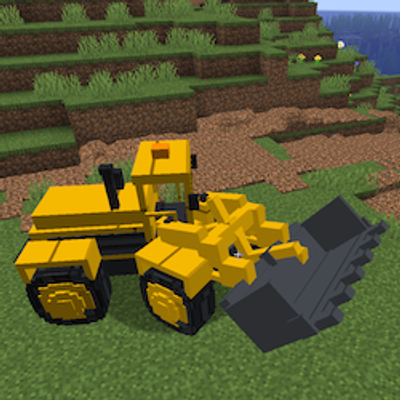
A functional articulated wheel loader for scooping, carrying and loading granular materials.