Gravity Changer
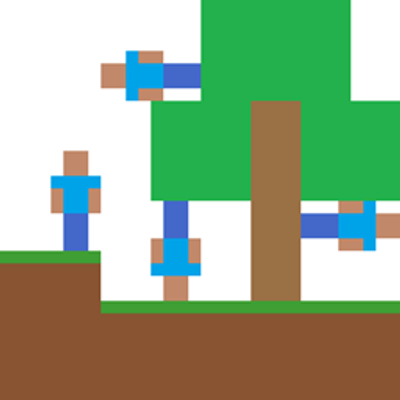
Walk on walls and ceilings. Change the direction and strength of gravity for players, mobs and projectiles, with a smooth camera turn, items, potions, gravity plating and commands.
For Fabric, Quilt, NeoForge and Forge.
This is a port of qouteall's Gravity Changer for all four loaders. qouteall's mod is a fork of Fusion Flux's Gravity API, itself a fork of Gaider10's Gravity Changer. The credit for the mod itself goes to them: see Credits below.
Features
- Gravity in six directions: down, up, north, south, east or west, for players, mobs and projectiles. You walk, jump, sneak, swim and fall as usual, relative to your own gravity.
- Smooth camera: the view turns with your gravity instead of snapping.
- Gravity strength: stronger, weaker or reversed gravity, for each entity and for whole dimensions.
- Mobs and projectiles follow along: skeletons, illusioners, witches, drowned, snow golems and withers aim at you wherever you stand, and arrows and thrown items fall the way their own gravity points.
- Multiplayer: the server decides everyone's gravity and keeps all players in sync. Works on dedicated servers, and your gravity is saved with your player.
- Which entities: all living entities, projectiles and minecarts. Add other entity types to the tag
gravity_changer:allowed_special to include them.
Items
Everything is in the Gravity Changer creative tab. Like the original, the mod adds no crafting recipes; add your own with a data pack if you want the items in survival.
- Gravity Changer (one per direction): right-click to set your gravity.
- Gravity Changer AOE (one per direction): right-click to set the gravity of the mobs and other entities around you. Players are not affected.
- Gravity Anchor (one per direction): while you hold it, your gravity points its way.
- Gravity Plating: place it on any face of a block, and it pulls whatever walks into it toward that face, so you can build rooms you walk all the way around. Right-click it with a bare hand to shorten its range or reverse its pull, or with an Amethyst Cluster to extend its range.
- Effects and potions (drinkable, splash and lingering): Up, Down, North, South, East and West Gravity, Invert Gravity, Gravity Increase, Gravity Decrease and Gravity Strength Reverse.
Commands
Need permission level 2 (operators, or cheats on in singleplayer). [targets] defaults to yourself.
/gravity set_base_direction <up|down|north|south|east|west> [targets]/gravity set_relative_base_direction <forward|backward|left|right|up|down> [targets]/gravity set_base_strength <strength> [targets]/gravity reset [targets]/gravity randomize_base_direction [targets]/gravity view/gravity set_dimension_gravity_strength <strength> and /gravity view_dimension_info
Configuration
In game: Mods (Mod Menu on Fabric and Quilt, the Mods screen on NeoForge and Forge), then Gravity Changer, then Config. The settings are saved in config/gravity_changer.json.
- Camera rotation time
- World-relative velocity when gravity changes
- Gravity strength multiplier
- Reset gravity on respawn
- Void damage high above the world with upward gravity, and after falling very far sideways
- Auto-jump at the inner corners of gravity plating
- Move out of blocks after a gravity change
Compatibility
- Immersive Portals and Seamless Portals: the gravity integration switches on by itself. You can look and walk through portals while standing on a ceiling, and portals set to change gravity turn yours as you pass through.
- Tested together with Sodium; Iris with the Complementary Reimagined and Complementary Unbound shaders; Lithium, C2ME, FerriteCore, ImmediatelyFast, EntityCulling, More Culling, Sodium Extra, Dynamic FPS, Krypton and Distant Horizons; JEI, Jade, Xaero's Minimap and AppleSkin.
- Lithium: Gravity Changer switches off Lithium's entity collision optimizations, which assume that gravity always points down. Everything else in Lithium stays on.
Requirements
Install the mod on both the client and the server.
| Loader |
Version |
Also needed |
| Fabric |
Fabric Loader 0.19.3 or newer |
Fabric API; Mod Menu for the config screen (optional) |
| Quilt |
Quilt Loader 0.30.1 or newer |
Fabric API (QSL is not needed); Mod Menu for the config screen (optional) |
| NeoForge |
26.3.0.7-beta or newer (tested on 26.3.0.76) |
nothing |
| Forge |
66 for Minecraft 26.3 (tested on 66.0.9) |
nothing |
For mod developers
The API is the same as in qouteall's Gravity Changer: gravity_changer.api.GravityChangerAPI reads and sets gravity direction and strength and converts velocities, and GravityUpdateEvent lets other mods add their own gravity sources. The mod id is still gravity_changer_q, so mods that look for qouteall's Gravity Changer find this one. It is not the same as Fusion Flux's Gravity API: the two cannot stand in for each other.
Known limitations
- On NeoForge and Forge, whether a bubble column refills your air underwater is decided at your normal eye height when your gravity is turned, because those loaders moved that check out of the game code this mod changes.
Credits and license
Released under the MIT License, like the original. Please report problems with this port on its issue tracker, not on qouteall's GitHub.
Project description from CurseForge.