Punchy! - First person animations Needed by Punchy! Studio 1.1.1 (NeoForge) - 26.3
requiredMatching file found Matched file: Punchy 3.0 (NeoForge) - 26.3
CurseForge · Minecraft mod
The in-game animation editor for Punchy!: keyframe arms and items on a timeline, build item models and export resource packs without leaving Minecraft.
Quick answer
Punchy! Studio 1.1.1 (NeoForge) - 26.3 targets 26.3 with NeoForge. The project page does not say whether this file belongs on the client, dedicated server, or both. All 1 required mods have matching files.
Where it goes
The project page does not say whether this file belongs on the client, dedicated server, or both.
The source does not explicitly classify this release as client-only or server-only.
Punchy! Studio 1.1.1 (NeoForge) - 26.3. Change the file and its required mods may change too.
Install Punchy! - First person animations first. We found matching files for this game-version and loader setup.
We only count dependency files that match this setup. A file for another loader does not fill the gap.
Before you install it
Built for Punchy! Studio 1.1.1 (NeoForge) - 26.3. Pick another file and the loader, install side or required mods may change.
Use Punchy! Studio 1.1.1 (NeoForge) - 26.3. It targets 26.3 with NeoForge; another release may have different loader, side or dependency requirements.
Install Punchy! - First person animations first. We found matching files for this game-version and loader setup.
The project page does not say whether this file belongs on the client, dedicated server, or both.
Use the “Get this file” button beside Punchy! Studio 1.1.1 (NeoForge) - 26.3. It opens that exact file at the source.
About this project





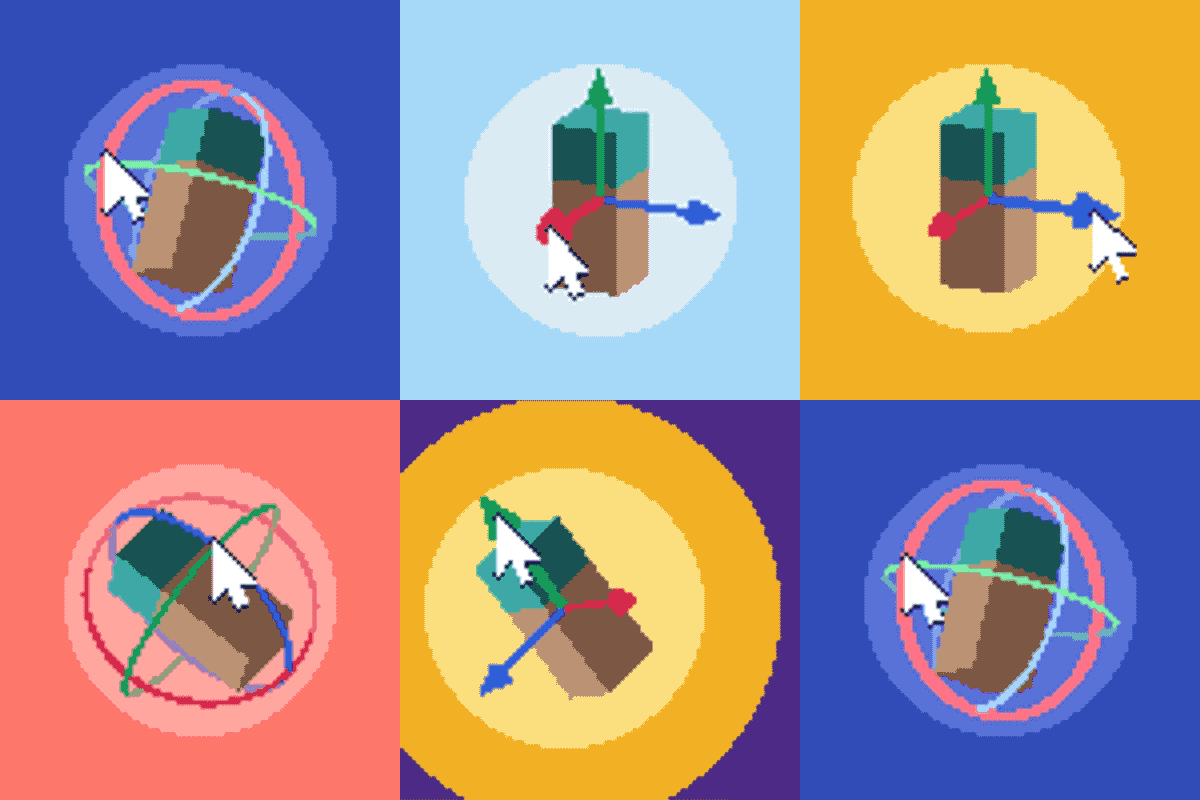
Punchy! Studio is the animation editor for Punchy! that lives inside Minecraft. Animate the player's arms and items on a timeline, build your own first-person item models, watch the result in the game as you work, and export it all as a resource pack.
Press F6 while in a world to open the editor.


Keyframe everything.
Add, move and edit keyframes for position, rotation and scale on a visual timeline.
Select many keys at once with a box, Shift or Ctrl click, then move, copy, paste or delete them together.
Works the way you already do: pick the Blender, Maya or Blockbench keys the first time you open it.


See it while you make it.
Your animation plays alongside Punchy!'s in-game rendering as you work, camera moves and speed included.


Start from anything.
Browse the animations in your loaded resource packs, edit existing clips or create new ones.
Build from Pack turns any Punchy! pack into a new one you can keep editing.


Decide when it plays.
Assign animations to items, item groups or tags, for actions such as attacking, mining, using items and more, and try them against Punchy!'s real behavior before you export.


Out of the editor, into the game.
Create a resource pack with your animations, rules and item models, and test it in the world.


What you need
Minecraft 1.20.1, 1.21.1, 1.21.5, 1.21.11, 26.2, 26.3 or 26.4
Fabric (with Fabric API) on all of them, Forge up to 26.3, NeoForge from 1.21.1 to 26.3
Punchy! for the same version and loader
Then join a world and press F6.
Build first-person item models in the Model workspace: shape them, unwrap and paint their textures, add item clips, particles and physics. On macOS, Cmd works wherever the editor says Ctrl.
Click here to get 25% off your server with code PUNCHY

Punchy! Studio makes animations for Punchy!:
fluid first person animations and visible hands with held items.

Made by Punchy Guys Studios.
Godku for all the help.
Jaredlll08 for the multiloader template: Jaredlll08 Github Page
Lunggolfs for the Social Connect Icons Pack: Lunggolfs Site
ARR (All Rights Reserved)
You are allowed to include this mod in Modrinth or CurseForge modpacks without asking for permission.
Redistribution of the jar files is not allowed.
Project description from CurseForge.
Pick your setup
Choose the version and loader you play, then open the matching release.
Check the dependencies, then try the file in a copied instance before changing a world you care about.
Recent files
punchy-studio-neoforge-26.3-1.1.1.jar
1 Nov 2026
punchy-studio-neoforge-26.2-1.1.1.jar
1 Nov 2026
punchy-studio-neoforge-1.21.5-1.1.1.jar
1 Nov 2026
punchy-studio-neoforge-1.21.11-1.1.1.jar
1 Nov 2026
punchy-studio-neoforge-1.21.1-1.1.1.jar
1 Nov 2026
punchy-studio-forge-26.3-1.1.1.jar
1 Nov 2026
punchy-studio-forge-26.2-1.1.1.jar
1 Nov 2026
punchy-studio-forge-1.21.5-1.1.1.jar
1 Nov 2026
punchy-studio-forge-1.21.11-1.1.1.jar
1 Nov 2026
punchy-studio-forge-1.21.1-1.1.1.jar
1 Nov 2026
punchy-studio-forge-1.20.1-1.1.1.jar
1 Nov 2026
punchy-studio-fabric-26.4-1.1.1.jar
1 Nov 2026
Looking for an older file? The official CurseForge project page is in Resources.
 mod
modLibrary/API for messing with time and space
 mod
modA core mod for the Integrated Boogaloo modpack
 mod
modAnvilLib is a NeoForge mod library developed by Anvil-Dev, providing Minecraft mod developers with a series of practical tools and frameworks.