Minecraft version
Back to mods 
CurseForge · Minecraft mod
Tether
Host and join Minecraft worlds with invite codes, manage your skins, and browse your screenshots all in one place.
Choose a version Pick your version below, then grab the matching file.
Quick answer
Which Tether release matches 26.3 Forge?
Best match for your filters Tether
Game version 26.3
Loader Fabric, Forge, NeoForge
Tether targets 26.3 with Fabric, Forge, NeoForge. The project page does not say whether this file belongs on the client, dedicated server, or both. No extra mods listed for this file.
Where it goes
Is Tether required on the client, server, or both?
The project page does not say whether this file belongs on the client, dedicated server, or both.
Client Source doesn’t say
Dedicated server Source doesn’t say
Loader for this release Fabric, Forge, NeoForge
Required install it here Optional supported, not mandatory Not supported do not install here Source doesn’t say do not assume
The source does not explicitly classify this release as client-only or server-only.
What else does Tether need?
Tether on 26.3 Forge. Every mod below is checked against that same setup.
This file does not list any required mods. Do not add a library just because a different file uses it.
This file does not list any required or optional mods.
Before you install it
Add Tether without breaking your instance.
Built for Tether on 26.3 Forge. Pick another file and the loader, install side or required mods may change.
- 01
Stick to this file
Use Tether. It targets 26.3 with Fabric, Forge, NeoForge; another release may have different loader, side or dependency requirements.
- 02
Bring the mods it needs
This file does not list any required mods. Do not add a library just because a different file uses it.
- 03
Put it on the correct side
The project page does not say whether this file belongs on the client, dedicated server, or both.
- 04
Pick the file you checked
Use the “Get this file” button beside Tether. It opens that exact file at the source.
About this project
What does Tether add?
Tether makes it easy to play Minecraft with friends. Host a single player world, share an invite code, and let friends join without setting up a dedicated server.
Play together
- Have up to eight people in one world at a time.
- Join a friend’s world using their invite code.
- Manage hosting from the pause menu.
- Connect directly when possible, with automatic relay fallback.
Manage your skins
Save and organize skins, preview them, and import skins from a file or even a username.
Keep your screenshots
Press F2 in game to capture a screenshot, then open Photos to browse it. Search screenshots, mark favorites, zoom in, crop, rotate, and save edited copies without overwriting the originals.
Free to use
Unlike other providers, we do not offer in game purchases, have ads, or virtual currency to enjoy our mod.
Project description from CurseForge.
Pick your setup
Tether by Minecraft version and loader
Choose the version and loader you play, then open the matching release.
Check the dependencies, then try the file in a copied instance before changing a world you care about.
Recent files
Tether versions and loaders
Tether
Tether.jar
28 Oct 2026
Client Source doesn’t say Server Source doesn’t say Dependencies No extras listed Listed on Release listing
Check the 26.3 · Forge setup FabricForgeNeoForgeQuilt release
Tether
Tether.jar
20 Oct 2026
Client Source doesn’t say Server Source doesn’t say Dependencies No extras listed Listed on Release listing
Check the 26.3 · Forge setup FabricForgeNeoForgeQuilt release
Looking for an older file? The official CurseForge project page is in Resources.
 mod
CurseForge + Modrinth · Minecraft
Safra
Don’t mess with the server Play Minecraft with your friends in 2 clicks via P2P
 mod
CurseForge · Minecraft
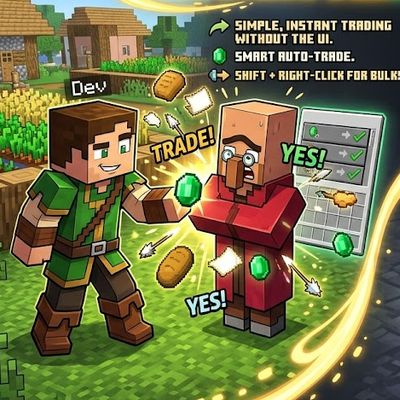
Fast Trades Villager: NO GUI One-Click Trading
auto , instant and easy quick Shift + Right-Click: Empty your backpack of all affordable resources and complete bulk trades automatically with one click
 mod
CurseForge · Minecraft
Do-Over: Quit Without Saving
Leave a singleplayer world without saving: undo everything that changed since you joined, TNT craters and all.