Fabric API Needed by Borderland / Start 5x5 Area borderland-1.6.0.jar
requiredMatching file found Matched file: [1.16.5] Fabric API 0.42.0
CurseForge · Minecraft mod
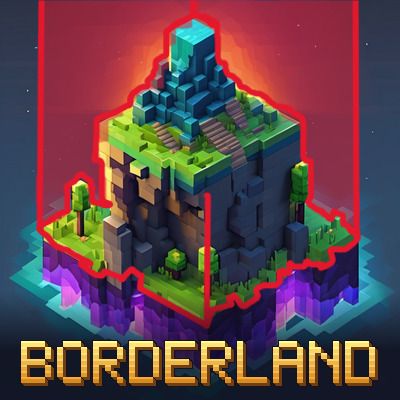
Start in a tiny area and expand your border block by block with quests and border stones.
Quick answer
Borderland / Start 5x5 Area borderland-1.6.0.jar targets 1.16.5 with Fabric. The project page does not say whether this file belongs on the client, dedicated server, or both. All 1 required mods have matching files.
Where it goes
The project page does not say whether this file belongs on the client, dedicated server, or both.
The source does not explicitly classify this release as client-only or server-only.
borderland-1.6.0.jar. Change the file and its required mods may change too.
Install Fabric API first. We found matching files for this game-version and loader setup.
We only count dependency files that match this setup. A file for another loader does not fill the gap.
Before you install it
Built for Borderland / Start 5x5 Area borderland-1.6.0.jar. Pick another file and the loader, install side or required mods may change.
Use borderland-1.6.0.jar. It targets 1.16.5 with Fabric; another release may have different loader, side or dependency requirements.
Install Fabric API first. We found matching files for this game-version and loader setup.
The project page does not say whether this file belongs on the client, dedicated server, or both.
Use the “Get this file” button beside borderland-1.6.0.jar. It opens that exact file at the source.
About this project
* Borderland turns survival into a land-grabbing adventure.
* You start in a small area – a red line on the ground marks the border. Beyond it you can't walk, build or mine.
* Complete **111 quests**, level up and open untouched chests to earn **border stones** (1x1, 3x3, 5x5 and a line).
Right-click a border stone while looking in a direction to unlock the columns in front of you.
* **Frame trick:** everything you completely enclose becomes yours automatically.
* **/shop** – buy border stones with diamonds, emeralds and ores (prices depend on your area size).
* **/rechte** – choose what other players may do in your area: mining, building, harvesting, chests,
doors, redstone, beds, workbenches, animals, buckets, frames, vehicles … and trust players who may do everything.
Everyone can always walk through every area.
* Areas of different players grow together when they touch.
* Guide book in German and English (/buch).
* Goblin Traders (if installed) get a small green bar with the time until they leave.
Made for the community server of AwenHD (German YouTube). Fabric, Minecraft 26.2.
Changelog 1.1.0:
Project description from CurseForge.
Pick your setup
Choose the version and loader you play, then open the matching release.
Check the dependencies, then try the file in a copied instance before changing a world you care about.
Recent files
7 Nov 2026
7 Nov 2026
7 Nov 2026
7 Nov 2026
7 Nov 2026
29 Oct 2026
18 Oct 2026
17 Oct 2026
Looking for an older file? The official CurseForge project page is in Resources.
 mod
Ariente - a high-tech exploration and tech mod
 mod
Added lots of unique orcs and goblins, plus dynamic smart NPCs.
 mod
AI ChatGame Solver — a client-side Fabric mod that detects server chat games (unscrambles, trivia, first-to-type) and uses AI to type the correct answer before anyone else can.