Minecraft version
Back to mods 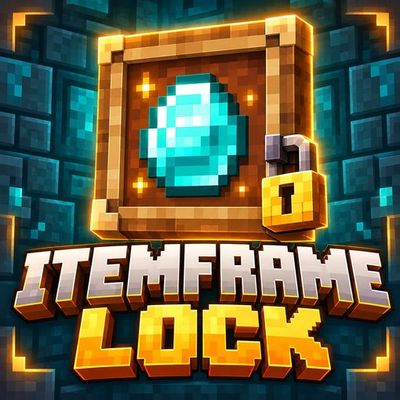
CurseForge · Minecraft mod
ItemFrameLock
Prevent accidental item frame rotations and keep your displays aligned, with a toggle when you want to rotate.
Choose a version Pick your version below, then grab the matching file.
Quick answer
Which ItemFrameLock release matches 26.3?
Best match for your filters ItemFrameLock 1.0.0
Game version 26.3
Loader Fabric
ItemFrameLock 1.0.0 targets 26.3 with Fabric. The project page does not say whether this file belongs on the client, dedicated server, or both. No extra mods listed for this file.
Where it goes
Is ItemFrameLock required on the client, server, or both?
The project page does not say whether this file belongs on the client, dedicated server, or both.
Client Source doesn’t say
Dedicated server Source doesn’t say
Loader for this release Fabric
Required install it here Optional supported, not mandatory Not supported do not install here Source doesn’t say do not assume
The source does not explicitly classify this release as client-only or server-only.
What else does ItemFrameLock 1.0.0 need?
ItemFrameLock 1.0.0 on 26.3. Every mod below is checked against that same setup.
This file does not list any required mods. Do not add a library just because a different file uses it.
This file does not list any required or optional mods.
Before you install it
Add ItemFrameLock without breaking your instance.
Built for ItemFrameLock 1.0.0 on 26.3. Pick another file and the loader, install side or required mods may change.
- 01
Stick to this file
Use ItemFrameLock 1.0.0. It targets 26.3 with Fabric; another release may have different loader, side or dependency requirements.
- 02
Bring the mods it needs
This file does not list any required mods. Do not add a library just because a different file uses it.
- 03
Put it on the correct side
The project page does not say whether this file belongs on the client, dedicated server, or both.
- 04
Pick the file you checked
Use the “Get this file” button beside ItemFrameLock 1.0.0. It opens that exact file at the source.
About this project
What does ItemFrameLock add?
ItemFrameLock
Keep your displays exactly how you arranged them.
ItemFrameLock prevents accidental rotation when you right-click an occupied item frame. Empty frames remain available for placing items, and left-click removal keeps its normal behavior.
Features
- Protection enabled by default for normal and glow item frames
- Support for displayed maps, tools, blocks and other items
- A small inventory control to turn protection on or off
- Brief text feedback with a cooldown to avoid repeated notifications
- Local settings that remember your preference
Intentional changes
Open your inventory and turn Protect Item Frames off to rotate an item. Turn it back on when your display is arranged.
Protection scope
Protection applies to your own ordinary right-click interactions. It does not lock frames for other players or stop item removal and frame breaking.
Project description from CurseForge.
Pick your setup
ItemFrameLock by Minecraft version and loader
Choose the version and loader you play, then open the matching release.
Check the dependencies, then try the file in a copied instance before changing a world you care about.
Recent files
ItemFrameLock versions and loaders
ItemFrameLock 1.0.0
itemframelock-fabric-26.3.jar
17 Oct 2026
Client Source doesn’t say Server Source doesn’t say Dependencies No extras listed Listed on Release listing
Check the 26.3 · Fabric setup Fabric26.3 release
Looking for an older file? The official CurseForge project page is in Resources.
 mod
mod CurseForge + Modrinth · Minecraft
Noob's Container Searcher
A client side Fabric mod that remembers the contents of containers and villagers you open, then lets you search saved items later with a command or keybind. Basically a Item Finder.
 mod
mod CurseForge + Modrinth · Minecraft
PolyHitbox
Improves performance of hitbox rendering and adds per-hover and per-damaged (i-frame) colors. By Polyfrost, best with OneClient.
 mod
mod CurseForge · Minecraft
Raffman's Detailed Map
A detailed diorama-style map and minimap with team-shared fog of war, waypoints, teams, diplomacy and chunk claims.