Minecraft version
Back to mods 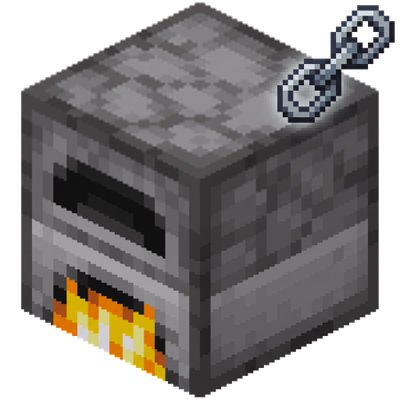
CurseForge · Minecraft mod
SmeltLink
Links connected furnace walls into a single unified interface with balanced item distribution, smart fuel routing, and dynamic capacity scaling.
Choose a version Pick your version below, then grab the matching file.
Quick answer
Which SmeltLink release matches 26.3?
Best match for your filters smeltlink-1.0.0.jar
Game version 26.3
Loader NeoForge
smeltlink-1.0.0.jar targets 26.3 with NeoForge. The project page does not say whether this file belongs on the client, dedicated server, or both. No extra mods listed for this file.
Where it goes
Is SmeltLink required on the client, server, or both?
The project page does not say whether this file belongs on the client, dedicated server, or both.
Client Source doesn’t say
Dedicated server Source doesn’t say
Loader for this release NeoForge
Required install it here Optional supported, not mandatory Not supported do not install here Source doesn’t say do not assume
The source does not explicitly classify this release as client-only or server-only.
What else does smeltlink-1.0.0.jar need?
smeltlink-1.0.0.jar on 26.3. Every mod below is checked against that same setup.
This file does not list any required mods. Do not add a library just because a different file uses it.
This file does not list any required or optional mods.
Before you install it
Add SmeltLink without breaking your instance.
Built for smeltlink-1.0.0.jar on 26.3. Pick another file and the loader, install side or required mods may change.
- 01
Stick to this file
Use smeltlink-1.0.0.jar. It targets 26.3 with NeoForge; another release may have different loader, side or dependency requirements.
- 02
Bring the mods it needs
This file does not list any required mods. Do not add a library just because a different file uses it.
- 03
Put it on the correct side
The project page does not say whether this file belongs on the client, dedicated server, or both.
- 04
Pick the file you checked
Use the “Get this file” button beside smeltlink-1.0.0.jar. It opens that exact file at the source.
About this project
What does SmeltLink add?
SmeltLink — Connected Furnaces Wall Mod
SmeltLink is a lightweight, performance-focused quality-of-life (QoL) mod for Minecraft (NeoForge) that removes the hassle of managing large furnace walls. Instead of opening dozens of individual furnace interfaces, SmeltLink links connected, coplanar furnaces of the same type into a single, seamless, and unified screen.
⚡ Features at a Glance
- Unified Wall Interface: Connect adjacent regular Furnaces, Smokers, or Blast Furnaces along any flat 2D wall into a shared cooking session.
- Strict Type Isolation: Homogeneous clustering only—regular furnaces link with regular furnaces, smokers with smokers, and blast furnaces with blast furnaces to maintain native cook speeds and recipe types.
- Zero World Overhead (Virtual Proxy): No persistent custom tile entities or laggy containers. Items live directly in vanilla furnace block entities, making it safe to add or remove anytime without world corruption.
- Smart Round-Robin & Waterfall Distribution: Items placed into the shared input slot are distributed evenly across all participating furnaces with a secondary waterfall pass to fill remaining spaces.
- Smart Fuel Management: Fuel is routed only to furnaces containing cookable inputs—never wasting burn time or coal on idle slots.
- Dynamic Capacity Scaling ((64 \times N)): Input and fuel slots scale up to (64 \times N) (where (N) is your active linked furnace count), complete with clean count formatting (
128,256,1.2k). - Scroll-Wheel Cluster Control: Hover over the GUI and scroll your mouse wheel to adjust the active linked furnace count on the fly (from 1 up to the discovered wall size, capped at 64) with tactile audio feedback.
- Recipe-Book Aware Toggle Button: Seamlessly switch between Single Furnace mode and Share Mode. The toggle button dynamically tracks and shifts when the vanilla Recipe Book is opened or closed.
- Preserved Mouse Position: Your cursor stays exactly where it was when switching between single and shared modes—no annoying centering.
- Full Vanilla Shortcut Support: Native Shift-click transfer, (Q) / (\text{Ctrl}+Q) item dropping, and Creative Mode middle-click cloning.
- Glitch & Duplication Protection: Server-authoritative atomic transactions. Breaking any furnace in an active cluster immediately closes the session for all viewing players to eliminate item duplication.
🛠️ How to Use
- Build a Wall: Place matching furnaces (Furnaces, Smokers, or Blast Furnaces) adjacent to each other on a flat wall, all facing the same direction.
- Accessing the GUI:
- Single Mode: Right-click any furnace normally to open its individual GUI. Click the
⛓ xNbutton in the top-right to switch to Share Mode. - Fast Share Mode: Shift + Right-Click with an empty hand (or holding any non-block item) to open the unified wall interface instantly. (Holding a placeable block lets you place it against the furnace as usual).
- Single Mode: Right-click any furnace normally to open its individual GUI. Click the
- Adjusting Active Furnaces:
- Default Scroll: (\pm 4) furnaces per scroll notch.
- Shift + Scroll: (\pm 8) furnaces per notch for fast jumps.
- Ctrl + Scroll: (\pm 1) furnace per notch for fine precision.
⚙️ Configuration
The mod includes an in-game and file-based configuration (config/smeltlink-local.toml):
| Option | Default | Range | Description |
|---|---|---|---|
max_connected_furnaces |
64 |
2 – 256 |
Maximum number of furnaces allowed to form a linked cluster. |
strict_input_matching |
true |
true / false |
When enabled, only items with a valid recipe for that furnace type can enter the input slot. |
📋 Requirements
- Minecraft: 26.3
- Mod Loader: NeoForge
- Java: 25+
- Environment: Required on both Client and Server
Project description from CurseForge.
Pick your setup
SmeltLink by Minecraft version and loader
Choose the version and loader you play, then open the matching release.
Check the dependencies, then try the file in a copied instance before changing a world you care about.
Recent files
SmeltLink versions and loaders
smeltlink-1.0.0.jar
17 Oct 2026
Client Source doesn’t say Server Source doesn’t say Dependencies No extras listed Listed on Release listing
Check the 26.3 · NeoForge setup NeoForge26.3 release
Looking for an older file? The official CurseForge project page is in Resources.
 mod
CurseForge + Modrinth · Minecraft
Mini Music Tweaks
A collection of configurable music/sound features!
 mod
CurseForge + Modrinth · Minecraft
Patched
Allows data/resource packs and mods to modify parts of json files instead of completely replacing them.
 mod
CurseForge + Modrinth · Minecraft
VO: Better Dogs
Enhances vanilla wolves with unique personalities (Aggressive, Pacifist, Normal), smarter AI, safety behaviors, and combat improvements.