Fabric API Needed by Call! call-v1.0.0.jar
requiredMatching file found Matched file: [26.3] Fabric API 0.164.0+26.3
CurseForge · Minecraft mod
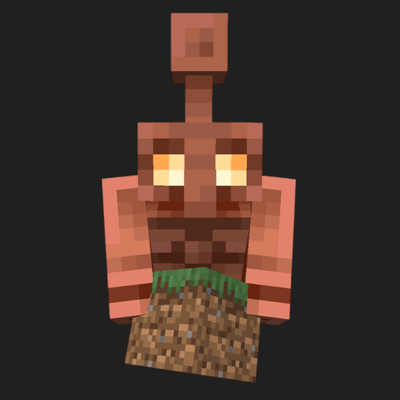
A mod that addresses one of the biggest shortcomings of Copper Golems: the ability to request items.
Quick answer
Call! call-v1.0.0.jar targets 26.3 with Fabric. The project page does not say whether this file belongs on the client, dedicated server, or both. All 1 required mods have matching files.
Where it goes
The project page does not say whether this file belongs on the client, dedicated server, or both.
The source does not explicitly classify this release as client-only or server-only.
call-v1.0.0.jar. Change the file and its required mods may change too.
Install Fabric API first. We found matching files for this game-version and loader setup.
We only count dependency files that match this setup. A file for another loader does not fill the gap.
Before you install it
Built for Call! call-v1.0.0.jar. Pick another file and the loader, install side or required mods may change.
Use call-v1.0.0.jar. It targets 26.3 with Fabric; another release may have different loader, side or dependency requirements.
Install Fabric API first. We found matching files for this game-version and loader setup.
The project page does not say whether this file belongs on the client, dedicated server, or both.
Use the “Get this file” button beside call-v1.0.0.jar. It opens that exact file at the source.
About this project
**Call!**Tired of digging through dozens of chests in your storage room just to find a few pieces of redstone or a spare pickaxe? Call! gives Copper Golems a practical new job: acting as your personal, hardworking storage runners.
Simply right-click an active Copper Golem, tell it what you need, and watch it run to your marked containers, grab the requested items, and bring them straight to your inventory.
How to Use
Mark Your Containers: Crouch (default: Shift) and right-click any chest or supported container with an empty hand. A burst of copper particles confirms that it has been marked for your golems.
Request Items: Right-click a Copper Golem to open the request menu. Type the item's name or registry ID (e.g., diamond_block or iron_sword), set the quantity, and confirm your request.
Delivery: The golem checks its memory, runs to the appropriate container, opens it, picks up the requested items, and sprints back to hand them directly to your inventory. If your inventory is full, any overflow is safely dropped at your feet. As the golem oxidizes, its memory gradually fades, so scrape it with an axe to keep its memory fresh.
Project description from CurseForge.
Pick your setup
Choose the version and loader you play, then open the matching release.
Check the dependencies, then try the file in a copied instance before changing a world you care about.
Recent files
17 Oct 2026
Looking for an older file? The official CurseForge project page is in Resources.
 mod
modA simple client-side storage mod for easy access to nearby containers.
 mod
modGrant select players an easy-to-use tp menu
 mod
modA striker that lights two obsidian frames and ties them to each other no matter the distance or dimension