Fabric API Needed by Terranova Toolbar 2.19.0
requiredMatching file found Matched file: [26.3] Fabric API 0.165.0+26.3
CurseForge · Minecraft mod
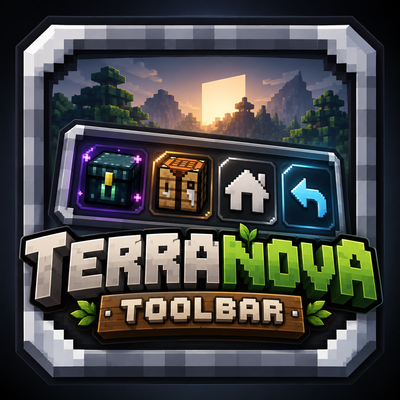
Shortcut toolbar next to your inventory: homes menu, jobs screen, ender chest, crafting table, /back and 3 quick-home keys. Client mod for Fabric Essentials servers.
Quick answer
Terranova Toolbar 2.19.0 targets 26.3 with Fabric. The project page does not say whether this file belongs on the client, dedicated server, or both. All 1 required mods have matching files.
Where it goes
The project page does not say whether this file belongs on the client, dedicated server, or both.
The source does not explicitly classify this release as client-only or server-only.
Terranova Toolbar 2.19.0. Change the file and its required mods may change too.
Install Fabric API first. We found matching files for this game-version and loader setup.
We only count dependency files that match this setup. A file for another loader does not fill the gap.
Before you install it
Built for Terranova Toolbar 2.19.0. Pick another file and the loader, install side or required mods may change.
Use Terranova Toolbar 2.19.0. It targets 26.3 with Fabric; another release may have different loader, side or dependency requirements.
Install Fabric API first. We found matching files for this game-version and loader setup.
The project page does not say whether this file belongs on the client, dedicated server, or both.
Use the “Get this file” button beside Terranova Toolbar 2.19.0. It opens that exact file at the source.
About this project
| Button | What it does |
|---|---|
| 🏠 My homes | Opens a real teleport menu for your homes |
| ⭐ Favorite homes | Opens the menu straight on your favorite homes |
| ⚒️ Jobs | Opens the jobs screen (with the Terranova Jobs server mod), otherwise runs /metiers |
| 🟪 Ender Chest | Opens your ender chest (/ec) |
| 🟫 Crafting table | Opens a crafting table (/craft) |
| ↩️ Last position | Takes you back to your previous position (/back) |
When the ender chest or crafting table is opened from the toolbar, a ← arrow appears to go straight back to your inventory.
Every action has its own key in Options › Controls › Terranova Toolbar (none bound by default, so nothing clashes with your other mods). They work in game and in the inventory.
3 quick homes: in the homes menu, click ✎ next to a home, then Touche 1 / 2 / 3 to bind it. Pressing the matching Quick home key (Home rapide) teleports you there instantly. The ⚡ number is shown next to the home in the list; it follows the home when renamed and disappears when the home is deleted.
With the Terranova Jobs server mod: rank, XP bar, perk tree you can toggle on or off, and job purchase, all in one screen. Without it, the button simply runs /metiers.
Client
Server
/home, /homes, /sethome, /delhome, /ec, /craft and /back. The homes menu reads the /homes output of Fabric Essentials.Compatible with the recipe book, potion effects (shifted so they never end up under the toolbar), inventory resource packs and performance mods (Sodium, Lithium, ImmediatelyFast, Entity Culling…).
config folder.Made for the Terranova server 🍁
Terranova Toolbar ajoute une petite colonne de boutons contre le bord droit de ton inventaire, pour faire en un clic ce que tu tapes sans arrêt dans le chat — avec un vrai menu des homes, un écran des métiers et des touches configurables.
| Bouton | Ce qu'il fait |
|---|---|
| 🏠 Mes homes | Ouvre un vrai menu de téléportation vers tes homes |
| ⭐ Homes favoris | Ouvre directement le menu sur tes homes préférés |
| ⚒️ Métiers | Ouvre l'écran des métiers (avec le mod serveur Terranova Métiers), sinon lance /metiers |
| 🟪 Ender Chest | Ouvre ton ender chest (/ec) |
| 🟫 Table de craft | Ouvre une table de craft (/craft) |
| ↩️ Dernière position | Te ramène à ta position précédente (/back) |
Quand l'ender chest ou la table de craft est ouverte depuis la barre, une flèche ← permet de revenir directement à l'inventaire.
Chaque action a sa touche dans Options › Commandes › Terranova Toolbar (aucune par défaut, pour ne rien voler aux autres mods). Elles marchent en jeu et dans l'inventaire.
3 homes rapides : dans le menu des homes, clique sur ✎ à côté d'un home, puis sur Touche 1 / 2 / 3. La touche Home rapide correspondante t'y téléporte directement. Le numéro ⚡ s'affiche à côté du home dans la liste ; il suit le home s'il est renommé et disparaît s'il est supprimé.
Avec le mod serveur Terranova Métiers : rang, barre d'XP, arbre des atouts à activer ou couper, achat d'un métier, dans un seul écran. Sans ce mod, le bouton lance simplement /metiers.
Côté joueur : Fabric Loader et Fabric API, Minecraft 26.3, Java 25.
Côté serveur : Fabric Essentials (par DrexHD), qui fournit /home, /homes, /sethome, /delhome, /ec, /craft et /back. Les joueurs doivent avoir la permission d'utiliser ces commandes.
Compatible avec le livre de recettes, les effets de potion (décalés pour ne jamais passer sous la barre), les packs de ressources d'inventaire et les mods d'optimisation (Sodium, Lithium, ImmediatelyFast, Entity Culling…).
config.Créé pour le serveur Terranova 🍁
Project description from CurseForge.
Pick your setup
Choose the version and loader you play, then open the matching release.
Check the dependencies, then try the file in a copied instance before changing a world you care about.
Recent files
terranova-toolbar-2.19.0.jar
25 Oct 2026
terranova-toolbar-2.18.0.jar
24 Oct 2026
terranova-toolbar-2.16.0.jar
22 Oct 2026
terranova-toolbar-2.14.0.jar
18 Oct 2026
17 Oct 2026
Looking for an older file? The official CurseForge project page is in Resources.
 mod
modA fork of Animatica implementing the OptiFine/MCPatcher animated texture format.
 mod
modCross-Platform library providing registgries and utils for mod developers.
 mod
modFly 26 jets, WWII warbirds, helicopters, warships and submarines! F-22, F-35, Spitfire, Apache, a sailing Nimitz carrier, air refuelling, a campaign, dogfights and airbase defence. (Formerly known as Fighter Jets Overhaul)