Quick answer
Which MarketCore release should I use?
Latest stable file MarketCore-0.2.jar
Game version 1.21.1
Loader NeoForge
MarketCore-0.2.jar targets 1.21.1 with NeoForge. The project page does not say whether this file belongs on the client, dedicated server, or both. All 2 required mods have matching files.
Where it goes
Is MarketCore required on the client, server, or both?
The project page does not say whether this file belongs on the client, dedicated server, or both.
Client Source doesn’t say
Dedicated server Source doesn’t say
Loader for this release NeoForge
Required install it here Optional supported, not mandatory Not supported do not install here Source doesn’t say do not assume
The source does not explicitly classify this release as client-only or server-only.
What else does MarketCore-0.2.jar need?
MarketCore-0.2.jar. Change the file and its required mods may change too.
Install Architectury API, FTB Library (NeoForge) first. We found matching files for this game-version and loader setup. 6 come through another mod in the chain.
2 listed on this file 6 pulled in by those mods
Matching file found Matched file: [NeoForge 1.21] v13.0.11
Matching file found Matched file: [NEOFORGE][1.21.1] FTB Library 2101.1.37
Matching file found Matched file: [NeoForge 1.21(.1)] v16.0.799
Matching file found Matched file: 19.69.0.457 for NeoForge 1.21.1
Matching file found Matched file: [NeoForge 1.21] v15.0.140
No matching file
Matching file found Matched file: MezzConfig GUI mc1.21.1-0.5.5 for NeoForge
Matching file found Matched file: MezzConfig 0.6.8 for NeoForge 1.21.1
6
extra mods were pulled in by other dependencies.
Indented rows show who needs each one. We only count dependency files that match this setup. A file for another loader does not fill the gap.
Before you install it
Add MarketCore without breaking your instance.
Built for MarketCore-0.2.jar. Pick another file and the loader, install side or required mods may change.
- 01
Stick to this file
Use MarketCore-0.2.jar. It targets 1.21.1 with NeoForge; another release may have different loader, side or dependency requirements.
- 02
Bring the mods it needs
Install Architectury API, FTB Library (NeoForge) first. We found matching files for this game-version and loader setup. 6 come through another mod in the chain.
- 03
Put it on the correct side
The project page does not say whether this file belongs on the client, dedicated server, or both.
- 04
Pick the file you checked
Use the “Get this file” button beside MarketCore-0.2.jar. It opens that exact file at the source.
About this project
What does MarketCore add?
MarketCore
MarketCore is a complete economy, server shop, and auction system for Minecraft servers. Players can manage their money, buy and sell items, participate in auctions, and explore a customizable in-game marketplace.
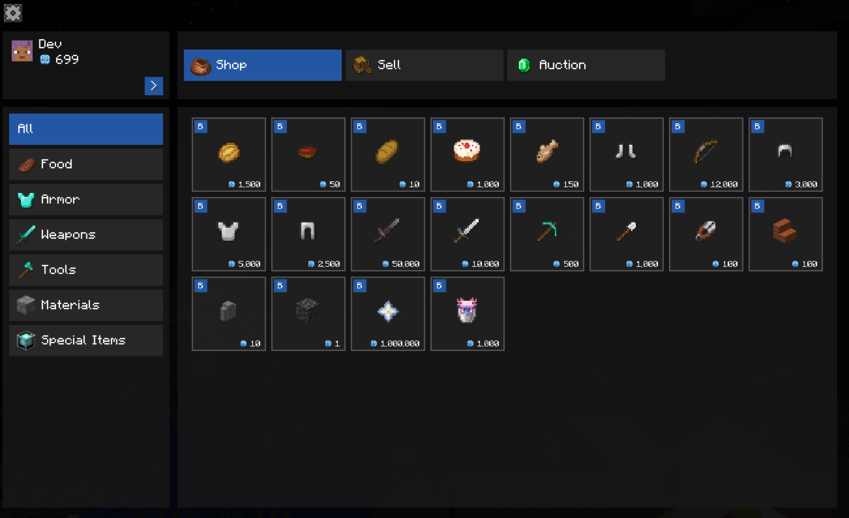
Features
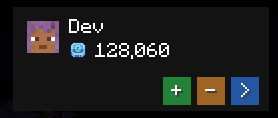
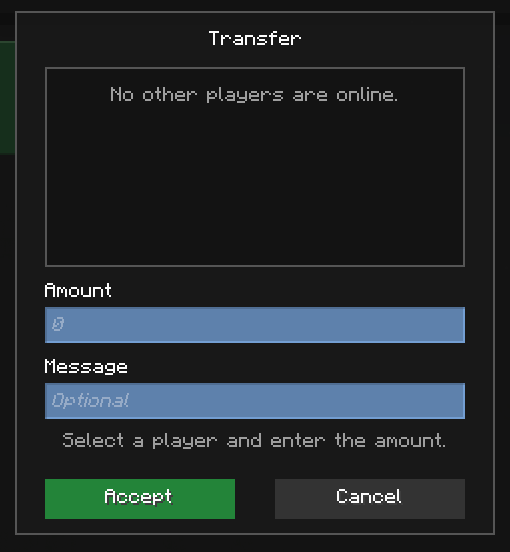
Economy
- Deposit and withdraw coins.
- Transfer money between players.
- Persistent player balances.
- Configurable transaction limits.
- Custom currency display.
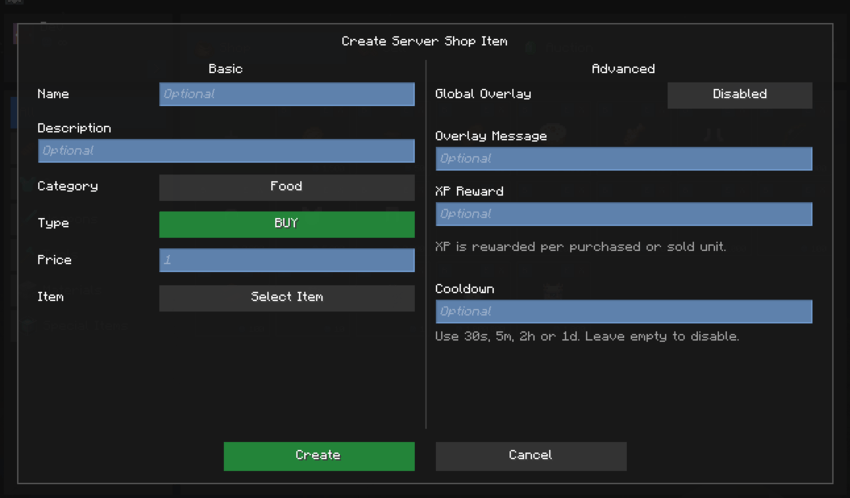
Server Shop
- Create and manage server shop products.
- Configure buying and selling prices.
- Organize products using tabs and categories.
- Add descriptions and custom item icons.
- Configure XP rewards and gift items.
- Set product purchase cooldowns.
- Display global purchase notifications.
Auctions
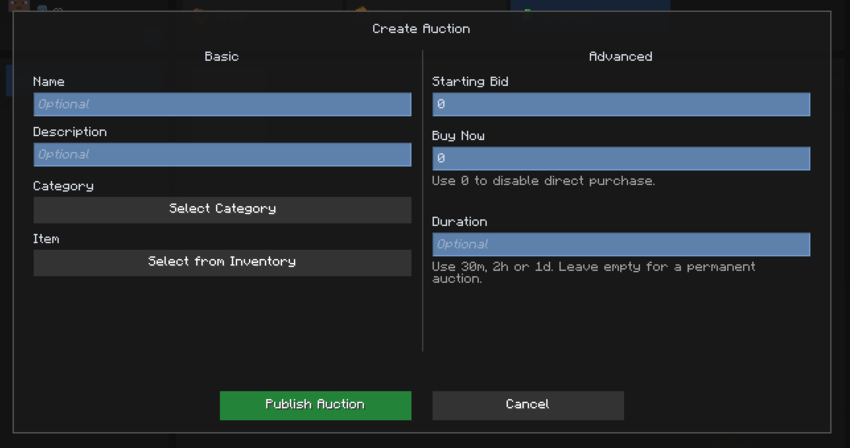
- Create auctions using items from your inventory.
- Set starting bids and optional buy-now prices.
- Create timed or permanent auctions.
- Place quick or custom bids.
- Withdraw active bids and receive refunds.
- Purchase auction listings instantly.
- Cancel your own active auctions.
- Receive notifications for bids, outbids, sales, and completed auctions.
Catalog Management
- Create, edit, delete, and reorder shop tabs.
- Create and manage product categories.
- Organize shop and auction sections separately.
- Customize category colors and item icons.
- Restrict catalog management to authorized administrators.
Administration
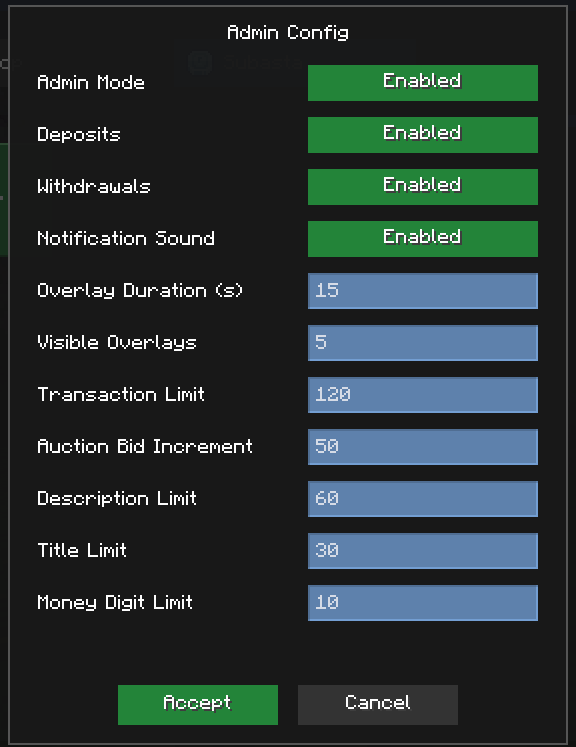
- Admin Mode for authorized players.
- Configure economy and transaction settings.
- Adjust auction bid increments.
- Customize notification duration, limits, and sounds.
- Configure shop titles, descriptions, and money limits.
- Manage server shop products and auctions.
User Interface
- In-game economy and shop panels.
- Category-based catalog navigation.
- Transaction confirmation screens.
- Auction browsing and bidding interfaces.
- Configurable notification overlays.
- English and Spanish language support.
Requirements
- Minecraft: 1.21.1
- Mod Loader: NeoForge 21.1 or newer
- FTB Library: 2101.1.37 or newer
- Architectury API: 13.0.6 or newer
Installation
- Install NeoForge for Minecraft 1.21.1.
- Install FTB Library and Architectury API.
- Place MarketCore and its required dependencies in the mods folder.
- Launch Minecraft.
Multiplayer: Install MarketCore and its required dependencies on both the server and connecting clients.
Support
For bug reports, questions, or suggestions, please use the project's support Discord or issue tracker.
Project description from CurseForge.
Pick your setup
MarketCore by Minecraft version and loader
Choose the version and loader you play, then open the matching release.
Minecraft version
1.21.1
1
loader build Check the dependencies, then try the file in a copied instance before changing a world you care about.
Recent files
MarketCore versions and loaders
shop-0.1.jar
17 Oct 2026
Client Source doesn’t say Server Source doesn’t say Dependencies 2 required · 2 unchecked Listed on Release listing
Check the 1.21.1 · NeoForge setup → 
 mod
mod mod
mod mod
mod