Minecraft version
Back to mods 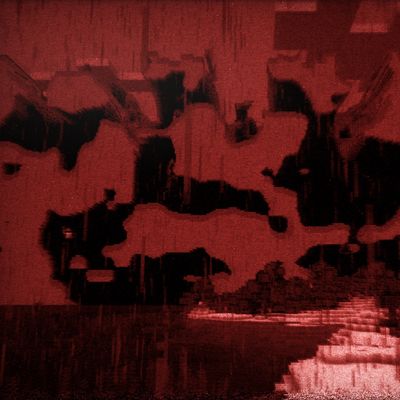
CurseForge · Minecraft mod
The Far Horizons
The Far Horizons is a horror mod where you explore the farlands in a familiar setting, until the world gives up to the corruption.
Choose a version Pick your version below, then grab the matching file.
Quick answer
Which The Far Horizons release should I use?
beta file the_far_horizons-0.1.1-alpha-neoforge-1.21.1.jar
Game version 1.21.1
Loader NeoForge
The Far Horizons the_far_horizons-0.1.1-alpha-neoforge-1.21.1.jar targets 1.21.1 with NeoForge. The project page does not say whether this file belongs on the client, dedicated server, or both. No extra mods listed for this file.
Where it goes
Is The Far Horizons required on the client, server, or both?
The project page does not say whether this file belongs on the client, dedicated server, or both.
Client Source doesn’t say
Dedicated server Source doesn’t say
Loader for this release NeoForge
Required install it here Optional supported, not mandatory Not supported do not install here Source doesn’t say do not assume
The source does not explicitly classify this release as client-only or server-only.
What else does The Far Horizons the_far_horizons-0.1.1-alpha-neoforge-1.21.1.jar need?
the_far_horizons-0.1.1-alpha-neoforge-1.21.1.jar. Change the file and its required mods may change too.
This file does not list any required mods. Do not add a library just because a different file uses it.
This file does not list any required or optional mods.
Before you install it
Add The Far Horizons without breaking your instance.
Built for The Far Horizons the_far_horizons-0.1.1-alpha-neoforge-1.21.1.jar. Pick another file and the loader, install side or required mods may change.
- 01
Stick to this file
Use the_far_horizons-0.1.1-alpha-neoforge-1.21.1.jar. It targets 1.21.1 with NeoForge; another release may have different loader, side or dependency requirements.
- 02
Bring the mods it needs
This file does not list any required mods. Do not add a library just because a different file uses it.
- 03
Put it on the correct side
The project page does not say whether this file belongs on the client, dedicated server, or both.
- 04
Pick the file you checked
Use the “Get this file” button beside the_far_horizons-0.1.1-alpha-neoforge-1.21.1.jar. It opens that exact file at the source.
About this project
What does The Far Horizons add?
Welcome to the Arithmetic Horizon.
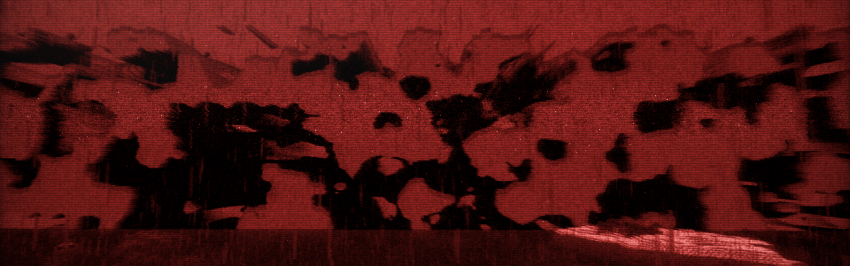
The Far Horizons is a horror ambiented mod that adds the classic Farlands as an explorable part of your world. Whether you think you are safe in them is for you to discover.
This is an alpha version of The Far Horizons (which means, bugs are expected and feedback is appreciated!), featuring the first zone of the mod set in the Legacy Console Edition of Minecraft, with its full progression, events, structures and entities. A whole playthrough may take roughly 2-4 hours, depending on your seed and luck with structures.
Report bugs in: https://forms.gle/6ZFuPNFKioDthJ568
Events disclosure
Some events interact with your system outside the overworld. These are disabled by default, and you can opt-in to specific events as you wish or select a preset from SAFE, IMMERSIVE and FULL. Further details below.
External events
This is a detailed list of the features that interact outside the game:
observer_countandwindow_anomalymay change the current instance's window icon and title. Available from IMMERSIVE preset.alt_tabis a rare event that minimizes your Minecraft window. Only in FULL preset.corrupt_world_iconoverwrites the current save's icon.png thumbnail with a glitched version. The original is kept as icon.tfh-original.png. Only in FULL preset.null_pointer_screenshotsaves a png file of your game in the screenshots folder as a screenshot would, but has an entity you never saw. Counts as a File drop. Only in FULL.obs_camerafirst checks if OBS Studio is running a Game Capture. If so, it shows an event in that capture. It doesn't record the desktop and only targets Minecraft. Only in FULL. May not work with specific OBS Studio versions if they changed Game Capture behavior.game_crashis a rare Parallax outcome that crashes your game. Only in FULL.
All of the events above are disabled by default and require user opt-in. The Far Horizons will never access personal information, collect data or touch files outside the game and the current save.
Retro effects
Currently, only the Legacy Console Edition retro effects are available, as the Zone 1 is the only zone implemented. Other zones will have a different retro style.
The LCE retro effects are all enabled by default, but can be disabled one by one. It features sword blocking, restricted off-hand, console gamma, old camera bobbing, paper doll, old combat, smeltable ores, console main menu and console music.
It is recommended that you turn on music for the mod, at least at low volume.
Progression tips
Progression Tips - Spoilers
Progression can be a bit ambiguous at times. If you feel stuck, read below and be careful of spoilers!
At day 1, the first thing you craft turns into a Farlander, which you can use to get close to the Farlands. If you can not find the Farlands, follow the directional beeping
You will find Farlander shards in specific structures that spawn in the Farlands. Explore every structure you find and you might find some. The shard count may be affected by your world seed. You might need 3, 4 or 5 shards. Once you obtain the shards, a structure will appear.
If you can not find these structures for a long time, a coordinate may be dropped in another structure, or directional audio may play from the structure needed. If you lose a farlander shard, you can recover it at the final gate by clicking a slot.
The rest is for you to discover.
Compatibility and known issues
The mod and its visual effects have been tested with Sodium. Some Iris shaders were tested and they may break gamma, darkness, shader or lighting settings in specific areas. Compatibility with forks like Embeddium is unknown. This mod is intended for NeoForge 1.21.1 and Java 21, for both the client and the server. It does not support already created worlds, you will have to create another one.
- Multiplayer was not tested at all, but the mod was built to at least make it playable. The Far Horizons is preferably a single-player experience.
- Staying in one place can stall progression, as structures have to generate around the player. It is encouraged you explore the Farlands terrain and visit structures.
Development stage
This alpha release only covers zone 1. This mod is planned to have 3 zones, each with a specific playstyle and will release as each finish. Zone 2 is currently in mid development and I estimate it's 25% done!
Credits
- All Rights Reserved - tr3x00
- Some distorted music tracks belong to C418
- Unofficial project not affiliated with Mojang
- Special thanks to MCreator for tools useful for the development of the mod https://mcreator.net/
Project description from CurseForge.
Pick your setup
The Far Horizons by Minecraft version and loader
Choose the version and loader you play, then open the matching release.
Check the dependencies, then try the file in a copied instance before changing a world you care about.
Recent files
The Far Horizons versions and loaders
the_far_horizons-0.1.1-alpha-neoforge-1.21.1.jar
27 Oct 2026
Client Source doesn’t say Server Source doesn’t say Dependencies No extras listed Listed on Release listing
Check the 1.21.1 · NeoForge setup 1.21.1NeoForge beta
the_far_horizons-0.1.0-alpha-neoforge-1.21.1.jar
18 Oct 2026
Client Source doesn’t say Server Source doesn’t say Dependencies No extras listed Listed on Release listing
Check the 1.21.1 · NeoForge setup 1.21.1NeoForge beta
Looking for an older file? The official CurseForge project page is in Resources.
 mod
mod CurseForge + Modrinth · Minecraft
Realistic Bees
🐝 Tiny bees, or big! Bigger group spawns, increased hive space, stinger functionality and more.
 mod
mod CurseForge · Minecraft
The Breath of Nature
Discover unusual plants, study them with a naturalist's lens, keep a botanical journal, brew, make amulets and powders — and keep the balance of nature.
 mod
mod CurseForge + Modrinth · Minecraft
Cobbleworkers
Pasture block can now be used as a utility block that gives Pokémon jobs!