Minecraft version
Back to mods 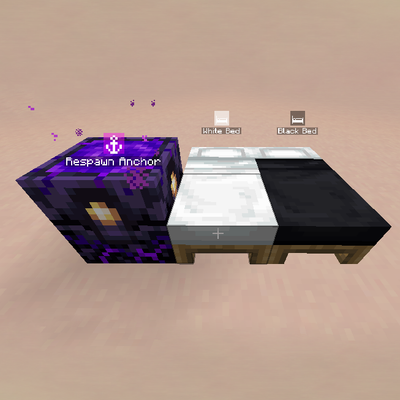
CurseForge · Minecraft mod
Respawn Points
The mod adds the ability to choose your spawn point after death.
Choose a version Pick your version below, then grab the matching file.
Quick answer
Which Respawn Points release should I use?
Latest stable file respawnpoints-fabric-1.21.1-1.0.8.jar
Game version 1.21.1
Loader Fabric
Respawn Points respawnpoints-fabric-1.21.1-1.0.8.jar targets 1.21.1 with Fabric. The project page does not say whether this file belongs on the client, dedicated server, or both. No extra mods listed for this file.
Where it goes
Is Respawn Points required on the client, server, or both?
The project page does not say whether this file belongs on the client, dedicated server, or both.
Client Source doesn’t say
Dedicated server Source doesn’t say
Loader for this release Fabric
Required install it here Optional supported, not mandatory Not supported do not install here Source doesn’t say do not assume
The source does not explicitly classify this release as client-only or server-only.
What else does Respawn Points respawnpoints-fabric-1.21.1-1.0.8.jar need?
respawnpoints-fabric-1.21.1-1.0.8.jar. Change the file and its required mods may change too.
This file does not list any required mods. Do not add a library just because a different file uses it.
This file does not list any required or optional mods.
Before you install it
Add Respawn Points without breaking your instance.
Built for Respawn Points respawnpoints-fabric-1.21.1-1.0.8.jar. Pick another file and the loader, install side or required mods may change.
- 01
Stick to this file
Use respawnpoints-fabric-1.21.1-1.0.8.jar. It targets 1.21.1 with Fabric; another release may have different loader, side or dependency requirements.
- 02
Bring the mods it needs
This file does not list any required mods. Do not add a library just because a different file uses it.
- 03
Put it on the correct side
The project page does not say whether this file belongs on the client, dedicated server, or both.
- 04
Pick the file you checked
Use the “Get this file” button beside respawnpoints-fabric-1.21.1-1.0.8.jar. It opens that exact file at the source.
About this project
What does Respawn Points add?
Respawn Points
Pick where you wake up. On death, the vanilla screen becomes a point-selection screen: World Spawn, your beds, charged anchors, admin warps, or a random near-death spot. Server-validated, vanilla respawn logic.
Requirements
- NeoForge 21.1.x or Fabric Loader ≥0.16.14 + Fabric API — for Minecraft 1.21.1
- Xaero's World Map and Xaero's Minimap (builds matching your loader) or JourneyMap
- Required on both client and server.
- Optional: YACL for the settings screen (plus ModMenu on Fabric).
Installation
- Install NeoForge 21.1.x or Fabric Loader (+ Fabric API) for Minecraft 1.21.1.
- Install Xaero's World Map and Xaero's Minimap or JourneyMap.
- Drop the mod
.jarfor your loader (NeoForge or Fabric build) into themodsfolder (client and server). - (Optional) Install YACL to configure the mod in-game.
ㅤ
Features
- Selection screen on death — full-map view (Xaero/JourneyMap) with a sidebar, or a compact list fallback. Distance, dimensions and anchor charges at a glance.
- Beds & anchors — bind by sleeping / charging the anchor. Rename with Shift + Right-click, recolor via the map menu (Save pushes the map-side color to the server), per-player names. Blocklist beds you never want bound (
bed block). - Admin warps — server-wide points with teleport, visible to everyone.
- Offline player management —
beds,bindandunbindaccept nicks/UUIDs of offline players, plusofflinebranches with offline-only Tab-complete. No Mojang lookups: unknown names fail instantly without stalling the server. - Near-death random spot — optional random revive (off by default): only existing chunks, never generates new ones. Lava and void are always banned; in the ocean you spawn swimming. 5-minute cooldown after use; not offered when nothing suitable is in range.
- Frozen confirm — after confirming, the button turns dark green and the screen waits for vanilla to take over.
- Per-point cooldowns — any entry can carry a cooldown (gray + live timer), manageable via admin commands.
- Waypoints — every point syncs to Xaero's map or JourneyMap, both ways for colors.
- Server-authoritative — every choice is re-validated on select; broken beds, spent anchors and stale picks fall back cleanly.
Commands & config
Warps (admin):
/respawnpoints warp add <name>— create a warp where you stand/respawnpoints warp del <id>— delete a warp/respawnpoints warp list— list all warps
Beds & anchors (your own points):
/respawnpoints bed list— show your tracked beds and anchors/respawnpoints bed rename <id> custom <name>— set a personal name/respawnpoints bed rename <id> default— reset the name/respawnpoints bed remove <id>— unbind a point/respawnpoints bed block— next clicked bed/anchor never binds (anti-misclick)/respawnpoints bed unblock— next click removes a block/respawnpoints bed blocked— list blocked spots
World spawn (personal):
/respawnpoints spawn hide/show— hide or show the spawn entry/respawnpoints spawn rename custom <name>/default— rename or reset it
Admin:
/respawnpoints admin list— all records with bindings and charges/respawnpoints admin reload— reload the server config without restart/respawnpoints admin beds <player>— points of any player/respawnpoints admin bedinfo <id>— card with unbind/bind buttons/respawnpoints admin tp <id>— teleport to a point (spawn or bed/anchor)/respawnpoints admin tp warp <id>— teleport to a warp/respawnpoints admin unbind/bind <id> <player>— manage anyone's bindings/respawnpoints admin beds|bind|unbind … offline <player>— same, but Tab shows offline players only (e.g.admin bind <id> offline test)/respawnpoints admin player <player> cooldown <id> <get|reset|set|add|remove> [seconds]— per-point cooldowns/respawnpoints admin player offline <player> cooldown …— same for offline players (warp ids complete quoted)
Debug (admin):
/respawnpoints debug inspect— click a bed/anchor to inspect it
Config config/respawnpoints-server.json: bedLimit, enableNearDeath, nearDeathRadius, nearDeathMinDistance, nearDeathCooldownSec, nearDeathMaxScansPerTick, showSpawn, showNearDeath — reload live via admin reload, host settings also editable from the main menu (YACL).
Inspired by
- respawn-selector and the game Rust — pick-your-spawn done right.
About development
I don't know how to code, but I had a clear vision for this mod — so it was built entirely with AI assistance. Bug reports with logs are very welcome. Issues: GitHub.
Project description from CurseForge.
Pick your setup
Respawn Points by Minecraft version and loader
Choose the version and loader you play, then open the matching release.
Check the dependencies, then try the file in a copied instance before changing a world you care about.
Recent files
Respawn Points versions and loaders
respawnpoints-fabric-1.21.1-1.0.9.jar
21 Oct 2026
Client Source doesn’t say Server Source doesn’t say Dependencies 2 required · 2 unchecked Listed on Release listing
Check the 1.21.1 · Fabric setup Fabric1.21.1 beta
respawnpoints-neoforge-1.21.1-1.0.9.jar
21 Oct 2026
Client Source doesn’t say Server Source doesn’t say Dependencies No extras listed Listed on Release listing
Check the 1.21.1 · NeoForge setup 1.21.1NeoForge beta
respawnpoints-fabric-1.21.1-1.0.8.jar
20 Oct 2026
Client Source doesn’t say Server Source doesn’t say Dependencies No extras listed Listed on Release listing
Check the 1.21.1 · Fabric setup Fabric1.21.1 release
respawnpoints-neoforge-1.21.1-1.0.8.jar
20 Oct 2026
Client Source doesn’t say Server Source doesn’t say Dependencies No extras listed Listed on Release listing
Check the 1.21.1 · NeoForge setup 1.21.1NeoForge release
respawnpoints-neoforge-1.21.1-1.0.7.jar
20 Oct 2026
Client Source doesn’t say Server Source doesn’t say Dependencies No extras listed Listed on Release listing
Check the 1.21.1 · NeoForge setup 1.21.1NeoForge release
respawnpoints-neoforge-1.21.1-1.0.6.jar
20 Oct 2026
Client Source doesn’t say Server Source doesn’t say Dependencies No extras listed Listed on Release listing
Check the 1.21.1 · NeoForge setup 1.21.1NeoForge beta
respawnpoints-neoforge-1.21.1-1.0.5.jar
20 Oct 2026
Client Source doesn’t say Server Source doesn’t say Dependencies No extras listed Listed on Release listing
Check the 1.21.1 · NeoForge setup 1.21.1NeoForge beta
respawnpoints-neoforge-1.21.1-1.0.4.jar
20 Oct 2026
Client Source doesn’t say Server Source doesn’t say Dependencies No extras listed Listed on Release listing
Check the 1.21.1 · NeoForge setup 1.21.1NeoForge beta
respawnpoints-neoforge-1.21.1-1.0.3.jar
20 Oct 2026
Client Source doesn’t say Server Source doesn’t say Dependencies No extras listed Listed on Release listing
Check the 1.21.1 · NeoForge setup 1.21.1NeoForge beta
respawnpoints-neoforge-1.21.1-1.0.2.jar
20 Oct 2026
Client Source doesn’t say Server Source doesn’t say Dependencies No extras listed Listed on Release listing
Check the 1.21.1 · NeoForge setup 1.21.1NeoForge release
respawnpoints-neoforge-1.21.1-1.0.1.jar
20 Oct 2026
Client Source doesn’t say Server Source doesn’t say Dependencies No extras listed Listed on Release listing
Check the 1.21.1 · NeoForge setup 1.21.1NeoForge release
respawnpoints-neoforge-1.21.1-1.0.0.jar
19 Oct 2026
Client Source doesn’t say Server Source doesn’t say Dependencies No extras listed Listed on Release listing
Check the 1.21.1 · NeoForge setup 1.21.1NeoForge release
Looking for an older file? The official CurseForge project page is in Resources.
 mod
mod CurseForge + Modrinth · Minecraft
Resettable Trial Vaults & Spawners
Sneak and use the Trial Key to reset Trial Vaults and Trial Spawners.
 mod
mod CurseForge + Modrinth · Minecraft
Multi Builder Tool
Build Multiblocks with one click
 mod
mod CurseForge + Modrinth · Minecraft
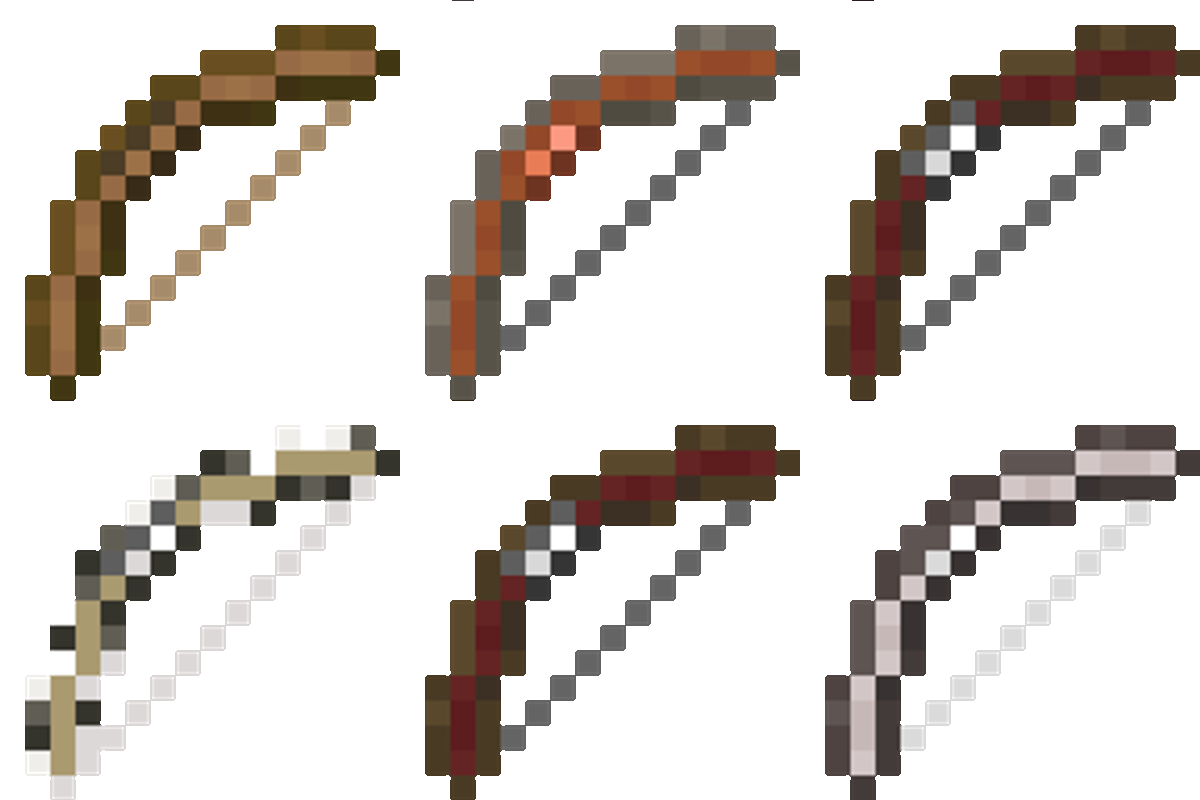
Fletcher's Trestle - Archery Mod
Fletcher’s Trestle overhauls Minecraft’s archery by replacing the basic crafting table bow with a modular system. From the raw log to the perfect release, every step of the process is in your hands. Modular bows, crossbows, arrows, in the palm of your hand