Minecraft version
Back to mods 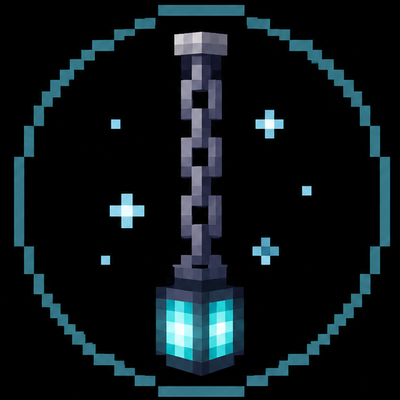
CurseForge · Minecraft mod
Floating Chain
Right-click an End Rod with any Chain to create a floating, gently bobbing 3D chain anchored 20 blocks up. Attach lanterns or torches to illuminate your sky!
Choose a version Pick your version below, then grab the matching file.
Quick answer
Which Floating Chain release matches 26.3?
Best match for your filters floating-chain-1.3.0.jar
Game version 26.3
Loader Fabric
Floating Chain floating-chain-1.3.0.jar targets 26.3 with Fabric. The project page does not say whether this file belongs on the client, dedicated server, or both. No extra mods listed for this file.
Where it goes
Is Floating Chain required on the client, server, or both?
The project page does not say whether this file belongs on the client, dedicated server, or both.
Client Source doesn’t say
Dedicated server Source doesn’t say
Loader for this release Fabric
Required install it here Optional supported, not mandatory Not supported do not install here Source doesn’t say do not assume
The source does not explicitly classify this release as client-only or server-only.
What else does Floating Chain floating-chain-1.3.0.jar need?
floating-chain-1.3.0.jar on 26.3. Every mod below is checked against that same setup.
This file does not list any required mods. Do not add a library just because a different file uses it.
This file does not list any required or optional mods.
Before you install it
Add Floating Chain without breaking your instance.
Built for Floating Chain floating-chain-1.3.0.jar on 26.3. Pick another file and the loader, install side or required mods may change.
- 01
Stick to this file
Use floating-chain-1.3.0.jar. It targets 26.3 with Fabric; another release may have different loader, side or dependency requirements.
- 02
Bring the mods it needs
This file does not list any required mods. Do not add a library just because a different file uses it.
- 03
Put it on the correct side
The project page does not say whether this file belongs on the client, dedicated server, or both.
- 04
Pick the file you checked
Use the “Get this file” button beside floating-chain-1.3.0.jar. It opens that exact file at the source.
About this project
What does Floating Chain add?
Floating Chain
Turn a simple End Rod into a mysterious, floating chain that hangs majestically in the sky!
✦ Features
- 3D Floating Chain: A 3-block-tall, 1-block-wide construct featuring a sleek metal cap on top and fully 3D links. The base chain itself does not emit light.
- Chain Varieties: Works with Iron Chains as well as Copper Chains in all oxidation and waxed stages (steel grey, copper, brownish, greenish, and turquoise). Breaking the chain returns the exact chain type used.
- Fixed Height: Smoothly rises exactly 20 blocks above placement and stays anchored in the air—even if supporting blocks are removed.
- Gentle Animation & Mist: Smooth, organic bobbing motion with calm smoke particles rising naturally around it.
- Lantern & Torch Support: Attach standard Lanterns, Soul Lanterns, or Copper Lanterns (all 4 oxidation stages, waxed included). You can also attach Torches, Soul Torches, Redstone Torches, or Copper Torches hanging upside-down with tiny animated flames!
- Dynamic Lighting: Light is emitted only when a light source is attached, matching its original brightness (e.g., Soul light level 10, Redstone Torch level 7).
🛠️ How to Use
- Hold any Chain (Iron or Copper variant) and Right-Click an End Rod.
- The End Rod turns into a floating chain and smoothly ascends 20 blocks into the sky.
- Hold a Lantern or Torch variant and Right-Click the bottom of the chain to attach it.
- Hit the chain to dismantle it and retrieve all your original items (Chain, End Rod, and Lantern/Torch).
📋 Requirements
- Minecraft Version: 26.3
- Mod Loader: Fabric Loader & Fabric API
- Java: Version 25
- Side: Required on both Server and Client
Project description from CurseForge.
Pick your setup
Floating Chain by Minecraft version and loader
Choose the version and loader you play, then open the matching release.
Check the dependencies, then try the file in a copied instance before changing a world you care about.
Recent files
Floating Chain versions and loaders
floating-chain-1.3.0.jar
18 Oct 2026
Client Source doesn’t say Server Source doesn’t say Dependencies No extras listed Listed on Release listing
Check the 26.3 · Fabric setup Fabric26.3 release
Looking for an older file? The official CurseForge project page is in Resources.
 mod
CurseForge + Modrinth · Minecraft
KoHs Inventory Tweaks
Fast, precise, and fully customizable client-side inventory controls
 mod
CurseForge + Modrinth · Minecraft
World Portal
Create custom world portal to travel between dimensions.
 mod
CurseForge · Minecraft
Horizon Gear Wheel
A sleek, Horizon-inspired radial gear and weapon wheel with instant hotbar assignment, arrow cycling, and elytra quick-swapping.