Minecraft version
Back to mods 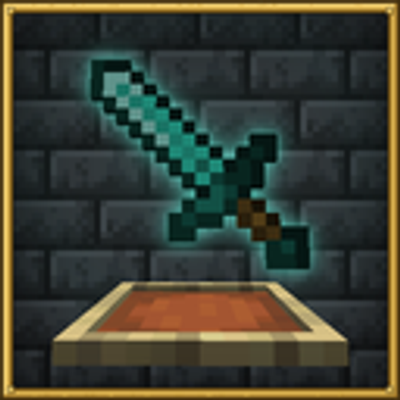
CurseForge · Minecraft mod
Item Frame Poser
Allows you to pose items within an item frame. Also allows you to load some items models.
Choose a version Pick your version below, then grab the matching file.
Quick answer
Which Item Frame Poser release matches 26.3 Fabric?
Best match for your filters itemframe-poser-1.8.3.jar
Game version 26.3
Loader Fabric
Item Frame Poser itemframe-poser-1.8.3.jar targets 26.3 with Fabric. The project page does not say whether this file belongs on the client, dedicated server, or both. No extra mods listed for this file.
Where it goes
Is Item Frame Poser required on the client, server, or both?
The project page does not say whether this file belongs on the client, dedicated server, or both.
Client Source doesn’t say
Dedicated server Source doesn’t say
Loader for this release Fabric
Required install it here Optional supported, not mandatory Not supported do not install here Source doesn’t say do not assume
The source does not explicitly classify this release as client-only or server-only.
What else does Item Frame Poser itemframe-poser-1.8.3.jar need?
itemframe-poser-1.8.3.jar on 26.3 Fabric. Every mod below is checked against that same setup.
This file does not list any required mods. Do not add a library just because a different file uses it.
This file does not list any required or optional mods.
Before you install it
Add Item Frame Poser without breaking your instance.
Built for Item Frame Poser itemframe-poser-1.8.3.jar on 26.3 Fabric. Pick another file and the loader, install side or required mods may change.
- 01
Stick to this file
Use itemframe-poser-1.8.3.jar. It targets 26.3 with Fabric; another release may have different loader, side or dependency requirements.
- 02
Bring the mods it needs
This file does not list any required mods. Do not add a library just because a different file uses it.
- 03
Put it on the correct side
The project page does not say whether this file belongs on the client, dedicated server, or both.
- 04
Pick the file you checked
Use the “Get this file” button beside itemframe-poser-1.8.3.jar. It opens that exact file at the source.
About this project
What does Item Frame Poser add?
Item Frame Poser
Pose items in item frames however you like. Rotation on all three axes, offsets, scale, saved presets and frame groups. A frame keeps its normal vanilla look until you open the editor.
How to use
Look at an item frame and press K.
Scroll over a value to change it. Hold Shift for bigger steps and Ctrl for smaller ones. Hold the look key to move the camera while the editor is open.
The keybinds can be changed under Options → Controls → Item Frame Poser.
Item or Model
Model draws the item the way the game draws it in the world. Placeables show their placed model, block entity parts included, so a torch is a torch and a bell hangs from its post.
Groups
Groups edit several frames at once. Pick a number, look at another frame and press K to add or remove it, then turn on Group Edit to apply changes to the whole group. Pose Group copies the current pose to every member. The frame you clicked glows while the group screen is open, so you can spot it.
Map walls scale from the frame you edit, which keeps the tiles lined up.
Toggles
- Invisible hides the frame border and keeps the item.
- Fixed stops the item being taken or turned, so the frame stays exactly as posed.
- Glowing adds the glow frame outline. In survival it costs one glow ink sac per frame.
- Invulnerable stops the frame from breaking.
Multiplayer
Other players with the mod see your poses. When the server also has the mod, the pose is carried by a vanilla item display, so players without the mod see it too.
Invisible, Fixed, Glowing and Invulnerable need the mod installed on the server.
Everyone who wants to see poses should be on the latest version.
Compatible mods
Project description from CurseForge.
Pick your setup
Item Frame Poser by Minecraft version and loader
Choose the version and loader you play, then open the matching release.
Check the dependencies, then try the file in a copied instance before changing a world you care about.
Recent files
Item Frame Poser versions and loaders
itemframe-poser-1.8.3.jar
18 Oct 2026
Client Source doesn’t say Server Source doesn’t say Dependencies No extras listed Listed on Release listing
Check the 26.3 · Fabric setup Fabric26.3 release
Looking for an older file? The official CurseForge project page is in Resources.
 mod
mod CurseForge · Minecraft
NeroLink
Your Neroland world in your pocket — check your drones, energy, quests and stock from anywhere, and nudge them while you're away.
 mod
mod CurseForge · Minecraft
NeroEconomy
Buy, sell, haul and bid — a player-driven economy that turns a Neroland server from sixteen solo grinds into one living market.
 mod
mod CurseForge · Minecraft
NeroFactions
Pick a side — seven joinable factions, tracked reputation and long-term choices that reshape a whole playthrough of the Neroland universe.