Minecraft version
Back to mods 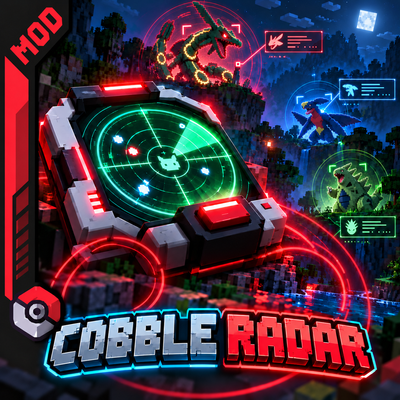
CurseForge · Minecraft mod
Cobblemon: Simple Radar
📡 Rasgo Cobble Radar is a customizable Pokémon radar for Cobblemon 1.8.2, featuring a compact HUD, Pokémon filters, and automatic directional tracking for Legendary Pokémon, Mythicals, and Ultra Beasts!
Choose a version Pick your version below, then grab the matching file.
Quick answer
Which Cobblemon: Simple Radar release should I use?
Latest stable file rasgo-cobble-radar-fabric-1.21.1-1.3.1.jar
Game version 1.21.1
Loader Fabric
Cobblemon: Simple Radar rasgo-cobble-radar-fabric-1.21.1-1.3.1.jar targets 1.21.1 with Fabric. The project page does not say whether this file belongs on the client, dedicated server, or both. No extra mods listed for this file.
Where it goes
Is Cobblemon: Simple Radar required on the client, server, or both?
The project page does not say whether this file belongs on the client, dedicated server, or both.
Client Source doesn’t say
Dedicated server Source doesn’t say
Loader for this release Fabric
Required install it here Optional supported, not mandatory Not supported do not install here Source doesn’t say do not assume
The source does not explicitly classify this release as client-only or server-only.
What else does Cobblemon: Simple Radar rasgo-cobble-radar-fabric-1.21.1-1.3.1.jar need?
rasgo-cobble-radar-fabric-1.21.1-1.3.1.jar. Change the file and its required mods may change too.
This file does not list any required mods. Do not add a library just because a different file uses it.
This file does not list any required or optional mods.
Before you install it
Add Cobblemon: Simple Radar without breaking your instance.
Built for Cobblemon: Simple Radar rasgo-cobble-radar-fabric-1.21.1-1.3.1.jar. Pick another file and the loader, install side or required mods may change.
- 01
Stick to this file
Use rasgo-cobble-radar-fabric-1.21.1-1.3.1.jar. It targets 1.21.1 with Fabric; another release may have different loader, side or dependency requirements.
- 02
Bring the mods it needs
This file does not list any required mods. Do not add a library just because a different file uses it.
- 03
Put it on the correct side
The project page does not say whether this file belongs on the client, dedicated server, or both.
- 04
Pick the file you checked
Use the “Get this file” button beside rasgo-cobble-radar-fabric-1.21.1-1.3.1.jar. It opens that exact file at the source.
About this project
What does Cobblemon: Simple Radar add?
📡 Rasgo Cobble Radar — v1.3.0
🎮 Minecraft 1.21.1 | NeoForge | Cobblemon 1.8.2
A Smarter Radar. A Cleaner HUD. A Better Pokémon Hunting Experience!
Version 1.3.0 introduces a redesigned radar interface, improved Pokémon tracking, and a more immersive experience inspired by Cobblemon's visual style.
This update focuses on making Pokémon hunting easier, especially when searching for Legendary Pokémon, Mythical Pokémon, and Ultra Beasts!
🎨 HUD & Interface Overhaul
✨ Cobblemon-Inspired Design: Redesigned the radar HUD to better match Cobblemon's interface and visual identity.
🧭 Compass Removed: Removed the traditional compass element to reduce screen clutter and provide a cleaner interface.
📏 Compact Layout: Optimized the radar's size and layout to occupy less screen space.
🎯 Single Pokémon Display: The compact radar HUD now displays only one tracked Pokémon at a time, keeping the interface simple and readable.
👁️ Improved Visibility: Refined the visual organization of radar information for a more comfortable gameplay experience.
🏹 New Automatic Directional Tracking
➡️ Directional Arrow: Added a tracking arrow that points toward the Pokémon currently selected by the radar.
🌟 Legendary Tracking: The radar can automatically direct players toward detected Legendary Pokémon.
🌌 Ultra Beast Tracking: Added automatic directional tracking for detected Ultra Beasts.
🔄 Dynamic Direction Updates: The tracking arrow adjusts its direction as the player moves or rotates.
🎯 Focused Tracking: The directional system works alongside Pokémon filters, helping players focus on their desired targets.
🔎 Pokémon Detection & Filtering
🐾 Pokémon Detection: Radar functionality for locating Pokémon in the surrounding area.
⭐ Legendary Pokémon Filters: Focus your radar on Legendary Pokémon.
💫 Mythical Pokémon Support: Track Mythical Pokémon through the radar's filtering system.
👾 Ultra Beast Filters: Detect Ultra Beasts without unnecessary distractions from common Pokémon.
🔍 Custom Pokémon Selection: Filter specific Pokémon to make your hunting experience more personalized.
📍 Target-Focused HUD: Displays the selected tracking target instead of filling the screen with multiple Pokémon names.
⚙️ Usability Improvements
🖥️ Reduced unnecessary visual elements for a less intrusive HUD.
🎮 Improved the overall radar experience for exploration and Pokémon hunting.
🧩 Refined the interface to better fit the Cobblemon gameplay experience.
🎯 Improved visual clarity when tracking rare or special Pokémon.
🔧 Compatibility
Minecraft: 1.21.1
Mod Loader: NeoForge
Cobblemon: 1.8.2
Mod Version: 1.3.0
💚 Final Notes
Rasgo Cobble Radar 1.3.0 is all about smarter tracking, better visibility, and a cleaner gameplay experience.
Whether you're hunting for a specific Pokémon, searching for a rare Legendary, or tracking down an Ultra Beast, the redesigned radar helps you stay focused on your adventure.
Explore more. Track smarter. Catch them all! 🎯
Thank you for supporting Rasgo Cobble Radar!
— Rasgo Mods
Project description from CurseForge.
Pick your setup
Cobblemon: Simple Radar by Minecraft version and loader
Choose the version and loader you play, then open the matching release.
Check the dependencies, then try the file in a copied instance before changing a world you care about.
Recent files
Cobblemon: Simple Radar versions and loaders
rasgo-cobble-radar-fabric-1.21.1-1.3.1.jar
1 Nov 2026
Client Source doesn’t say Server Source doesn’t say Dependencies No extras listed Listed on Release listing
Check the 1.21.1 · Fabric setup Fabric1.21.1 release
rasgo-cobble-radar-neoforge-1.21.1-1.3.1.jar
1 Nov 2026
Client Source doesn’t say Server Source doesn’t say Dependencies No extras listed Listed on Release listing
Check the 1.21.1 · NeoForge setup 1.21.1NeoForge release
simple-cobble-radar-neoforge-1.21.1-1.3.0.jar
rasgo-cobble-radar-neoforge-1.21.1-1.3.0.jar
18 Oct 2026
Client Source doesn’t say Server Source doesn’t say Dependencies No extras listed Listed on Release listing
Check the 1.21.1 · NeoForge setup 1.21.1NeoForge release
Looking for an older file? The official CurseForge project page is in Resources.
 mod
CurseForge · Minecraft
Peterwolfs realistic tree felling
Cut once. Watch the whole tree fall.
 mod
CurseForge · Minecraft
Style Blocks
Decorative car-logo and emoji blocks for roleplay sets and creative builds.
 mod
CurseForge + Modrinth · Minecraft
LogFilter
A lightweight log filtering mod designed to reduce spam in the console and log files, allowing developers and players to focus on critical errors and save disk space.