Minecraft version
Back to mods 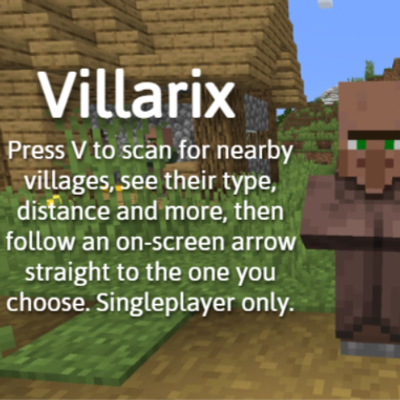
CurseForge · Minecraft mod
Villarix
Press V to scan for nearby villages, see their type, distance and more, then follow an on-screen arrow straight to the one you choose. Singleplayer only.
Choose a version Pick your version below, then grab the matching file.
Quick answer
Which Villarix release should I use?
beta file Villarix-1.0.jar
Game version 26.1.2
Loader Fabric
Villarix-1.0.jar targets 26.1.2 with Fabric. The project page does not say whether this file belongs on the client, dedicated server, or both. No extra mods listed for this file.
Where it goes
Is Villarix required on the client, server, or both?
The project page does not say whether this file belongs on the client, dedicated server, or both.
Client Source doesn’t say
Dedicated server Source doesn’t say
Loader for this release Fabric
Required install it here Optional supported, not mandatory Not supported do not install here Source doesn’t say do not assume
The source does not explicitly classify this release as client-only or server-only.
What else does Villarix-1.0.jar need?
Villarix-1.0.jar. Change the file and its required mods may change too.
This file does not list any required mods. Do not add a library just because a different file uses it.
This file does not list any required or optional mods.
Before you install it
Add Villarix without breaking your instance.
Built for Villarix-1.0.jar. Pick another file and the loader, install side or required mods may change.
- 01
Stick to this file
Use Villarix-1.0.jar. It targets 26.1.2 with Fabric; another release may have different loader, side or dependency requirements.
- 02
Bring the mods it needs
This file does not list any required mods. Do not add a library just because a different file uses it.
- 03
Put it on the correct side
The project page does not say whether this file belongs on the client, dedicated server, or both.
- 04
Pick the file you checked
Use the “Get this file” button beside Villarix-1.0.jar. It opens that exact file at the source.
About this project
What does Villarix add?
Villarix – Village Finder
Never wander around looking for a village again! Villarix adds a handy Village Finder: press V, pick a village, and follow the arrow right to its doorstep.
⚠️ SINGLEPLAYER ONLY
Villarix works in singleplayer worlds. It is not designed for multiplayer servers.
Features
🔍 Village Finder menu
Press V at any time to open the Village Finder. Villarix scans the area and lists the closest villages to you (up to 4), ordered from nearest to farthest.
🖱️ Scroll through villages
Use the mouse wheel inside the menu to browse between the nearby villages. The title shows which one you are viewing (for example, VILLAGE 2/4), and all the information updates instantly.
📋 Village information
For every village you can see:
- Type: Plains, Desert, Taiga, Savanna or Snowy
- Distance: how many blocks away it is
- Primary Trade: the main profession associated with that village type
- Estimated Population: how many villagers live there (an estimate when the village is not loaded)
🧭 Guiding arrow
Found the village you want? Click SELECT and the menu closes. An on-screen arrow appears and points toward the village, always updating as you move and turn. It also shows how many meters you have left.
✅ Arrival message
When you get close, the arrow disappears and a green "You have arrived at the village!" message appears.
How to use
- Press V to open the Village Finder.
- Scroll the mouse wheel to browse the nearby villages.
- Click SELECT on the village you want to visit.
- Follow the arrow on your screen until you arrive.
Requirements
- Minecraft Java Edition 26.1.2
- Fabric Loader
- Fabric API
Good to know
- Works in singleplayer worlds only.
- Population and primary trade are estimates based on the village type, not an exact count of the real villagers.
- The first scan can take a moment, because the mod searches the world for villages.
- The key can be changed in the Controls menu.
Project description from CurseForge.
Pick your setup
Villarix by Minecraft version and loader
Choose the version and loader you play, then open the matching release.
Check the dependencies, then try the file in a copied instance before changing a world you care about.
Recent files
Villarix versions and loaders
Villarix-1.0.jar
18 Oct 2026
Client Source doesn’t say Server Source doesn’t say Dependencies No extras listed Listed on Release listing
Check the 26.1.2 · Fabric setup Fabric26.1.2 beta
Looking for an older file? The official CurseForge project page is in Resources.

