Minecraft version
Back to mods 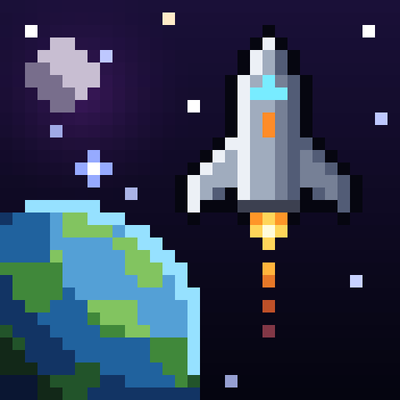
CurseForge · Minecraft mod
Beyond Overworld
No Man's Sky inspired mod
Choose a version Pick your version below, then grab the matching file.
Quick answer
Which Beyond Overworld release should I use?
Latest stable file beyond_overworld-0.0.1-p2.jar
Game version 1.21.1
Loader NeoForge
Beyond Overworld beyond_overworld-0.0.1-p2.jar targets 1.21.1 with NeoForge. The project page does not say whether this file belongs on the client, dedicated server, or both. No extra mods listed for this file.
Where it goes
Is Beyond Overworld required on the client, server, or both?
The project page does not say whether this file belongs on the client, dedicated server, or both.
Client Source doesn’t say
Dedicated server Source doesn’t say
Loader for this release NeoForge
Required install it here Optional supported, not mandatory Not supported do not install here Source doesn’t say do not assume
The source does not explicitly classify this release as client-only or server-only.
What else does Beyond Overworld beyond_overworld-0.0.1-p2.jar need?
beyond_overworld-0.0.1-p2.jar. Change the file and its required mods may change too.
This file does not list any required mods. Do not add a library just because a different file uses it.
This file does not list any required or optional mods.
Before you install it
Add Beyond Overworld without breaking your instance.
Built for Beyond Overworld beyond_overworld-0.0.1-p2.jar. Pick another file and the loader, install side or required mods may change.
- 01
Stick to this file
Use beyond_overworld-0.0.1-p2.jar. It targets 1.21.1 with NeoForge; another release may have different loader, side or dependency requirements.
- 02
Bring the mods it needs
This file does not list any required mods. Do not add a library just because a different file uses it.
- 03
Put it on the correct side
The project page does not say whether this file belongs on the client, dedicated server, or both.
- 04
Pick the file you checked
Use the “Get this file” button beside beyond_overworld-0.0.1-p2.jar. It opens that exact file at the source.
About this project
What does Beyond Overworld add?
A ship flying toward the planet Verdance in space
Build a ship, leave the Overworld, and explore a universe of alien planets, space stations and black holes. Inspired by No Man's Sky.
Beyond the Overworld turns Minecraft into a space exploration game. You fly your own ship from the ground into orbit, travel between star systems, land on strange new worlds and follow a full story across the stars. Every planet has its own terrain, weather, creatures and dangers, and some have whole towns to visit.
Alpha: expect bugs and rough edges. Please report them on the issue tracker.
Features
- Ships you fly yourself. Scout, Explorer, Hauler, Fighter, Shuttle and Prospector hulls, plus Mk II versions with interiors you can walk around in. Climb into orbit, cruise, pulse between planets and warp to other star systems.
- Planets that feel alien. Temperate, desert, frozen, toxic, volcanic, ocean, airless and anomalous worlds, each with its own biomes, weather, day length and hazards. Look for floating islands on Umbra and lava seas on Pyre.
- Creatures and bosses. Dozens of alien species to scan and catalog, local versions of familiar mobs on every world, and bosses guarding ruins and observatories.
- Space is busy. Trade and take contracts at space stations, mine asteroid fields, fight pirates, and avoid (or dive into) anomalies, wormholes and black holes.
- People and towns. Inhabited planets have settlements with residents, shops, trams and services you can help repair.
- A real story. A main questline, over 100 side quests and eight different endings, tracked in the Quest Log (Alt+L).
- Survival in space. Oxygen, life support, cold and heat, a scanner, a jetpack, research to unlock new tech, and habitats you can build on any world.
The black hole anomaly with its glowing disk
Getting started
- Craft a generator and a terminal to begin researching. The in-game Survey Codex and Pilot's Manual explain each step.
- Build or find a ship, fuel it, and board it.
- Fly up to Y 240 and press J to launch into orbit. Near a planet, press J again to land.
| Key | Action |
|---|---|
| J | Launch / land |
| G | Navigation (star map and routes) |
| K | Cruise control |
| Z (hold) | Pulse cruise |
| V | Walk inside your ship (Mk II hulls) |
| I | Ship panel |
| Alt+L | Quest Log |
All keys can be changed in Controls.
Requirements and compatibility
- Minecraft 1.21.1 with NeoForge 21.1.252 or newer. No other mods are needed.
- Install it on both the client and the server. It works in single player and on dedicated servers.
- Generating a new planet is demanding. Give Minecraft at least 4 GB of memory. Older computers may pause briefly the first time you land somewhere.
- Use a new world. Adding it to an existing world is untested.
FAQ
Can I use it in a modpack? Yes. You may include it in public modpacks, as long as you link back to this page and don't re-upload the jar on its own.
Is there a Fabric version? No, only NeoForge.
Does it change the Overworld? Very little. Everything new lives on other planets and in space.
Not an official Minecraft product. Not approved by or associated with Mojang or Microsoft.
Project description from CurseForge.
Pick your setup
Beyond Overworld by Minecraft version and loader
Choose the version and loader you play, then open the matching release.
Check the dependencies, then try the file in a copied instance before changing a world you care about.
Recent files
Beyond Overworld versions and loaders
beyond_overworld-0.0.1-p2.jar
15 Nov 2026
Client Source doesn’t say Server Source doesn’t say Dependencies No extras listed Listed on Release listing
Check the 1.21.1 · NeoForge setup 1.21.1NeoForge release
beyond_overworld-0.0.1-p1.jar
27 Oct 2026
Client Source doesn’t say Server Source doesn’t say Dependencies No extras listed Listed on Release listing
Check the 1.21.1 · NeoForge setup 1.21.1NeoForge release
beyond_overworld-0.21.1-alpha.jar
18 Oct 2026
Client Source doesn’t say Server Source doesn’t say Dependencies No extras listed Listed on Release listing
Check the 1.21.1 · NeoForge setup 1.21.1NeoForge release
Looking for an older file? The official CurseForge project page is in Resources.
 mod
CurseForge · Minecraft
Judah's Additions
A simple but expanding Content heavy mod for 1.21.1 neoforge!
 mod
CurseForge · Minecraft
Diktatura
Your world becomes a state ruled by the Leader: decrees every 5 minutes, 31 absurd laws, arrests in a prisoner-pulled cart, workdays, licenses, a rigged casino, paranoia, rebellions and a final dragon fight.
 mod
CurseForge · Minecraft
Millenaire
Millénaire is a Minecraft mod that aims to fill the "emptiness" left by the default Minecraft Villages by adding new NPC villages loosely based on 11th century cultures.