Minecraft version
Back to mods 
CurseForge · Minecraft mod
Command Translation
Use localized Minecraft commands, search translated names, and get argument and structured-data help.
Choose a version Pick your version below, then grab the matching file.
Quick answer
Which Command Translation release matches 1.21.9 NeoForge?
Best match for your filters Command Translation 0.3.0 - NeoForge 1.21.9
Game version 1.21.9
Loader NeoForge
Command Translation 0.3.0 - NeoForge 1.21.9 targets 1.21.9 with NeoForge. The project page does not say whether this file belongs on the client, dedicated server, or both. No extra mods listed for this file.
Where it goes
Is Command Translation required on the client, server, or both?
The project page does not say whether this file belongs on the client, dedicated server, or both.
Client Source doesn’t say
Dedicated server Source doesn’t say
Loader for this release NeoForge
Required install it here Optional supported, not mandatory Not supported do not install here Source doesn’t say do not assume
The source does not explicitly classify this release as client-only or server-only.
What else does Command Translation 0.3.0 - NeoForge 1.21.9 need?
Command Translation 0.3.0 - NeoForge 1.21.9 on 1.21.9 NeoForge. Every mod below is checked against that same setup.
This file does not list any required mods. Do not add a library just because a different file uses it.
This file does not list any required or optional mods.
Before you install it
Add Command Translation without breaking your instance.
Built for Command Translation 0.3.0 - NeoForge 1.21.9 on 1.21.9 NeoForge. Pick another file and the loader, install side or required mods may change.
- 01
Stick to this file
Use Command Translation 0.3.0 - NeoForge 1.21.9. It targets 1.21.9 with NeoForge; another release may have different loader, side or dependency requirements.
- 02
Bring the mods it needs
This file does not list any required mods. Do not add a library just because a different file uses it.
- 03
Put it on the correct side
The project page does not say whether this file belongs on the client, dedicated server, or both.
- 04
Pick the file you checked
Use the “Get this file” button beside Command Translation 0.3.0 - NeoForge 1.21.9. It opens that exact file at the source.
About this project
What does Command Translation add?
Command Translation / Completion Helper
Ever start a command and forget its name or how to use it? Or find the arguments so complicated that you cannot tell what any of them mean? This mod is made for that.
Type Minecraft commands in a language you know, and search items, blocks, mobs, biomes, effects and enchantments by translated name. Original English still works, and the completion list keeps both English and current-language suggestions.
Features
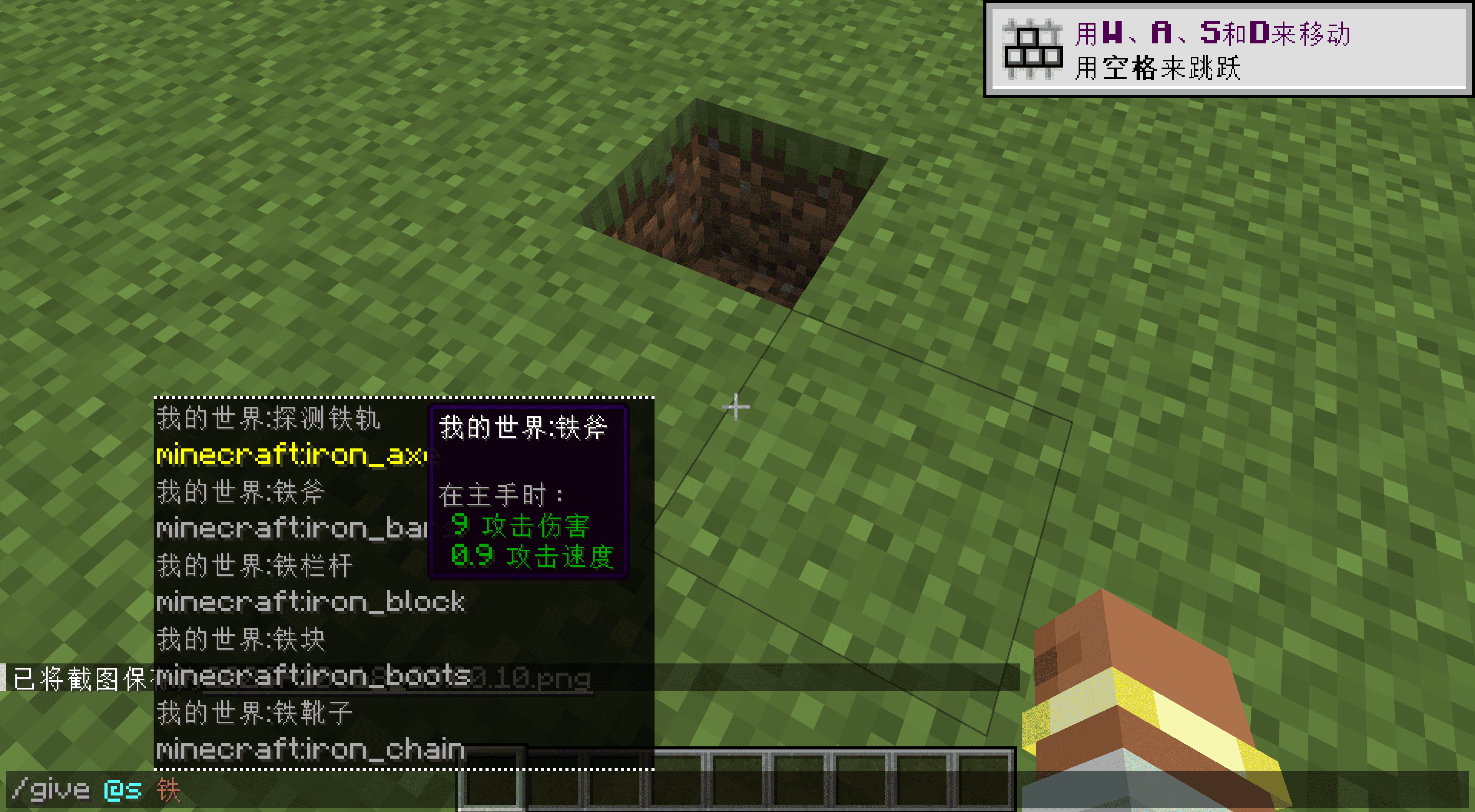
Search by translated name. Type the local name of an item, block, mob or biome to filter suggestions. Existing translations from mods and resource packs are reused.
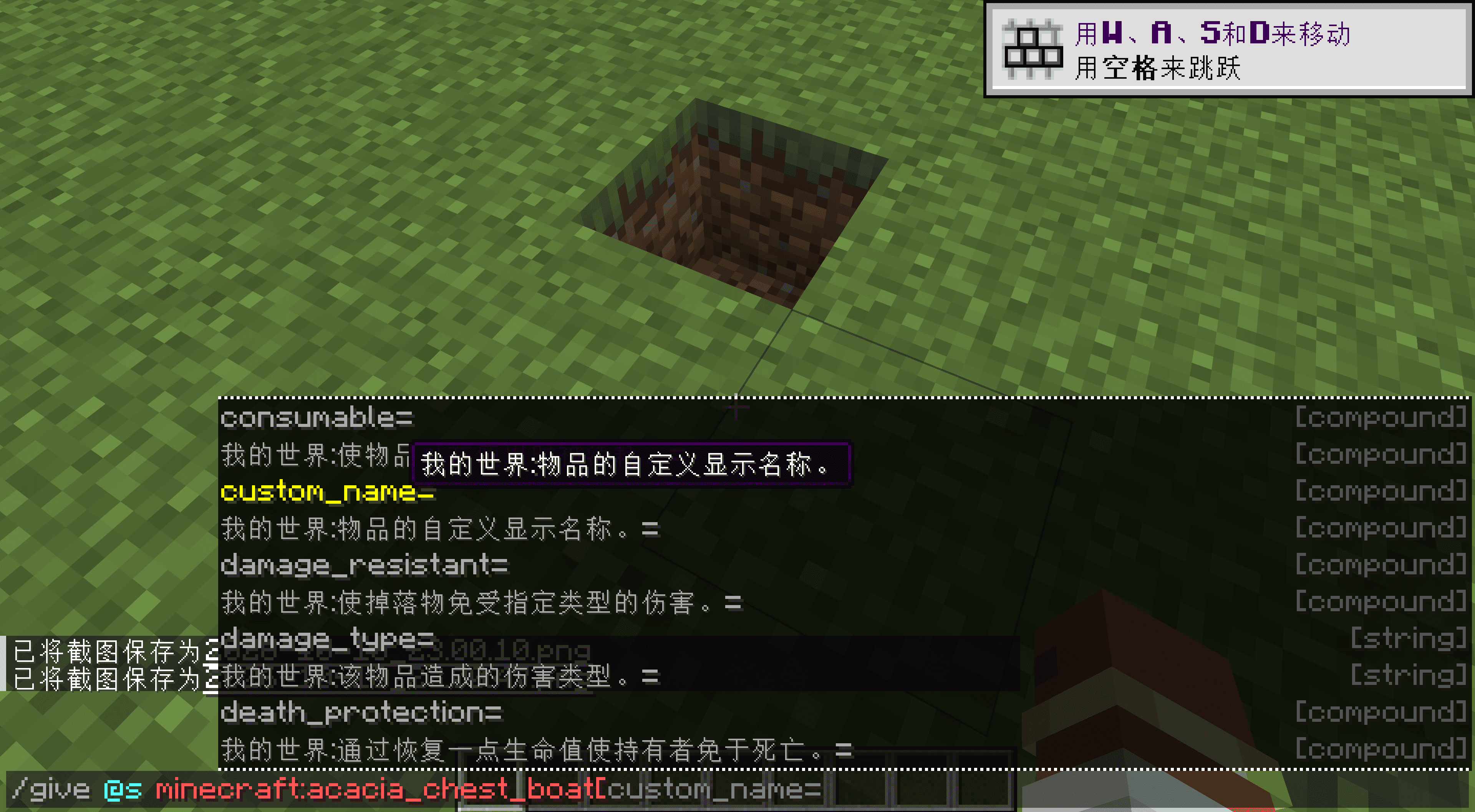
Hover over an entry to learn about it. Suggestions and entered text both support hover help, covering arguments, fixed options, tags, and NBT or data-component keys, nested fields and values.
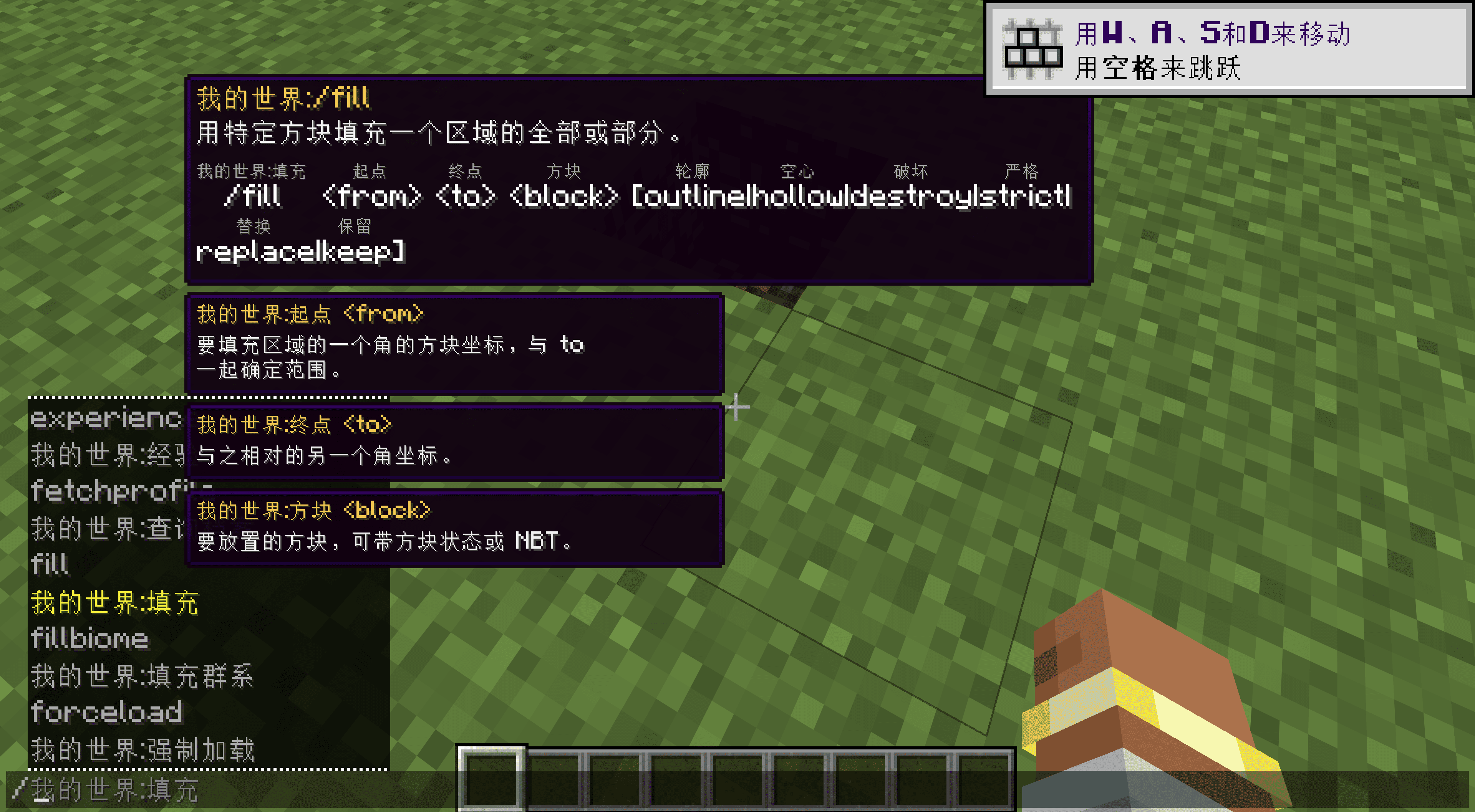
Read the syntax as you type. Tooltips include vanilla syntax, small localized annotations and separate parameter panels.
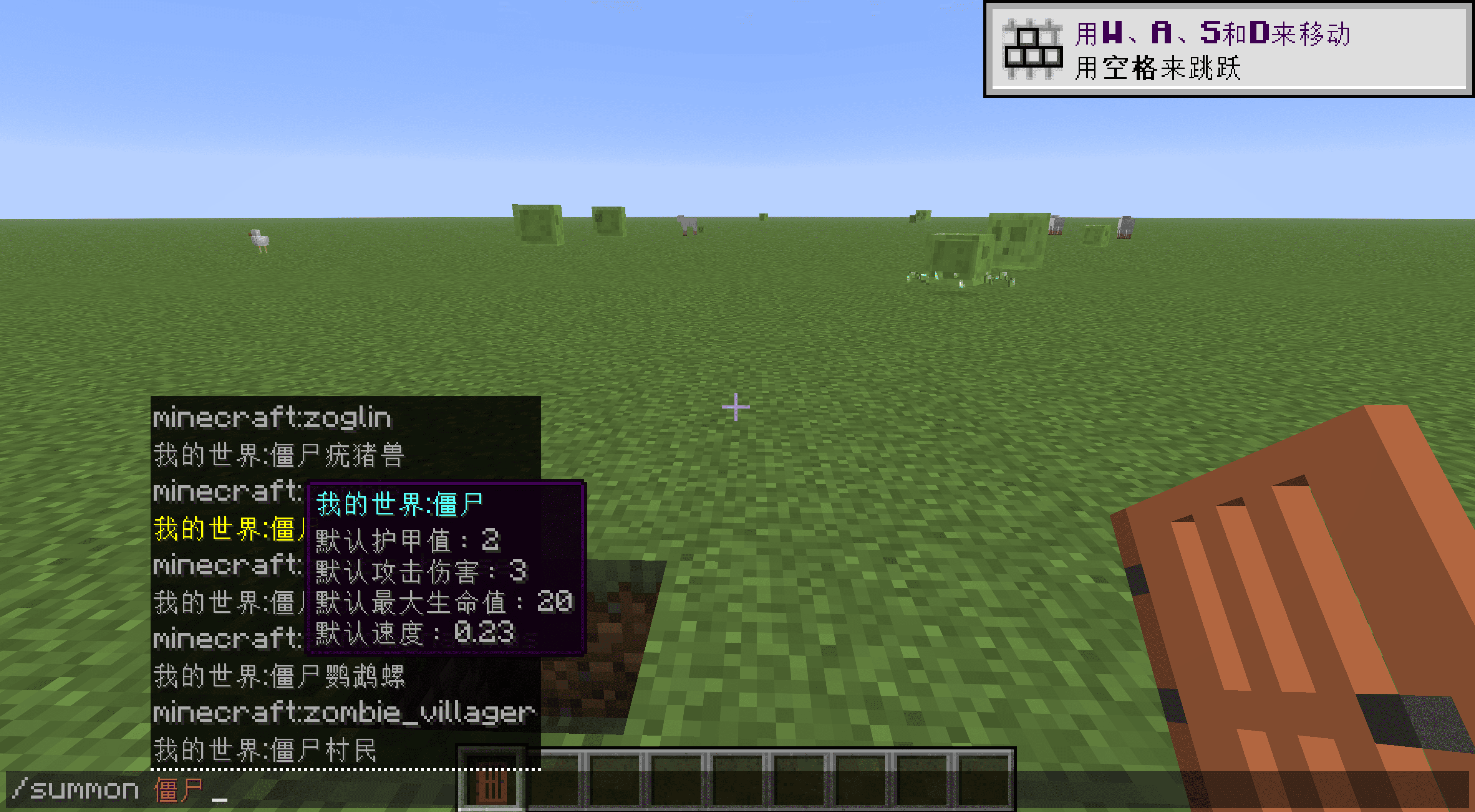
Item and mob information. Items can show native damage, attack speed and other tooltip text, and effects have short descriptions. Mob details start with registered max health, attack damage, movement speed and armor; other attributes can be enabled separately. These are defaults, not the live state of a particular entity.
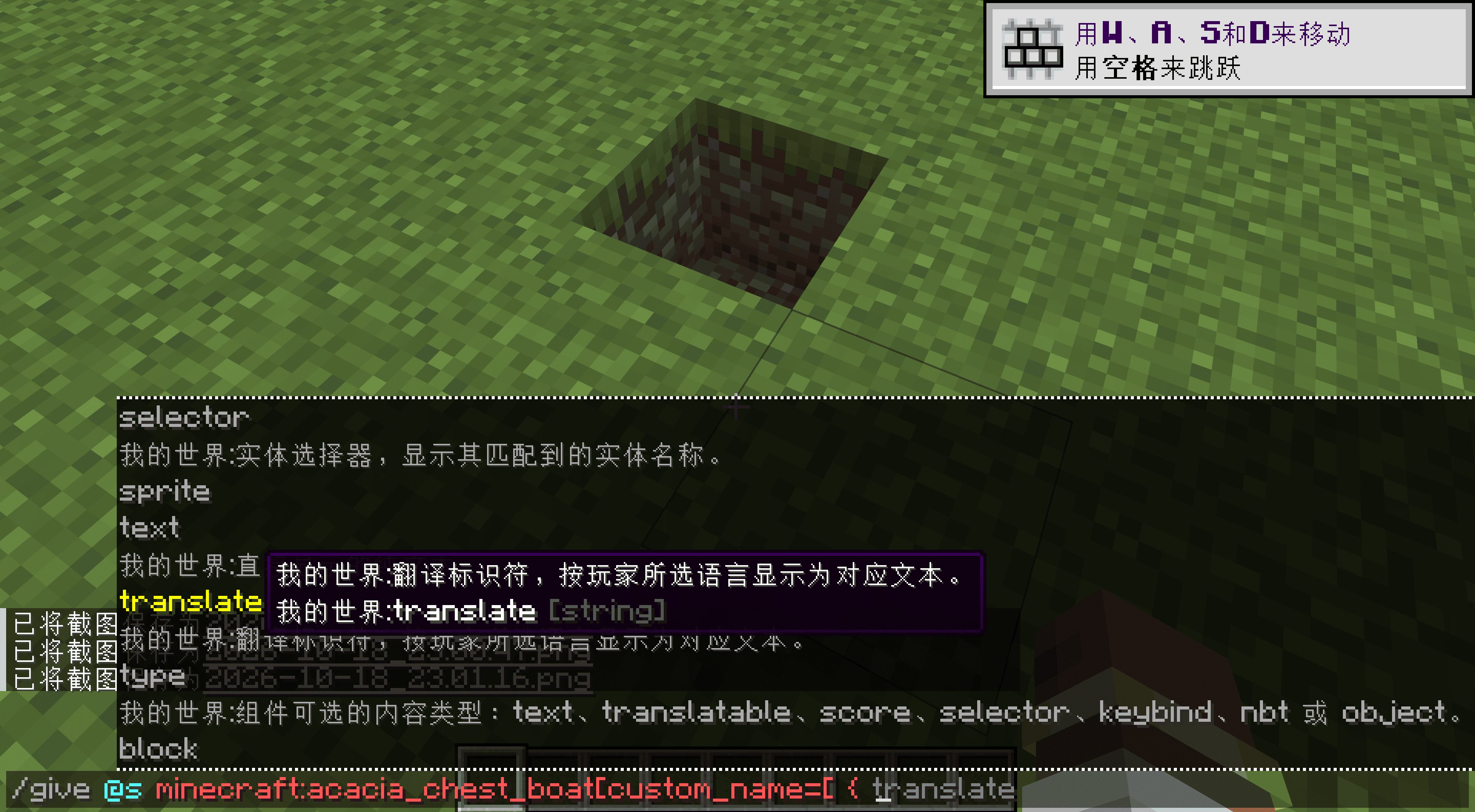
Structured data completion. NBT Autocomplete 2.1 is bundled, so no separate installation is needed. It keeps its own configuration.
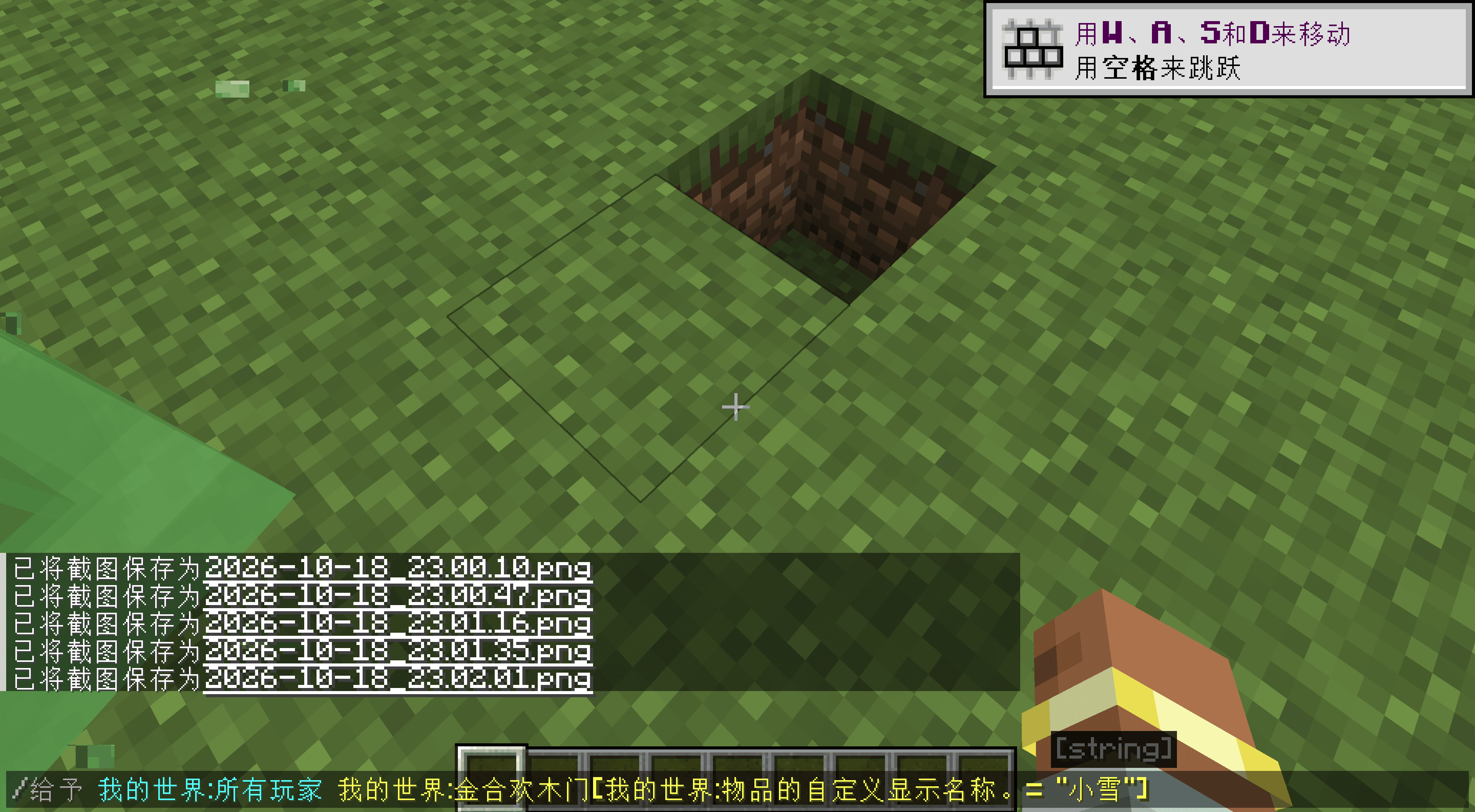
Just for fun: enter commands in different languages, including Chinese. This can be switched off in the configuration.
Localized names include namespaces, such as Minecraft:Plains and Create:Large Cogwheel. Conflicting names append the original ID to keep them distinct, and that disambiguated form can also be entered.
Settings
Localized input, hover help, syntax annotations, parameter panels, item details and mob attributes have separate switches. Text colors and styles are configurable too. Turn off individual features you do not want; English commands always remain.
The display language follows your game settings. English, Simplified Chinese, Traditional Chinese, German and Japanese have fuller descriptions; missing entries in other bundled languages fall back to English.
Other mod developers and modpack authors can find integration instructions in the wiki.
Credits
Usage descriptions reference Minecraft Wiki, and base loader tags use official sources. NBT Autocomplete is developed by mt1006 and contributors.
Project description from CurseForge.
Pick your setup
Command Translation by Minecraft version and loader
Choose the version and loader you play, then open the matching release.
Minecraft version
26.2
2 loader buildsMinecraft version
26.1.2
2 loader buildsMinecraft version
26.1.1
2 loader buildsMinecraft version
26.1
2 loader buildsMinecraft version
1.21.11
2 loader buildsMinecraft version
1.21.10
2 loader buildsMinecraft version
1.21.9
2 loader buildsMinecraft version
1.21.8
2 loader buildsMinecraft version
1.21.7
2 loader buildsMinecraft version
1.21.6
2 loader buildsMinecraft version
1.21.5
2 loader buildsShowing the newest 12 of 29 game versions. Older files are in the list below.
Check the dependencies, then try the file in a copied instance before changing a world you care about.
Recent files
Command Translation versions and loaders
Command Translation 0.3.0 - NeoForge 1.21.9
command_translation-neoforge-1.21.9-0.3.0.jar
24 Oct 2026
Client Source doesn’t say Server Source doesn’t say Dependencies No extras listed Listed on Release listing
Check the 1.21.9 · NeoForge setup NeoForge1.21.9 release
Looking for an older file? The official CurseForge project page is in Resources.
 mod
CurseForge + Modrinth · Minecraft
Mob Plaques
Neat, tiny attribute displays for all mobs with great customization!
 mod
CurseForge · Minecraft
better villager trade gui
Transforms the standard villager trading menu into an immersive, cinematic 3D experience featuring dynamic dialogue and visual item handoffs.
 mod
CurseForge + Modrinth · Minecraft
ShapeGen
Additional shapes for any block, including modded ones