Pehkui Needed by multi skin multi-skin-1.2.1.jar
requiredMatching file found Matched file: [1.14.4 - 1.21] Pehkui 3.8.3
CurseForge · Minecraft mod
allows you to set and use a custom skin HD or otherwise, from a URL or a local file
Quick answer
multi skin multi-skin-1.2.1.jar targets 1.21.1 with Fabric. The project page does not say whether this file belongs on the client, dedicated server, or both. All 2 required mods have matching files.
Where it goes
The project page does not say whether this file belongs on the client, dedicated server, or both.
The source does not explicitly classify this release as client-only or server-only.
multi-skin-1.2.1.jar. Change the file and its required mods may change too.
Install Pehkui, Fabric API first. We found matching files for this game-version and loader setup. 1 comes through another mod in the chain.
1 extra mod was pulled in by another dependency. Indented rows show who needs each one. We only count dependency files that match this setup. A file for another loader does not fill the gap.
Before you install it
Built for multi skin multi-skin-1.2.1.jar. Pick another file and the loader, install side or required mods may change.
Use multi-skin-1.2.1.jar. It targets 1.21.1 with Fabric; another release may have different loader, side or dependency requirements.
Install Pehkui, Fabric API first. We found matching files for this game-version and loader setup. 1 comes through another mod in the chain.
The project page does not say whether this file belongs on the client, dedicated server, or both.
Use the “Get this file” button beside multi-skin-1.2.1.jar. It opens that exact file at the source.
About this project
A Fabric mod for Minecraft 1.21.1 that adds custom skins, body part management, and player size adjustment.
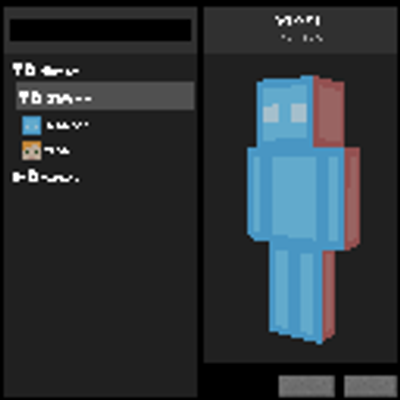
Open the skin menu by pressing F12. It allows you to create, edit, duplicate, and delete skins, organize them into folders, and customize their model (slim or steve), size, and hidden body parts. Skin images can be loaded from a URL or a local file.
The local skin library is stored in multi-skin/skins/ inside the game directory. Player height can be set between 50 and 300 cm, with a default value of 185 cm.
Skin commands apply to the player executing them:
/skin slim <url> [size_in_cm]
/skin steve <url> [size_in_cm]
/skin reset
Operators can also apply or reset skins for other players:
/skinadmin <players> slim <url> [size_in_cm]
/skinadmin <players> steve <url> [size_in_cm]
/skinadmin <players> reset
Operators can hide or restore players' arms and legs. The selected body parts configured in a skin are applied along with that skin.
/bodypart remove <players> arm right
/bodypart add <players> leg left
/bodypart reset <players>
Player size changes the player's scale. Operators can configure how size affects movement speed and reach using the following commands:
/multiskinconfig get
/multiskinconfig size speed <coefficient>
/multiskinconfig size reach <coefficient>
/multiskinconfig reload
Coefficients range from 0.0 to 2.0. The configuration is stored in config/multi-skin/config.json.
The maximum allowed skin image size can be configured separately. Operators can choose a limit of 64, 128, 256, 512, or 1024 pixels:
/multiskinconfig skin size <64|128|256|512|1024>
/multiskinconfig get skin size
The selected limit also allows all smaller supported sizes. For example, a limit of 512 accepts skins at 64×64, 128×128, 256×256, and 512×512.
The default limit is 1024. The configuration is stored in config/multi-skin/config.json.
Requires Minecraft 1.21.1, Fabric Loader, Fabric API, Java 21 or later, and Pehkui 3.8.3 or later.
Place the mod's .jar file and its dependencies in the mods folder of your Fabric installation.
Project description from CurseForge.
Pick your setup
Choose the version and loader you play, then open the matching release.
Check the dependencies, then try the file in a copied instance before changing a world you care about.
Recent files
3 Nov 2026
3 Nov 2026
19 Oct 2026
19 Oct 2026
Looking for an older file? The official CurseForge project page is in Resources.
 mod
Automatic combat and animation switching for Epic Fight, Punchy, and Punchy!Moves. Supports WOM; no Epic Tweaks required.
 mod
13 fantasy Origins with unique powers, strengths, and weaknesses, built for Andromeda MC.
 mod
Every mob has the potential to grow stronger, smarter, and more dangerous as they gain levels. With dynamic scaling of health, damage, and special abilities, each encounter becomes a unique challenge that will test your survival skills