Project 1754402 Optional for ArcadiaChat 0.6.0
optionalStill checking

CurseForge · Minecraft mod
Tabbed chat for multiplayer servers: global, server, private, staff and topic channels, with @mentions, search, a typing indicator and one-click server switching.
Quick answer
ArcadiaChat 0.6.0 targets 1.21.1 with NeoForge. The project page does not say whether this file belongs on the client, dedicated server, or both. No extra mods listed for this file.
Where it goes
The project page does not say whether this file belongs on the client, dedicated server, or both.
The source does not explicitly classify this release as client-only or server-only.
ArcadiaChat 0.6.0. Change the file and its required mods may change too.
This file does not list any required mods. Do not add a library just because a different file uses it.
We only count dependency files that match this setup. A file for another loader does not fill the gap.
Before you install it
Built for ArcadiaChat 0.6.0. Pick another file and the loader, install side or required mods may change.
Use ArcadiaChat 0.6.0. It targets 1.21.1 with NeoForge; another release may have different loader, side or dependency requirements.
This file does not list any required mods. Do not add a library just because a different file uses it.
The project page does not say whether this file belongs on the client, dedicated server, or both.
Use the “Get this file” button beside ArcadiaChat 0.6.0. It opens that exact file at the source.
About this project
A tabbed chat for multiplayer servers: global, server, private, staff and topic channels, with @mentions, search and a "who is typing" indicator.
ArcadiaChat replaces the single, cluttered Minecraft chat with tabs, so conversations no longer drown in server announcements and command output. It was built for the Arcadia: Echoes of Power network and is fully open source.
#trade, #recruitment…) and one per private conversation (@Player).The active tab decides where your message goes: all servers, this server only, the staff, a channel, or a player in private. A small label next to the tabs always tells you where you are writing.
@YourName is highlighted in gold, with an orange marker, a sound, and the tab that received it lights up.
"Alex is typing…", "Alex and Sam are typing…", "Alex, Sam, Lou and 2 others are typing…", just below the chat, like on Discord. Works across servers in the global chat.
Hover a message sent from another server of the network to see where it comes from; click it to join that server (with a confirmation).
mods folder, it is simply ignored.Un chat à onglets pour les serveurs multijoueurs : global, serveur, privé, staff et canaux thématiques, avec mentions, recherche et « … écrit ».
ArcadiaChat remplace le chat unique et encombré de Minecraft par des onglets : les conversations ne se noient plus dans les annonces et les réponses des commandes. Conçu pour le réseau Arcadia: Echoes of Power, et entièrement open source.
Onglets : Tout, Global (tous les serveurs du réseau), Serveur (seulement celui où tu joues), Privé, Staff et Système, plus un onglet par canal rejoint (#commerce…) et par conversation privée (@Joueur). Compteur de non-lus, Ctrl+Tab pour passer de l'un à l'autre, clic droit pour fermer une conversation.
Écrire au bon endroit : l'onglet actif décide où part ton message (tous les serveurs, ce serveur, le staff, un canal, un joueur en privé).
Mentions : @TonPseudo est mis en valeur en or, avec un son, et l'onglet concerné s'allume.
« … écrit » sous le chat, comme sur Discord, y compris pour les joueurs des autres serveurs dans le chat global.
Changer de serveur : survole un message venu d'un autre serveur pour voir son origine, clique pour le rejoindre.
Et aussi : recherche dans l'onglet (Ctrl+F), heure des messages, filtres de messages automatiques, réglages via la roue dentée ou le menu des mods.
Prérequis : Minecraft 1.21.1, NeoForge, côté client uniquement. Les onglets sont alimentés par ArcadiaBridge côté serveur ; ailleurs, le chat reste normal (mentions, heure et filtres fonctionnent quand même). Testé avec Chat Heads, Emojiful, Longer Chat History et No Chat Reports.
Project description from CurseForge.
Pick your setup
Choose the version and loader you play, then open the matching release.
Check the dependencies, then try the file in a copied instance before changing a world you care about.
Recent files
arcadiachat-0.6.0.jar
6 Nov 2026
arcadiachat-0.5.2.jar
4 Nov 2026
arcadiachat-0.5.1.jar
3 Nov 2026
arcadiachat-0.5.0.jar
1 Nov 2026
arcadiachat-0.4.0.jar
30 Oct 2026
19 Oct 2026
Looking for an older file? The official CurseForge project page is in Resources.
 mod
⛏️ Broadcasts a message to the server whenever a player finds an ore vein.
 mod
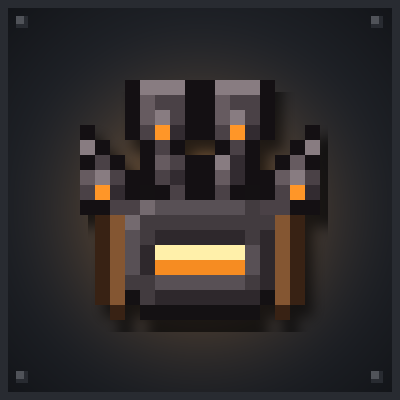
A chest harness with mechanical arms that mine, build, climb, grapple and slingshot for you.
 mod
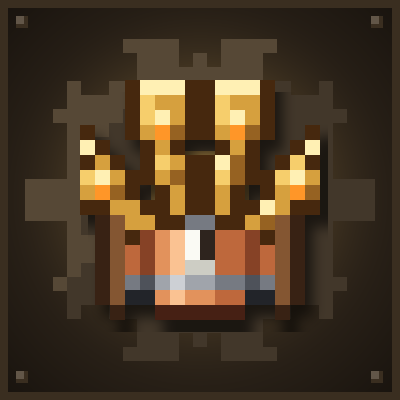
Andesite and Brass harnesses that run on Create Backtank air, and a Backtank slot for Netherite harnesses.