Proteus by Olympus Needed by Orpheus by Olympus Orpheus 1.1.0 (Forge 26.2-26.3)
requiredMatching file found Matched file: Proteus 1.2 (Forge 26.3)

CurseForge · Minecraft mod
Precise control over vanilla Minecraft music: per-situation track lists, frequency, weights, playback keys and presets. Needs Proteus 1.1.0 or newer.
Quick answer
Orpheus by Olympus Orpheus 1.1.0 (Forge 26.2-26.3) targets 26.2, 26.3 with Forge. The project page does not say whether this file belongs on the client, dedicated server, or both. All 1 required mods have matching files.
Where it goes
The project page does not say whether this file belongs on the client, dedicated server, or both.
The source does not explicitly classify this release as client-only or server-only.
Orpheus 1.1.0 (Forge 26.2-26.3) on 26.3 Forge. Every mod below is checked against that same setup.
Install Proteus by Olympus first. We found matching files for this game-version and loader setup.
We only count dependency files that match this setup. A file for another loader does not fill the gap.
Before you install it
Built for Orpheus by Olympus Orpheus 1.1.0 (Forge 26.2-26.3) on 26.3 Forge. Pick another file and the loader, install side or required mods may change.
Use Orpheus 1.1.0 (Forge 26.2-26.3). It targets 26.2, 26.3 with Forge; another release may have different loader, side or dependency requirements.
Install Proteus by Olympus first. We found matching files for this game-version and loader setup.
The project page does not say whether this file belongs on the client, dedicated server, or both.
Use the “Get this file” button beside Orpheus 1.1.0 (Forge 26.2-26.3). It opens that exact file at the source.
About this project

Minecraft's music is great, but you get no say in it. Orpheus fixes that. Pick which songs play, how often they play, and how long the game waits between them. You can do this separately for survival, creative, the Nether, underwater and more.
It's client-side only, so it works on any server and nobody else needs to install it.

Everything lives in a Music Options button on the Options screen, or on a keybind if you'd rather skip the menus. The menu is drawn by Proteus, so the style, accent color and toast settings are shared with every other Olympus mod.

Orpheus doesn't ship any music. Some songs from newer Minecraft versions aren't in older ones, so one button downloads the missing ones straight from Mojang's own servers (the same ones the launcher uses). It puts them in a resource pack and turns that pack on for you.
There's also a section for unused tracks, songs from the Minecraft albums that never made it into the game. Mojang doesn't host those, so Orpheus sets up a folder and you drop in your own .ogg files, for example from an album you own.

Minecraft 1.20 to 26.3 on Fabric, Forge and NeoForge.
| Minecraft | Fabric | Forge | NeoForge |
|---|---|---|---|
| 1.20-1.20.2 | ✅ | ✅ | |
| 1.20.3-1.20.4 | ✅ | ✅ | ✅ |
| 1.20.5-1.20.6 | ✅ | ✅ | ✅ |
| 1.21-1.21.1 | ✅ | ✅ | ✅ |
| 1.21.2-1.21.3 | ✅ | 1.21.3 | 1.21.3 |
| 1.21.4-1.21.5 | ✅ | ✅ | ✅ |
| 1.21.6-1.21.8 | ✅ | ✅ | ✅ |
| 1.21.9-1.21.10 | ✅ | ✅ | ✅ |
| 1.21.11 | ✅ | ✅ | ✅ |
| 26.1-26.1.2 | ✅ | ✅ | ✅ |
| 26.2-26.3 | ✅ | ✅ | ✅ |
Pick the file that matches your loader and game version. Orpheus needs Proteus 1.1.0 or newer, and Fabric also needs Fabric API.
Licensed under GPL-3.0.
Project description from CurseForge.
Pick your setup
Choose the version and loader you play, then open the matching release.
Showing the newest 12 of 24 game versions. Older files are in the list below.
Check the dependencies, then try the file in a copied instance before changing a world you care about.
Recent files
orpheus-forge-26.2-26.3-1.1.0.jar
11 Nov 2026
orpheus-forge-26.2-26.3-1.0.1.jar
19 Oct 2026
orpheus-forge-26.2-26.3-1.0.0.jar
19 Oct 2026
Looking for an older file? The official CurseForge project page is in Resources.
 mod
Breed faster Happy Ghasts, boost flight speed with Speed Potions or Snowballs, and inspect mount stats with a Book and Quill.
 mod
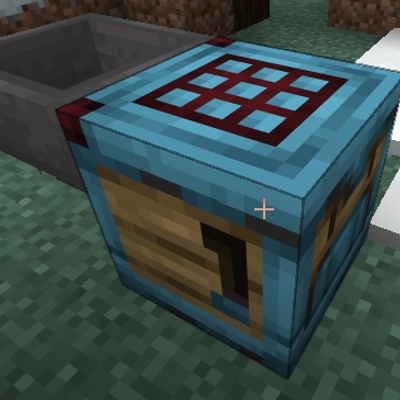
Smart Crafter is a lightweight, vanilla-friendly automation mod that upgrades the vanilla Crafter into a true set-and-forget auto-crafter—no redstone clocks required, and no more accidentally emptying your crafting template!
 mod
Sneak, mine one ore, and the whole vein comes out in a chain reaction. Respects Fortune, Silk Touch, tool tier and durability. Only needed on the server.