Curios API Needed by Extra Slots 0.1.0 (NeoForge 1.21.1)
requiredMatching file found Matched file: curios-neoforge-9.6.1-1.21.1.jar

CurseForge · Minecraft mod
Wear a Curios belt for up to 18 extra inventory slots, no backpack needed.
Quick answer
Extra Slots 0.1.0 (NeoForge 1.21.1) targets 1.21.1 with NeoForge. The project page does not say whether this file belongs on the client, dedicated server, or both. All 1 required mods have matching files.
Where it goes
The project page does not say whether this file belongs on the client, dedicated server, or both.
The source does not explicitly classify this release as client-only or server-only.
Extra Slots 0.1.0 (NeoForge 1.21.1). Change the file and its required mods may change too.
Install Curios API first. We found matching files for this game-version and loader setup.
We only count dependency files that match this setup. A file for another loader does not fill the gap.
Before you install it
Built for Extra Slots 0.1.0 (NeoForge 1.21.1). Pick another file and the loader, install side or required mods may change.
Use Extra Slots 0.1.0 (NeoForge 1.21.1). It targets 1.21.1 with NeoForge; another release may have different loader, side or dependency requirements.
Install Curios API first. We found matching files for this game-version and loader setup.
The project page does not say whether this file belongs on the client, dedicated server, or both.
Use the “Get this file” button beside Extra Slots 0.1.0 (NeoForge 1.21.1). It opens that exact file at the source.
About this project
More inventory, without a backpack.
Wear a Utility Belt in your Curios belt slot and you get extra inventory slots that belong to you, not to an item. Open them with the belt button in your inventory. Take the belt off and everything moves back into your inventory; whatever doesn't fit drops at your feet, reserved for you for 5 seconds.
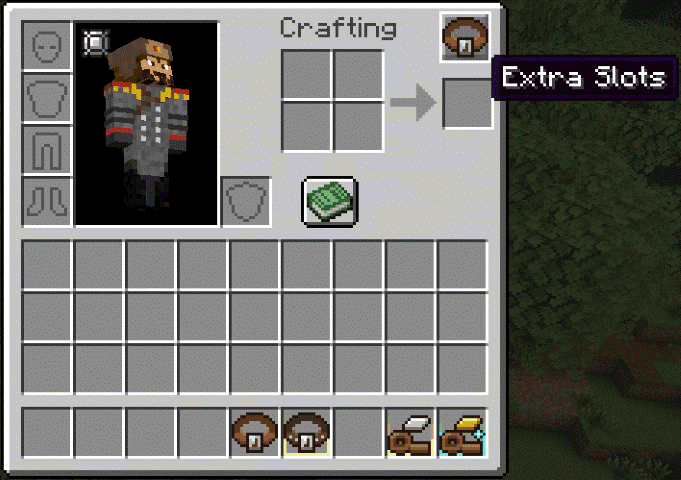
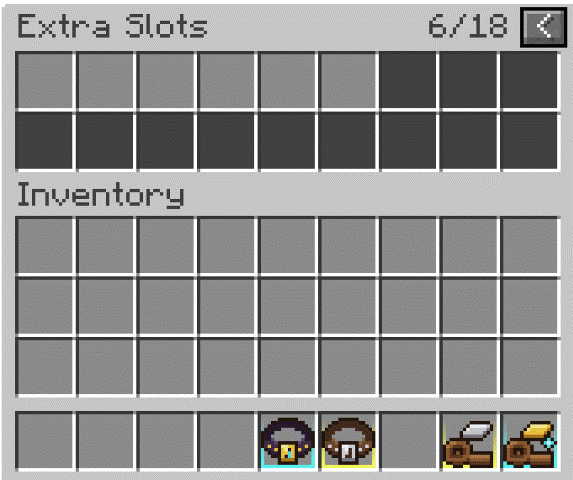
| Belt | Extra slots |
|---|---|
| Utility Belt | 6 |
| Reinforced Utility Belt | 12 |
| Gilded Utility Belt | 18 |
Right-click a Reinforcement Kit or Gilding Kit while wearing your belt, or right-click the kit onto a belt in any inventory. Your items stay where they are; nothing spills. (You can also craft the next belt from the previous one with the same materials, but you'll need to take it off first.)
Utility Belt
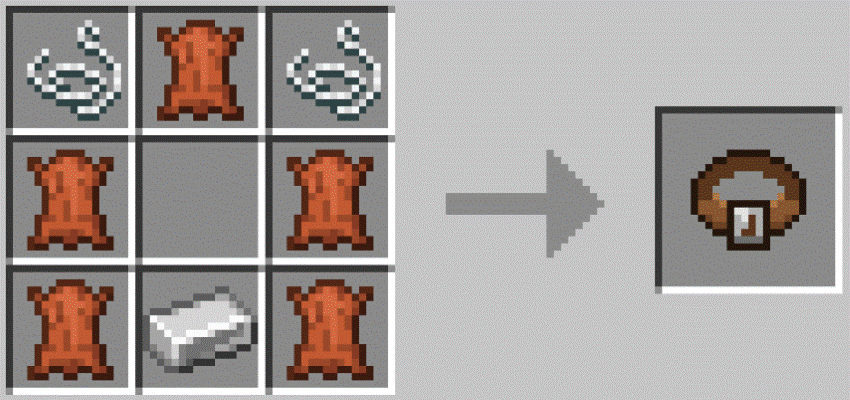
Reinforcement Kit (Utility Belt to Reinforced)
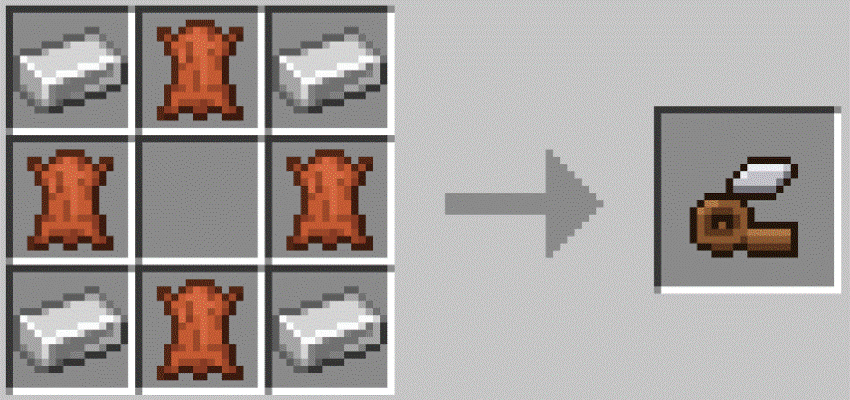
Gilding Kit (Reinforced to Gilded)
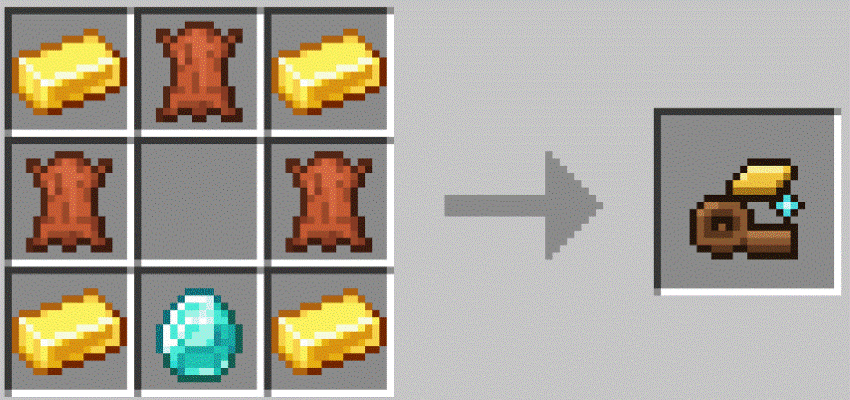
Recipes use common item tags, so leather and ingots from other mods work too. Recipes show up in the recipe book as you progress.
/extraslots info [player].extraslots:extra_inventory_slots (up to 18). Grant it from any item, mod or datapack; sources stack.Free to use in any modpack. MIT licensed.
Project description from CurseForge.
Pick your setup
Choose the version and loader you play, then open the matching release.
Check the dependencies, then try the file in a copied instance before changing a world you care about.
Recent files
extraslots-neoforge-1.21.1-0.1.0.jar
20 Oct 2026
Looking for an older file? The official CurseForge project page is in Resources.
 mod
Storage mod with multiple tiers and functional upgrades
 mod
Library mod for Sophisticated mods
 mod
Full Featured Sophisticated Storage on Create Contraptions