Motion Capture Needed by Time Travel: Rewritten timetravel-neoforge-1.21.1-0.12.0.jar
requiredMatching file found Matched file: Mocap-NEOFORGE-1.21.1-1.4-alpha-10.jar

CurseForge · Minecraft mod
A time travel mod based on self consistent causal loops built on the Motion Capture mod by mt1006, adapted from Time Loop by Luigi and VLTNO.
Quick answer
Time Travel: Rewritten timetravel-neoforge-1.21.1-0.12.0.jar targets 1.21.1 with NeoForge. The project page does not say whether this file belongs on the client, dedicated server, or both. All 1 required mods have matching files.
Where it goes
The project page does not say whether this file belongs on the client, dedicated server, or both.
The source does not explicitly classify this release as client-only or server-only.
timetravel-neoforge-1.21.1-0.12.0.jar. Change the file and its required mods may change too.
Install Motion Capture first. We found matching files for this game-version and loader setup. 1 comes through another mod in the chain.
1 extra mod was pulled in by another dependency. Indented rows show who needs each one. We only count dependency files that match this setup. A file for another loader does not fill the gap.
Before you install it
Built for Time Travel: Rewritten timetravel-neoforge-1.21.1-0.12.0.jar. Pick another file and the loader, install side or required mods may change.
Use timetravel-neoforge-1.21.1-0.12.0.jar. It targets 1.21.1 with NeoForge; another release may have different loader, side or dependency requirements.
Install Motion Capture first. We found matching files for this game-version and loader setup. 1 comes through another mod in the chain.
The project page does not say whether this file belongs on the client, dedicated server, or both.
Use the “Get this file” button beside timetravel-neoforge-1.21.1-0.12.0.jar. It opens that exact file at the source.
About this project
A Minecraft mod that lets you travel through a shared timeline and interact with past and future versions of yourself.
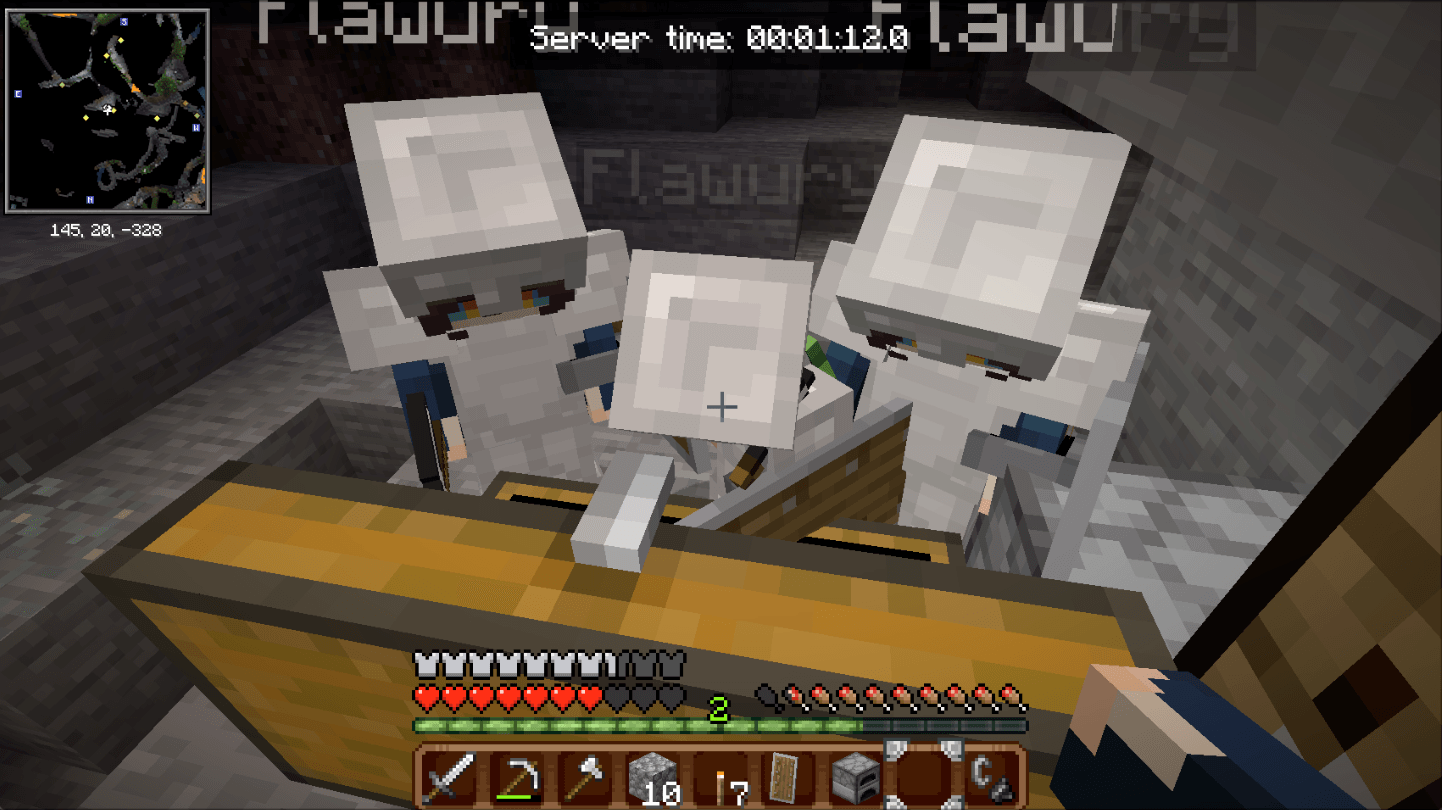
Requires Motion Capture Mod. Based on mod Time Loop, special thanks to Vowless and luigi052005 for this mod, Remedy Hearts and Toby Fox for the sfx!!! Also huuge thanks to Homestuck Art Team for gears and clockwork vfx!!! Mod icon by Riotmode
If a serious bug or time desynchronization occurs, I highly recommend using the /tt reset command!!! Mod is on alpha stage!
Use /timetravel or /tt to control the timeline.
start - Start the timeline.stop - Stop the timeline.reset confirm - Reset the timeline and delete recorded history.status - Display the current timeline status.help - Show available commands.jump to <time> - Jump to a specific time.jump forward <time> - Jump forward by a duration.jump back <time> - Jump backward by a duration.jump return - Return to the previous time position.jump mark <name> - Jump to a saved time mark.mark <name> - Save the current time as a mark.unmark <name> - Delete a saved mark.marks - List saved marks.visits [player] - View recorded player visits.Time can be specified in ticks (t), seconds (s), minutes (m), hours (h), or days (d). For example, 5m, 30s, or 1200t.
Use /tt settings to view the current settings.
maxJump <time> - Set the maximum duration of a time jump. 0 disables the limit.jumpCooldown <ticks> - Set the delay between jumps.preload <ticks> - Set how far ahead past selves are preloaded.modifyPlayer <player> <nickname> [skin type] <skin> - Change a recorded player's name and skin.Use /tt settings toggles <option> <true|false> to change an option.
syncDayTime - Synchronize the world's time of day with the timeline.jumpRequiresOp - Configure operator requirements for time jumps.chainDeath - Configure chained death behavior.trackItems - Toggle dropped-item tracking.trackChat - Toggle chat tracking.hurtClones - Toggle whether recorded player clones can be hurt.showTimer - Toggle the timeline timer.timerInTicks - Display the timer in ticks instead of clock format.Requires Simple Voice Chat.
voice trackVoice <true|false> - Toggle voice recording and playback.voice icon <true|false> - Toggle speaking indicators.voice interaction <true|false> - Toggle voice-triggered interactions.voice distance <blocks> - Set the voice distance.voice threshold <dB> - Set the voice interaction threshold.voice cooldown <ticks> - Set the voice interaction cooldown.If you encounter an issue or need help, open an issue on the GitHub repository.
Project description from CurseForge.
Pick your setup
Choose the version and loader you play, then open the matching release.
Check the dependencies, then try the file in a copied instance before changing a world you care about.
Recent files
31 Oct 2026
25 Oct 2026
24 Oct 2026
24 Oct 2026
22 Oct 2026
21 Oct 2026
20 Oct 2026
20 Oct 2026
20 Oct 2026
20 Oct 2026
20 Oct 2026
20 Oct 2026
Looking for an older file? The official CurseForge project page is in Resources.
 mod
modBattle epic Cobblemon raid bosses, top the damage leaderboard, earn Raid Points, and unlock exclusive rewards!
 mod
modUtility mod for the Spore Underground modpack
 mod
modThis is a mod created for the ReverieFoundry modpack to improve JEI compatibility and extend Silent Gear and Iron's Spells 'n Spellbooks.
