Minecraft version
Back to mods 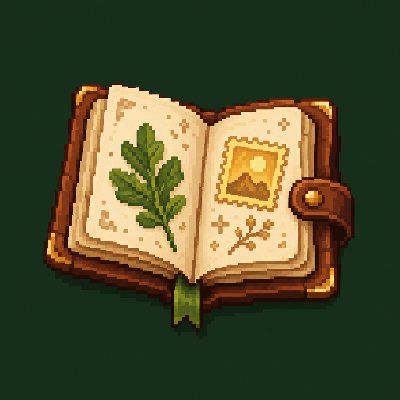
CurseForge · Minecraft mod
Little Discoveries
Fill an Explorer's Journal with biomes, wildlife and landmarks, and earn collectible stamps as you explore.
Choose a version Pick your version below, then grab the matching file.
Quick answer
Which Little Discoveries release should I use?
Latest stable file Little Discoveries 1.0.1 – NeoForge 26.2
Game version 26.2
Loader NeoForge
Little Discoveries 1.0.1 – NeoForge 26.2 targets 26.2 with NeoForge. The project page does not say whether this file belongs on the client, dedicated server, or both. No extra mods listed for this file.
Where it goes
Is Little Discoveries required on the client, server, or both?
The project page does not say whether this file belongs on the client, dedicated server, or both.
Client Source doesn’t say
Dedicated server Source doesn’t say
Loader for this release NeoForge
Required install it here Optional supported, not mandatory Not supported do not install here Source doesn’t say do not assume
The source does not explicitly classify this release as client-only or server-only.
What else does Little Discoveries 1.0.1 – NeoForge 26.2 need?
Little Discoveries 1.0.1 – NeoForge 26.2. Change the file and its required mods may change too.
This file does not list any required mods. Do not add a library just because a different file uses it.
This file does not list any required or optional mods.
Before you install it
Add Little Discoveries without breaking your instance.
Built for Little Discoveries 1.0.1 – NeoForge 26.2. Pick another file and the loader, install side or required mods may change.
- 01
Stick to this file
Use Little Discoveries 1.0.1 – NeoForge 26.2. It targets 26.2 with NeoForge; another release may have different loader, side or dependency requirements.
- 02
Bring the mods it needs
This file does not list any required mods. Do not add a library just because a different file uses it.
- 03
Put it on the correct side
The project page does not say whether this file belongs on the client, dedicated server, or both.
- 04
Pick the file you checked
Use the “Get this file” button beside Little Discoveries 1.0.1 – NeoForge 26.2. It opens that exact file at the source.
About this project
What does Little Discoveries add?
Little Discoveries
Turn your travels into an Explorer's Journal.
Little Discoveries is a cozy exploration and collection mod. Walk into a new biome, spot wildlife or stumble across an old landmark, and your journal gains another field note. Complete collections to earn collectible stamps. There is nothing to kill and no quest chain to follow: take a wander and see what you find.
What's inside
- 61 discoveries across biomes, wildlife and landmarks.
- Six collections and 14 stamps to fill as you explore.
- An open-book journal with illustrated item icons, clues, discovery dates and optional coordinates.
- Personal progress for every player, saved with the world.
- Configurable discovery checks, observation radius, notifications and sounds.
- Data-pack definitions and a server-side API for modpack makers and other mods.
How to play
Press J to open your journal. Rebind it in the Controls menu if needed.
Discover biomes by entering them, wildlife by looking at creatures within 24 blocks with a clear line of sight, and landmarks by stepping inside their structure pieces. Turn the album pages with the arrows, mouse wheel or Page Up/Page Down. Use the arrow keys to move between entries, and Tab or keys 1–5 to change sections. The journal keeps your place when reopened during the same connection.
Items and Curiosities sections appear when another mod or data pack supplies those discoveries; other mods award them through the API.
Installation
Requires Minecraft 26.2, NeoForge 26.2.0.90 or newer for 26.2, and Java 25. Install Little Discoveries on both the client and server. No additional mod dependencies are required.
Created for Little Worlds and usable on its own. English text is included. Compatible data packs can add or replace discoveries, collections and stamps.
Project description from CurseForge.
Pick your setup
Little Discoveries by Minecraft version and loader
Choose the version and loader you play, then open the matching release.
Check the dependencies, then try the file in a copied instance before changing a world you care about.
Recent files
Little Discoveries versions and loaders
Little Discoveries 1.0.1 – NeoForge 26.2
littlediscoveries-1.0.1.jar
20 Oct 2026
Client Source doesn’t say Server Source doesn’t say Dependencies No extras listed Listed on Release listing
Check the 26.2 · NeoForge setup NeoForge26.2 release
Looking for an older file? The official CurseForge project page is in Resources.
 mod
CurseForge · Minecraft
Omenwake
Discover, track, and master encounters that are triggered by your everyday gameplay actions.
 mod
CurseForge · Minecraft
EpicWeapons
Adds three epic weapon types using Better Combat, while keeping the vanilla look!
 mod
CurseForge · Minecraft
Envoys: NPC Dialogue & Quests
Create custom NPCs with branching dialogues, quests, trading, and dynamic behavior.