Back to mods
Brewing Plus project artwork

CurseForge · Minecraft mod

Brewing Plus

Click the button on the brewing stand, pick any potion, and see its full recipe, which ingredients you carry and what to add next.

Choose a version Pick your version below, then grab the matching file.

Quick answer

Which Brewing Plus release should I use?

Updated today
Latest stable file Brewing+ 1.2.0 (NeoForge, 26.1-26.1.2)
Game version 26.1, 26.1.1, 26.1.2
Loader NeoForge

Brewing Plus Brewing+ 1.2.0 (NeoForge, 26.1-26.1.2) targets 26.1, 26.1.1, 26.1.2 with NeoForge. The project page does not say whether this file belongs on the client, dedicated server, or both. All 1 required mods have matching files.

Where it goes

Is Brewing Plus required on the client, server, or both?

The project page does not say whether this file belongs on the client, dedicated server, or both.

Client Source doesn’t say
Dedicated server Source doesn’t say
Loader for this release NeoForge
Required install it here Optional supported, not mandatory Not supported do not install here Source doesn’t say do not assume

The source does not explicitly classify this release as client-only or server-only.

What else does Brewing Plus Brewing+ 1.2.0 (NeoForge, 26.1-26.1.2) need?

Brewing+ 1.2.0 (NeoForge, 26.1-26.1.2). Change the file and its required mods may change too.

All 1 required mods have matching files

Install MyCel first. We found matching files for this game-version and loader setup.

MyCel Needed by Brewing Plus Brewing+ 1.2.0 (NeoForge, 26.1-26.1.2)
required
Matching file found Matched file: Mycel 1.6.1 (Fabric, Forge, NeoForge, 26.1-26.1.2)
We only count dependency files that match this setup. A file for another loader does not fill the gap.

Before you install it

Add Brewing Plus without breaking your instance.

Built for Brewing Plus Brewing+ 1.2.0 (NeoForge, 26.1-26.1.2). Pick another file and the loader, install side or required mods may change.

  1. 01

    Stick to this file

    Use Brewing+ 1.2.0 (NeoForge, 26.1-26.1.2). It targets 26.1, 26.1.1, 26.1.2 with NeoForge; another release may have different loader, side or dependency requirements.

  2. 02

    Bring the mods it needs

    Install MyCel first. We found matching files for this game-version and loader setup.

  3. 03

    Put it on the correct side

    The project page does not say whether this file belongs on the client, dedicated server, or both.

  4. 04

    Pick the file you checked

    Use the “Get this file” button beside Brewing+ 1.2.0 (NeoForge, 26.1-26.1.2). It opens that exact file at the source.

About this project

What does Brewing Plus add?

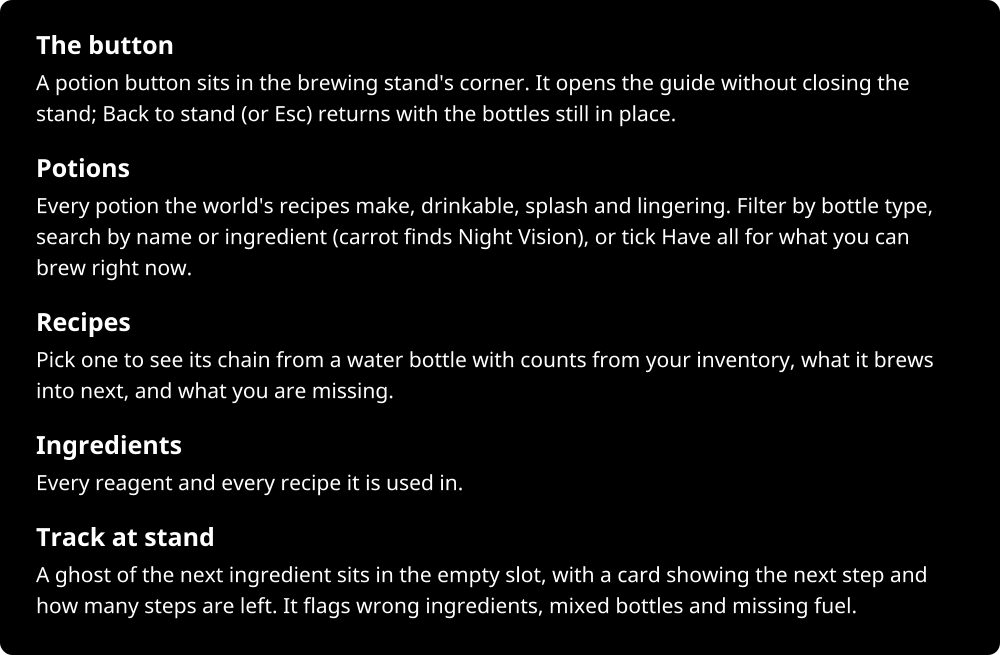
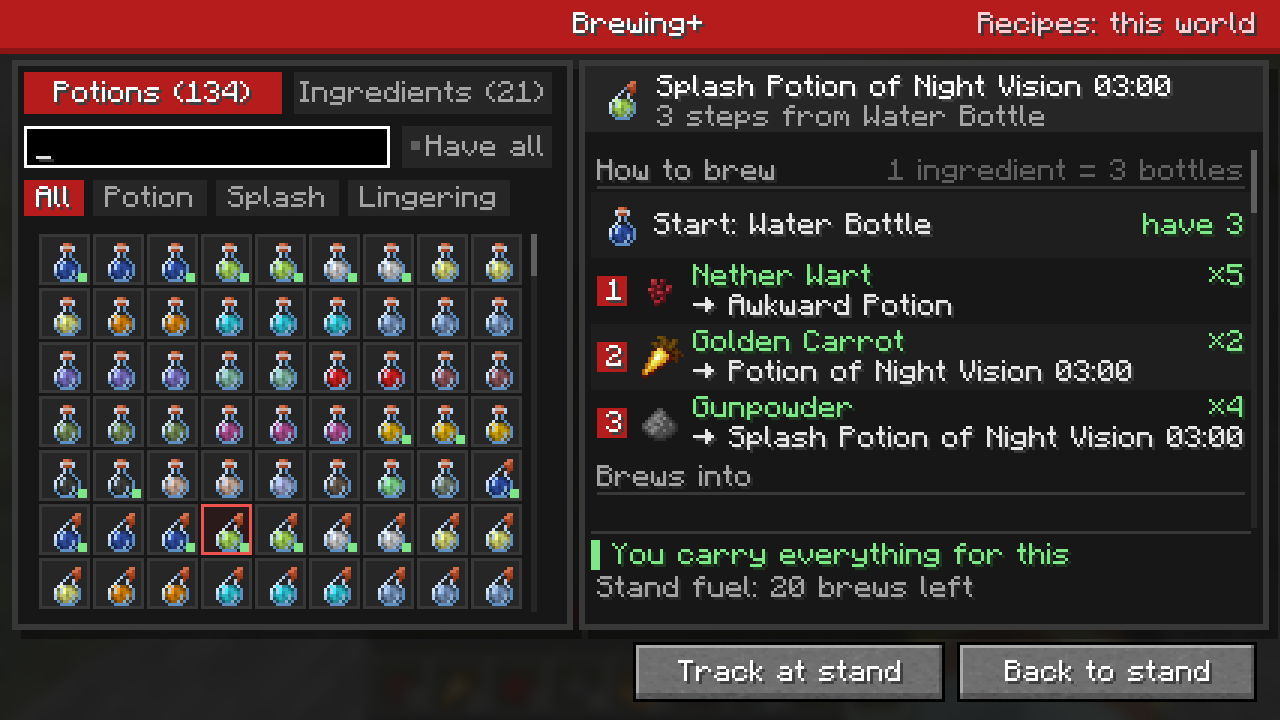
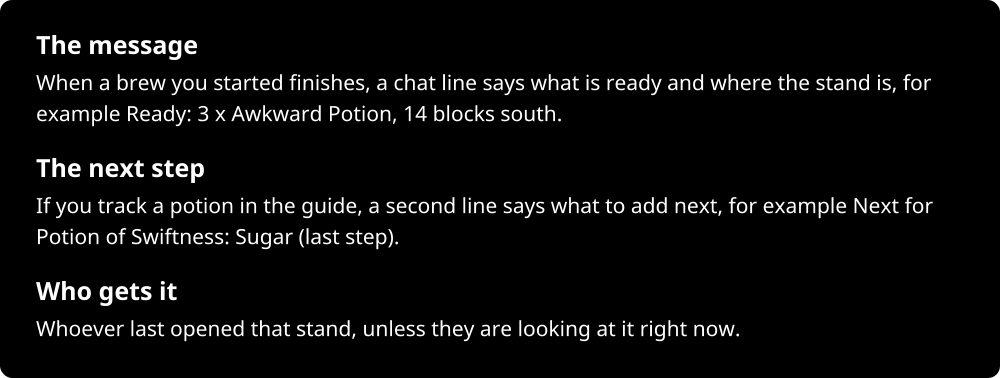
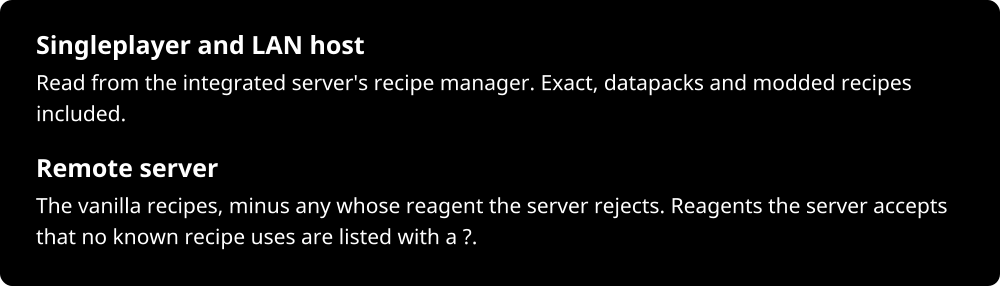
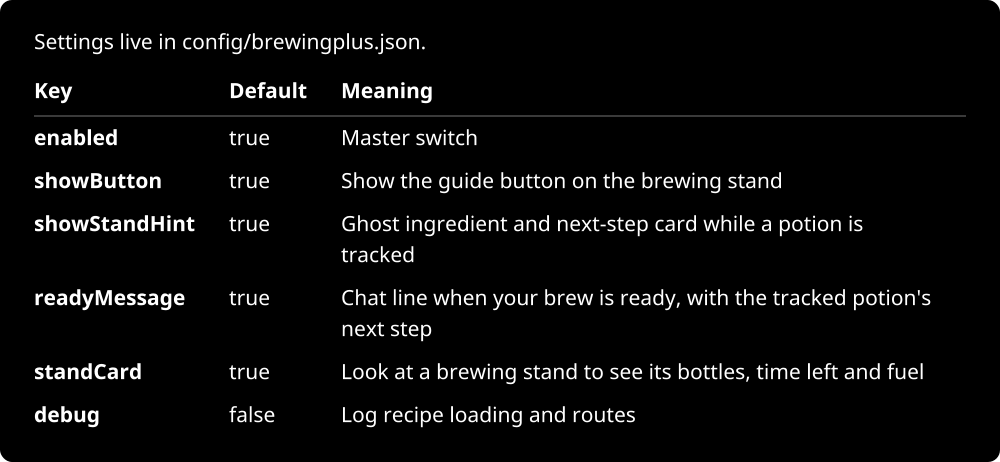
Brewing+ CurseForge downloads Minecraft 26.1 to 26.3 Fabric, Forge, NeoForge Client side, server optional Java 25 Requires Mycel Docs on the wiki License Mycel is required: this mod needs the Mycel library to run. Install Mycel next to it, for the same Minecraft version and loader. Download it from CurseForge. About the mod Brewing+ Click the potion button on the brewing stand to open a guide: every potion the world can brew, its full recipe from a water bottle, which ingredients you carry, and what each ingredient does. Track a potion and the stand shows the next ingredient to add. Walk away while it brews: Brewing+ tells you when your potions are ready. Looking at a brewing stand: 3 Water Bottles, Brewing with Nether Wart 0:15, Fuel: 59 brews, Next for Potion of Swiftness: Sugar The guide The button: A potion button sits in the brewing stand's corner. It opens the guide without closing the stand; Back to stand (or Esc) returns with the bottles still in place. Potions: Every potion the world's recipes make, drinkable, splash and lingering. Filter by bottle type, search by name or ingredient (carrot finds Night Vision), or tick Have all for what you can brew right now. Recipes: Pick The Brewing+ guide showing every step of Splash Potion of Night Vision Your potions are ready The message: When a brew you started finishes, a chat line says what is ready and where the stand is, for example Ready: 3 x Awkward Potion, 14 blocks south. The next step: If you track a potion in the guide, a second line says what to add next, for example Next for Potion of Swiftness: Sugar (last step). Who gets it: Whoever last opened that stand, unless they are looking at it right now. Chat: Ready: 3 x Awkward Potion, 14 blocks south. Next for Potion of Swiftness: Sugar (last step) The stand card Look at any brewing stand to see its bottles, what it is brewing and the time left, how many brews of fuel are left, and the tracked potion's next step. When it is not brewing, the card says why, for example when the ingredient does nothing to these bottles. After the brew: 3 Awkward Potions, Not brewing: Nether Wart does nothing here, Fuel: 59 brews Where recipes come from Singleplayer and LAN host: Read from the integrated server's recipe manager. Exact, datapacks and modded recipes included. Remote server: The vanilla recipes, minus any whose reagent the server rejects. Reagents the server accepts that no known recipe uses are listed with a ?. Anonymous stats Brewing+ sends anonymous stats (which potions get looked up and tracked, and errors in its own code) to its FastStats project through Mycel. It follows Mycel's choice exactly: the one-time screen in your own game, shareStats and shareErrors in config/mycel.json on servers. Configuration Configuration table: enabled, true, Master switch; showButton, true, Show the guide button on the brewing stand; showStandHint, true, Ghost ingredient and next-step card while a potion is tracked; readyMessage, true, Chat line when your brew is ready, with the tracked potion's next step; standCard, true, Look at a brewing stand to see its bottles, time left and fuel; debug, false, Log recipe loading and routes Reload live with /mycel reload brewingplus. Install Install it in your own game; put it on the server too for the ready message and the stand card there (in singleplayer they always work). Requires Mycel. Minecraft 26.1, 26.2 and 26.3 on Fabric, Forge and NeoForge, Java 25. On Fabric you also need Fabric API. Without Mycel the game still starts: the mod stays off and says so in chat.

Project description from CurseForge.

Pick your setup

Brewing Plus by Minecraft version and loader

Choose the version and loader you play, then open the matching release.

15 available setups

Check the dependencies, then try the file in a copied instance before changing a world you care about.

Recent files

Brewing Plus versions and loaders

48 of 48 releases match

Looking for an older file? The official CurseForge project page is in Resources.