Just Enough Items (JEI) Optional for RFTools Dimensions (Fabric) rftoolsdim-fabric-26.3-26.3-12.0.5.4.jar
optionalMatching file found Matched file: 31.17.0.108 for Fabric 26.3
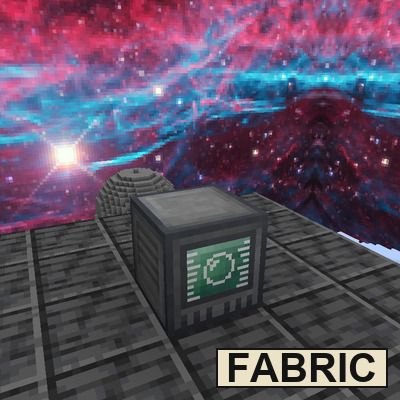
CurseForge · Minecraft mod
A Fabric port of Mcjty's RFTools Dimensions, and addon for RFTools which allows the creation of other dimensions on Fabric.
Quick answer
RFTools Dimensions (Fabric) rftoolsdim-fabric-26.3-26.3-12.0.5.4.jar targets 26.3 with Fabric. The project page does not say whether this file belongs on the client, dedicated server, or both. All 3 required mods have matching files.
Where it goes
The project page does not say whether this file belongs on the client, dedicated server, or both.
The source does not explicitly classify this release as client-only or server-only.
rftoolsdim-fabric-26.3-26.3-12.0.5.4.jar. Change the file and its required mods may change too.
Install McJtyLib (Fabric), Fabric API, RFTools Base (Fabric) first. We found matching files for this game-version and loader setup. 2 come through another mod in the chain.
2 extra mods were pulled in by other dependencies. Indented rows show who needs each one. We only count dependency files that match this setup. A file for another loader does not fill the gap.
Before you install it
Built for RFTools Dimensions (Fabric) rftoolsdim-fabric-26.3-26.3-12.0.5.4.jar. Pick another file and the loader, install side or required mods may change.
Use rftoolsdim-fabric-26.3-26.3-12.0.5.4.jar. It targets 26.3 with Fabric; another release may have different loader, side or dependency requirements.
Install McJtyLib (Fabric), Fabric API, RFTools Base (Fabric) first. We found matching files for this game-version and loader setup. 2 come through another mod in the chain.
The project page does not say whether this file belongs on the client, dedicated server, or both.
Use the “Get this file” button beside rftoolsdim-fabric-26.3-26.3-12.0.5.4.jar. It opens that exact file at the source.
About this project
Unofficial Fabric port of McJty's RFTools Dimensions
Brings McJty's RFTools Dimensions to modern Fabric versions: build your own dimensions from dimlets. Research knowledge with the Researcher, absorb blocks, fluids, biomes and structures with the four absorbers, and craft dimlets in the Dimlet Workbench next to a Knowledge Holder. Each dimlet sets part of a dimension including its terrain, biomes, features, structures, blocks, fluids, time and sky. Write the dimlets onto a dimension tab in the Enscriber, then let the Dimension Builder create the dimension and keep it powered.
Keep the builder chunkloaded, when a dimension runs low on power the screen fades to dark red, and when it runs out the players in it die (on 1.21.1 and newer; in 1.20.1, as in the original, they don't). The Dimension Editor adds dimlets to an existing dimension or destroys one with TNT. Watch out for the dimensional blobs that roam the new worlds.
This mod does not add new content but does seek providing enjoyment of McJty's mod to Fabric servers and modpacks with bug fixes and QoL changes when necessary.
Differences from the original:
Sky, fog and cloud dimlets change the sky as their descriptions say. In the original (NeoForge and Forge) they currently do nothing.
The low-power warning fades the screen to dark red instead of covering it completely.
Works with Sodium. Shader packs draw their own sky, so sky dimlets only show with shaders turned off currently.
This mod and page hold no connection to McJty and any bugs or issues with the mod or its content should be reported here. All credit to the mod and its content should be directed to McJty, see his links below.
CurseForge: https://www.curseforge.com/members/mcjty/projects
Modrinth: https://modrinth.com/user/McJty
RFTools Dimensions CurseForge: https://www.curseforge.com/minecraft/mc-mods/rftools-dimensions
RFTools Dimensions Modrinth: https://modrinth.com/mod/rftools-dimensions
This mod is an unofficial Fabric port and does require McJtyLib (Fabric) and RFTools Base (Fabric) to run
McJtyLib (Fabric): https://www.curseforge.com/minecraft/mc-mods/mcjtylib-fabric
RFTools Base (Fabric): https://www.curseforge.com/minecraft/mc-mods/rftools-base-fabric
The machines take power from any Fabric mod that uses Team Reborn Energy. RFTools Utility (Fabric), JEI and Jade are optional.
If you run into any issues feel free to comment or reach out and I will be sure to fix it as soon as I can! Make sure to describe any issues as best as you can and provide the version you are on.
Project description from CurseForge.
Pick your setup
Choose the version and loader you play, then open the matching release.
Check the dependencies, then try the file in a copied instance before changing a world you care about.
Recent files
24 Oct 2026
24 Oct 2026
24 Oct 2026
24 Oct 2026
24 Oct 2026
23 Oct 2026
23 Oct 2026
23 Oct 2026
23 Oct 2026
23 Oct 2026
23 Oct 2026
23 Oct 2026
Looking for an older file? The official CurseForge project page is in Resources.
 mod
modPasture block can now be used as a utility block that gives Pokémon jobs!
 mod
modCreate: Lanterns brings the Lantern Corps to Minecraft, with unique rings, powers, constructs, flight, and a new way to craft rings and build constructs using Create and Aeronautics.
 mod
modThis mod provides a simple but powerful alchemy. And food.