GeckoLib Needed by Create: Food Displays create_food_displays - 1.21.1 - 1.1.0.jar
requiredMatching file found Matched file: NeoForge 1.21.1 4.9.4
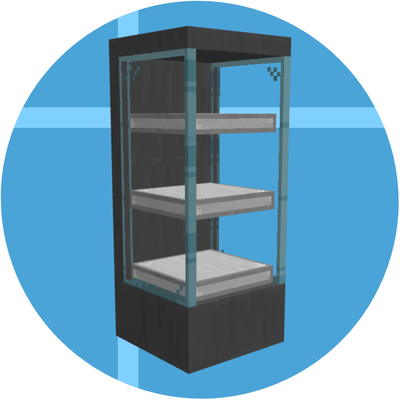
CurseForge · Minecraft mod
Adds different blocks that allow you to show off your food in the create mod!
Quick answer
Create: Food Displays create_food_displays - 1.21.1 - 1.1.0.jar targets 1.21.1 with NeoForge. The project page does not say whether this file belongs on the client, dedicated server, or both. All 2 required mods have matching files.
Where it goes
The project page does not say whether this file belongs on the client, dedicated server, or both.
The source does not explicitly classify this release as client-only or server-only.
create_food_displays - 1.21.1 - 1.1.0.jar. Change the file and its required mods may change too.
Install GeckoLib, Create first. We found matching files for this game-version and loader setup.
We only count dependency files that match this setup. A file for another loader does not fill the gap.
Before you install it
Built for Create: Food Displays create_food_displays - 1.21.1 - 1.1.0.jar. Pick another file and the loader, install side or required mods may change.
Use create_food_displays - 1.21.1 - 1.1.0.jar. It targets 1.21.1 with NeoForge; another release may have different loader, side or dependency requirements.
Install GeckoLib, Create first. We found matching files for this game-version and loader setup.
The project page does not say whether this file belongs on the client, dedicated server, or both.
Use the “Get this file” button beside create_food_displays - 1.21.1 - 1.1.0.jar. It opens that exact file at the source.
About this project



Show off your food in style. Create: Food Displays adds a set of display blocks for putting food on show, from a single item under glass to a full cupcake stand. Place food exactly where you want it by clicking the spot you want it to go.
**Display Stand:
**A small stand that shows one food item. It can be covered with a Glass Cover. With an empty hand, the food comes off first, and clicking again removes the cover.
**One-Wide Display Shelf
**A tall shelf with three levels. Each level holds 4 items, for 12 in total.
Two-Wide Display Shelf
A double-width version of the shelf. It takes up two blocks side by side, and each of its three levels holds 8 items, for 24 in total.
Display Counter
A glass-fronted counter with two sloped shelves. Each shelf holds 4 items, for 8 in total.
Cupcake Stand
A three-tier round stand. The items sit in a ring on each tier: 16 on the bottom tier, 12 on the middle tier and 8 on the top tier, for 36 in total.
Glass Cover
A see-through cover that fits over the Display Case. Right-click a Display Case with one to install it.
Project description from CurseForge.
Pick your setup
Choose the version and loader you play, then open the matching release.
Check the dependencies, then try the file in a copied instance before changing a world you care about.
Recent files
create_food_displays-1.1.0.jar
21 Oct 2026
create_food_displays-1.0.0.jar
21 Oct 2026
Looking for an older file? The official CurseForge project page is in Resources.
 mod
This mod is designed to provide convenient assistance for map makers and datapack creators.
 mod
Fast Horse , Breeding Horse, Horse Potion,Horse Zero Fall Damage
 mod
Adds fruits, jelly, juice, and fruit-based food in Farmer's Delight style